EasyManua.ls Logo

Samsung IC025H - User Manual

Samsung IC025H
26 pages
Print Icon
To Next Page IconTo Next Page
Loading...
User Manual
The color and the appearance may differ depending on the product, and the content in this
manual is subject to change without prior notice to improve the performance.


For the product model code, refer to the label on the back of the product.
An administration fee may be charged if either




The amount of such administration charge will be advised to you before any work or home
visit is carried out.
© Samsung Electronics
Samsung Electronics owns the copyright for this manual. Use or reproduction of this manual in parts or entirety without the authorization of Samsung Electronics is prohibited.
Trademarks other than Samsung Electronics are property of their respective owners.
025H 925H 033H
Question and Answer IconNeed help?

Do you have a question about the Samsung IC025H and is the answer not in the manual?

Overview

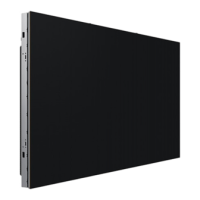
This document serves as the User Manual for Samsung LED Signage products, specifically models IC025H, IC925H, and IC033H. It provides comprehensive information regarding safety precautions, installation procedures, operational guidelines, technical specifications, and maintenance.

Function Description:

The Samsung LED Signage products are designed for displaying video signals. The manual details the process of connecting multiple cabinets to form a larger display, with specific instructions for different models and power configurations. The first 8 digits of the product model code indicate that the equipment is Digital Cinema Initiative (DCI)-compliant, suggesting its use in professional cinema environments. An IMB Box (Image Media Block) is mentioned as an optional component for video signal transmission, which can be purchased and installed separately.

Important Technical Specifications:

The manual provides a detailed specifications table for the IC025H, IC925H, and IC033H models:

  • Pixel Pitch:
    • IC025H: 2.5 mm
    • IC925H: 2.5 mm
    • IC033H: 3.33 mm
  • LED Pixel Configuration: All models use a 3-in-1 (RGB) configuration.
  • LED Pixel Size (W x H): All models have a pixel size of 1.0 mm x 1.0 mm.
  • Pixels (Row x Column):
    • IC025H: 256 x 360
    • IC925H: 256 x 360
    • IC033H: 192 x 270
  • Aspect Ratio (W:H): All models have an aspect ratio of 32:45.
  • Video Frame Rate:
    • IC025H: 24/25/30Hz, 3D Mode: 24Hz
    • IC925H: 24/25/30/48/50/60Hz, 3D Mode: 24Hz
    • IC033H: 24/25/30Hz, 3D Mode: 24Hz
  • Power Supply: AC100-240V~50/60Hz.
  • Environmental Considerations:
    • Operating Temperature: 32 °F - 104 °F (0 °C - 40 °C)
    • Operating Humidity: 10% - 80%, non-condensing
    • Storage Temperature: -4 °F - 113 °F (-20 °C - 45 °C)
    • Storage Humidity: 5% - 95%, non-condensing

Usage Features:

The manual emphasizes several key usage features and guidelines:

  • Cabinet Installation: Professional installation is recommended, and specific installation orders are provided for each model (IC025H, IC925H, IC033H) when viewed from the back side, ensuring proper load distribution. Different models are to be installed on different floors.
  • FFC Cable Connection: The Flexible Flat Cable (FFC) ports (Tx for output, Rx for input) allow for vertical and horizontal connection of cabinets, enabling the creation of large, seamless displays.
  • Power Cable Connection: Detailed diagrams illustrate how to connect power cables to the power distribution board and subsequent cabinets.
    • 110 V Power: Allows connection of up to 5 cabinets for IC025H/IC925H and up to 8 cabinets for IC033H.
    • 220 V Power: Allows connection of up to 8 cabinets for IC025H/IC925H and up to 11 cabinets for IC033H.
    • Exceeding the recommended number of devices can lead to overvoltage, circuit breaker trips, or product damage.
  • IMB Box Integration: The IMB Box is installed within an installed cabinet for video signal transmission, and its placement is specified in diagrams.
  • Plug-and-Play: The monitor is compatible with Plug-and-Play systems, optimizing settings automatically, though customization is possible.
  • Safety Symbols: A comprehensive list of safety symbols (Warning, Caution, Prohibition, Instruction) is provided to guide users on safe operation and prevent injury or damage.
  • Environmental Considerations: Warnings against installing the product in poorly ventilated spaces, on unstable surfaces, near heat sources, or in areas with excessive dust, moisture, or smoke are highlighted to ensure product longevity and safety.
  • Children Safety: Instructions to keep plastic packaging out of reach of children and prevent children from hanging on or climbing the product are included.

Maintenance Features:

The manual outlines important maintenance and care instructions:

  • Cleaning:
    • Care should be taken when touching the LED fixture on the front to prevent LED elements from falling off.
    • Internal cleaning should be performed by the Customer Service Center, incurring a service fee.
    • Regular cleaning of dust around power plug pins and sockets with a dry cloth is advised to prevent fire.
  • Protective Bracket Removal: Instructions are provided for removing protective brackets after screen inspection and before mounting the product on the frame, with a caution to prevent the product from falling.
  • Troubleshooting: In cases of abnormal sounds, burning smells, smoke, or physical damage, users are instructed to immediately disconnect power and contact Samsung Customer Service Center.
  • Administration Fee: An administration fee may be charged if a service engineer is called out for a non-defective product (due to failure to read the manual) or if the unit is brought to a repair center without a defect.
  • Pay Service Responsibility: The manual details scenarios where a pay service (cost to customers) may be charged, even within the warranty period. These include issues not related to product defects (e.g., external factors, reinstallation, customer mishandling, unauthorized repairs, incorrect voltage use, or natural disasters).
  • Open Source License: Information regarding open source software components and how to obtain corresponding source code is provided, including a website link.
  • Recycling (USA only): Instructions for disposing of unwanted electronics through an approved recycler are given, including a website and phone number.

Samsung IC025H Specifications

General IconGeneral
BrandSamsung
ModelIC025H
CategoryDigital Signage
LanguageEnglish

Related product manuals