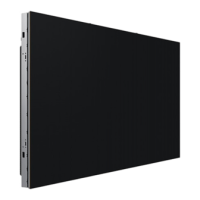
This document serves as a user manual for Samsung's LED Signage products, specifically covering the IER, IER-F, IFR, and IFR-F series. The models include IE015R, IE020R, IE025R, IE040R, IE015R-F, IE020R-F, IE025R-F, IE040R-F, IF015R, IF020R, IF025R, IF040R, IF015R-F, IF020R-F, IF025R-F, and IF040R-F. The manual provides essential information for safe installation, operation, maintenance, and troubleshooting of these devices.
Function Description:
The devices are LED signage cabinets designed for displaying video and image content. They are modular units that can be connected to form larger displays. The "R" in the model names likely indicates a standard refresh rate, while "R-F" might denote a higher or different refresh rate variant. The "I" prefix suggests an indoor application. The cabinets receive video data and power through a daisy-chain connection, allowing for scalable display configurations. An S-Box (SNOW-1810U) acts as a central hub for video input and distribution to the cabinets.
Important Technical Specifications:
General Cabinet Specifications:
- LED Pixel Configuration: All models use a 3-in-1 (RGB) LED pixel configuration.
- Power Supply: AC100-240V~50/60Hz. The standard voltage may vary by country.
- Operating Temperature: 32 °F - 104 °F (0 °C - 40 °C).
- Operating Humidity: 10% - 80%, non-condensing.
- Storage Temperature: -4 °F - 113 °F (-20 °C - 45 °C).
- Storage Humidity: 5% - 95%, non-condensing (applicable before unpacking).
- Plug-and-Play: Compatible with Plug-and-Play systems for automatic monitor settings optimization.
Specific Model Specifications:
Supported Resolutions per Installation (using one S-Box SNOW-1810U):
The S-Box (SNOW-1810U) supports up to UHD resolution due to its four built-in HDBT OUT ports. For resolutions exceeding UHD, additional S-Boxes are required.
-
IE015R / IF015R:
- 1 cabinet: 640 x 360
- 3 x 3 cabinets: 1920 x 1080
- 6 x 6 cabinets: 3840 x 2160
-
IE020R / IF020R:
- 1 cabinet: 480 x 270
- 4 x 4 cabinets: 1920 x 1080
- 8 x 8 cabinets: 3840 x 2160
-
IE025R / IF025R:
- 1 cabinet: 384 x 216
- 5 x 5 cabinets: 1920 x 1080
- 10 x 10 cabinets: 3840 x 2160
-
IE040R / IF040R:
- 1 cabinet: 240 x 135
- 8 x 8 cabinets: 1920 x 1080
- 16 x 16 cabinets: 3840 x 2160
Maximum DAISY CHAIN Connection (Power):
The maximum number of cabinets that can be daisy-chained for power depends on the model and operating voltage (110V or 220V).
- IE015R: 2 (110V), 4 (220V)
- IE015R-F: 7 (110V), 15 (220V)
- IE020R: 3 (110V), 6 (220V)
- IE025R / IE040R: 3 (110V), 7 (220V)
- IE020R-F / IE025R-F / IE040R-F: 10 (110V), 20 (220V)
- IF015R: 1 (110V), 3 (220V)
- IF020R / IF025R / IF040R: 2 (110V), 4 (220V)
- IF015R-F / IF020R-F / IF025R-F / IF040R-F: 7 (110V), 15 (220V)
Usage Features:
- Modular Design: The cabinets are designed to be interconnected to create large-format displays.
- Connectivity:
- DATA IN/OUT: For receiving and transmitting video data between cabinets.
- POWER IN/OUT: For daisy-chaining power between cabinets.
- SERVICE: Dedicated ports for service technicians.
- SWITCH: Used to enter factory mode (hold for 5 seconds) or factory reset mode (hold for 10 seconds).
- S-Box (SNOW-1810U): Connects to external devices and distributes video data to the cabinets via HDBT ports and LAN cables (CAT 6 STP or higher, 15-100m length recommended).
- Interface Gender (I/G) Card: Connects to the S-Box and cabinets using OCM cables for video data transmission.
- Installation: Requires professional installation. Cabinets are installed using a frame kit provided by the manufacturer. Protective brackets must be removed before installation.
- Redundancy: The connection diagram shows a redundant cabling option for data.
Maintenance Features:
- Cleaning:
- The LED structure is exposed on the front; exercise caution not to touch it to prevent damage.
- Use the soft cleaning cloth provided with the monitor to gently wipe the exterior.
- For internal cleaning, contact the Customer Service Center (service fee may apply).
- Troubleshooting:
- If abnormal sounds, burning smell, or smoke occur, disconnect power immediately and contact Samsung Customer Service Center.
- During lightning or thunderstorms, power off and remove the power cable.
- Safety Precautions:
- Electrical Safety: Do not use damaged cords/plugs, multiple products on one socket, or touch plugs with wet hands. Ensure secure connections and proper grounding. Clean dust from power plugs/sockets. Disconnect power during non-use periods.
- Installation Safety: Do not install in poorly ventilated spaces, on unstable surfaces, near heat sources, or within reach of children. Avoid exposure to direct sunlight, heat, or stoves. Do not place candles, insect repellants, or cigarettes on top.
- Handling: Do not drop the product or apply impact. Handle gently. Do not move by pulling cords. Do not insert metallic or easily combustible objects into vents/ports.
- Operation Safety: Do not disassemble, repair, or modify the product. Do not block vents. Do not place liquid-containing objects or heavy items on top.
- Static Electricity: Wear anti-static gloves when touching the product, especially after removing protective brackets, to prevent damage to the LEDs.
- Service Policy:
- An administration fee may be charged if an engineer is called out but no defect is found (e.g., user manual not read), or if the unit is brought to a repair center with no defect.
- Service may be chargeable even within warranty for issues not related to product defects (e.g., external factors, customer mishandling, unauthorized repairs, not following manual instructions, consumable component depletion, natural disasters).
- Samsung is not liable for problems caused by exceeding the recommended maximum number of daisy-chained devices.
- Dehumidification: After installation, it is recommended to dehumidify the LED Signage product to prevent moisture damage and maintain optimal performance. Refer to the installation manual for details.

 Need help?
 General

 To Next Page