This document provides an installation manual for the Samsung IWB Series LED Displays, specifically models LH009IWBMES and LH006IWBMES (under development). It covers product information, installation precautions, frame and cabinet installation, frame bezel installation, S-BOX installation and connection, and LSM configuration and usage description.
Function Description
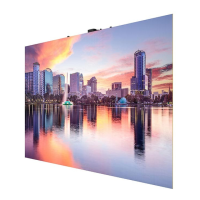
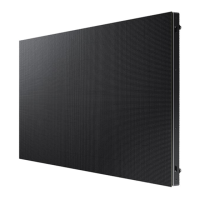
The Samsung IWB Series LED Display is a large-format display system designed for various applications, including business-to-consumer (B2C) and business-to-business (B2B) environments. It utilizes Chip On Board (CoB) LED technology, offering high refresh rates and resolutions. The system is modular, consisting of multiple cabinets that are assembled to form a larger screen. An S-Box (SNOW-AAE or SNOW-ACE) acts as the central control unit, managing video signals, display configurations, and network connections. The LED Signage Manager (LSM) software provides a comprehensive interface for controlling and configuring the display, including layout adjustments, calibration, and software updates.
Important Technical Specifications
The IWB Series offers different pixel pitches: P0.63 and P0.94.
For the P0.63 model:
- Resolution: 1920 x 1080
- Dimensions (W x D x H): 1209.4 x 680.3 x 59.9mm
- Brightness: B2C: 250nit (Peak 1600nit), B2B: 350nit (Peak 1600nit)
- Contrast Ratio: 17,000:1 (TBD)
- Bit Depth: TBD
- Refresh Rate: TBD
- Power Consumption: TBD (W/set)
- Max Connection Quantity: 3 (110V), 5 (220V)
- 4K Configuration: 2x2, 4EA
- 8K Configuration: 4x4, 16EA
For the P0.945 model:
- Resolution: 1280 x 720
- Dimensions (W x D x H): 1209.4 x 680.3 x 59.9mm
- Brightness: B2B: 600nit (Peak 1200nit)
- Contrast Ratio: 12,000:1
- Bit Depth: 16bit
- Refresh Rate: 3840
- Power Consumption: 264 (W/set)
- Max Connection Quantity: 3 (110V), 5 (220V)
- 4K Configuration: 3x3, 9EA
- 8K Configuration: 6x6, 36EA
Both models operate within a working temperature range of 0°C to +40°C and 10-80% RH, with an IP20 rating and Class B EMC certification. The S-Box (SBB-SNOWAAE) supports input resolutions up to 8K (7680 x 4320 @60Hz) via DP and HDMI 4, and 4K (3840 x 2160 @60Hz) via HDMI 1-3. It features multiple input/output ports including HDMI, DP, RS232, USB, LAN, and Optical Cable (OCM). Optical cables can be up to 100m long.
Usage Features
Installation and Configuration:
- Modular Design: The display is assembled from individual cabinets, allowing for flexible screen sizes and configurations (e.g., 1x1, 2x2, 3x3, 4x4, 6x6).
- Frame Kit: A dedicated frame kit (VG-LFB series) is used for structural support, with specific components for different screen sizes.
- Cabinet Installation: Cabinets are installed onto the frame, with attention to LED/Film Rank matching to ensure consistent display quality. Bolts and screws are used for secure fastening, and an adsorber tool assists in precise module placement.
- Z-step Adjustment: Fine-tuning of module alignment (Z-step) is possible using adjustment bolts and a GAP TOOL to ensure a seamless display surface.
- OCM Cable Connection: Optical cables connect the S-Box to the IG Cards and then to the cabinets in a daisy-chain configuration, supporting various resolutions and redundancy options.
- S-Box Connection: The S-Box handles video signals (HDMI, DP), network communication (LAN), and optical cable connections to the LED cabinets. It supports multi-screen combinations and synchronization.
- LSM Software: The LED Signage Manager (LSM) software provides a graphical interface for:
- Device Connection: Discovering and connecting S-Boxes on the network.
- Layout Configuration: Arranging cabinets, setting video wall matrices, and adjusting X/Y coordinates.
- Picture Settings: Adjusting brightness, contrast, color, sharpness, and advanced settings like Dynamic Contrast and Black Tone.
- Calibration: Performing module and edge correction, as well as gradation control.
- Test Patterns: Displaying specific patterns for installation checks and troubleshooting.
- Power Mode: Enabling continuous power to LED cabinets for redundancy.
- Multiview Function: Displaying multiple video sources simultaneously with various layout options (e.g., 4-screen, 3-screen, 2-screen, 1-screen + mirroring).
Maintenance Features
Dehumidification Guidance:
- Prevention of Line Defects: High humidity can cause electrical shorts and "line defects" in LED packages. Dehumidification is crucial during installation and operation.
- Conditions for Dehumidification:
- Vacuum packaging unsealed before unpacking.
- Environment worse than Samsung working conditions (0°C~40°C/10~80%RH).
- More than 7 days elapsed after unpacking, even if conditions are met.
- Production date on label is over 6 months old, even if sealed.
- Volatile chemicals (oil paint, solvent) used at installation site.
- Installation Dehumidification Process:
- Play a specific LSM pattern without cabinets.
- Inspect cabinets with darker solid patterns (W/R/G/B) and turn off cabinets.
- During cabinet installation, the S-Box should play the specific pattern.
- After installation, start a 24-hour dehumidification process.
- After dehumidification, perform edge correction and module calibration.
- Operation Dehumidification: Required if:
- Environment exceeds operation condition (e.g., 40°C, 80% humidity).
- Products not operated for more than 10 days.
- Extra construction (interior modification) occurs.
- Dew condensation happens (clean and dehumidify).
- Dew Condensation Prevention: Avoid overcooling and direct cold wind from air conditioners. Install wind shields if AC and screen are close.
Cleaning and Handling:
- LED Surface: Wipe with a soft cleaning cloth. For stubborn contamination, use a small amount of glass detergent on the cloth (do not spray directly).
- Avoid Hard Materials: Do not use paper towels, brushes, or steel on the LED surface.
- Chemicals: Do not use wax, benzene, thinner, mosquito repellent, air freshener, lubricants, or detergents.
- Gap Cleaning: Be careful when cleaning gaps between half-cabinets and modules; do not insert tools or spray cleaner directly.
Radiant Heat Management:
- Installation Condition: Use Samsung Frame Kit. Avoid direct solar radiation. Room temperature should be less than 25°C.
- Air Conditioning: Ensure cold/hot air from AC does not directly affect the product.
- Air Vent Aperture: Use mesh-type air vents. Maintain minimum separation distances based on aperture ratio (e.g., 30mm for 100% aperture, 500mm recommended for ceiling/floor).
- Recessed Installation: Requires 150mm left and right space for serviceability and screw access.
Software Update:
- LSM Update: Update S-Box and cabinet firmware via LSM software or USB.
- USB Update: For S-Box, copy firmware files to a FAT32 formatted USB drive, insert into the S-Box, and follow on-screen instructions. For cabinets, insert USB into the cabinet's USB terminal and apply power while pressing the toggle switch.
Troubleshooting:
- LED Damage Precautions: Avoid impact, dropping, placing LED side down, damaging corners, and stacking more than 12 layers.
- Static Electricity: Do not touch LED screen with bare hands; use gloves.
- Metallic Substances: Prevent metallic substances from being pulled onto the LED surface by magnetic force. Remove pollutants using a magnet if necessary.
- Liquid Damage: If water or chemicals contact the LED, turn off immediately, dry for at least a day, then run dehumidification. If non-water liquid, clean with alcohol then dehumidify.
- Optical Cable Handling: Use BIMMF, OM3, LC-LC connector type cables. Do not bend or twist sharply, step on, or use cable ties too tightly. Keep clean and use protective caps.
- HDBaseT Cable Handling: Use 15-100m CAT6/CAT7 shielded RJ45 cables. Do not over-bend, tie tightly, or bundle with AC power cables. Maintain at least 12 inches (30.48cm) distance from AC power cables. Ensure proper termination with load bars and drain wire soldering.

 Need help?



 To Next Page
 General