Alignment and Adjustments
Samsung Electronics 4-1
4. Alignment and Adjustments
4-1 Service Mode Adjustments
4-1-1 Service Mode Menus
Since there are no VRs in the K15A chassis, all
adjustments after parts replacement must be
done in the Service Mode. Service Mode
adjustments are necessary when either the
EEPROM (IC902) or the CRT is replaced.
4-1-2 Entering the Service Mode
Press the following transmitter keys
while in STAND-BY mode:
MUTE—>1—>8—>2—>POWER
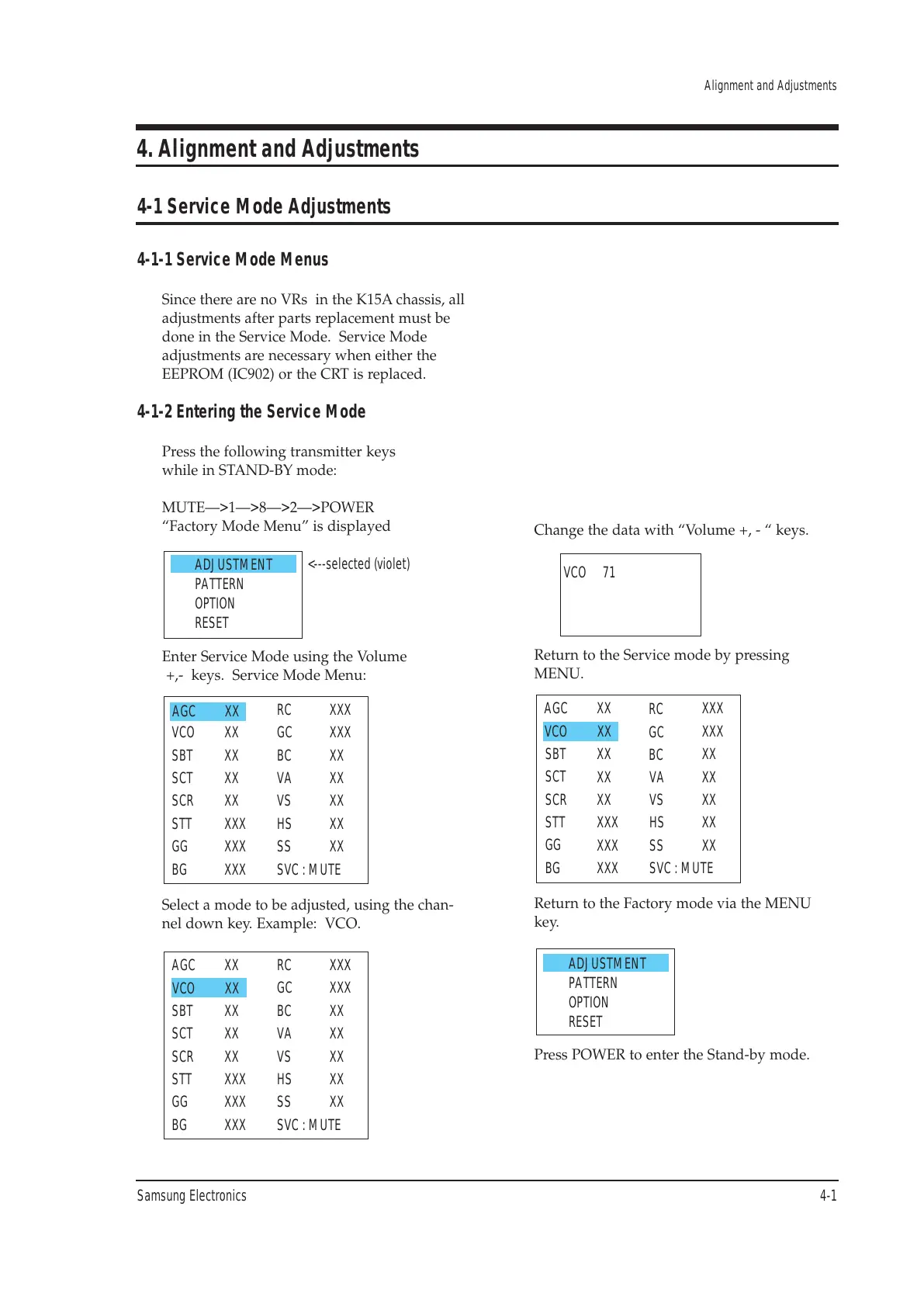
“Factory Mode Menu” is displayed
Enter Service Mode using the Volume
+,- keys. Service Mode Menu:
Return to the Service mode by pressing
MENU.
Change the data with “Volume +, - “ keys.
Return to the Factory mode via the MENU
key.
Press POWER to enter the Stand-by mode.
Select a mode to be adjusted, using the chan-
nel down key. Example: VCO.







 To Next Page