EasyManua.ls Logo

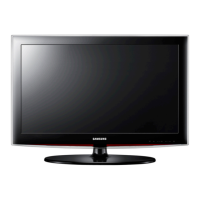
Samsung LN26A450 - User Manual

Samsung LN26A450
18 pages
Print Icon
To Next Page IconTo Next Page
Loading...
English-1
1-800-SAMSUNG (7267864)
Samsung Electronics America, Inc.
105 Challenger Road Ridgefield Park, NJ 07660-0511
Samsung Electronics Canada Inc., Customer Service
55 Standish Court Mississauga, Ontario L5R 4B2
Call center hours of operation (Mon-Sun 9AM-12AM EST).
To register this product please visit
www.samsung.com/global/register.
LN26A450C1D/LN32A450C1D/
LN37A450C1D/LN40A450C1D
Rear Panel / Side Panel Jacks (LN26A450C1D, LN40A450C1D)
1 AUDIO OUT
2 DIGITAL AUDIO OUT (OPTICAL)
3 PC IN [PC] / [AUDIO]
4 HDMI IN 1, 2, 3 / DVI IN (HDMI2)
[R-AUDIO-L]
5 ANT IN
6 AV IN 2
7 HEADPHONE
8 POWER INPUT
9 SERVICE
0 COMPONENT IN 1, 2 / AV IN 1
! EX-LINK
@ KENSINGTON LOCK

BN68-01396A-Eng.indd 1 2008-02-02 �� 8:53:45

Questions and Answers

  • K
    Kari ThomasAug 16, 2025
    How to fix Samsung Monitor remote control malfunctions?
    • D
      Donna GoodmanAug 16, 2025
      If your Samsung Monitor remote control malfunctions, try these steps: * Replace the remote control batteries. * Clean the upper edge of the remote control (transmission window). * Check the battery terminals.
  • K
    Kristine WestAug 19, 2025
    How to improve poor picture quality on Samsung Monitor?
    • A
      Anthony MartinezSep 12, 2025
      If your Samsung Monitor has poor picture quality, try another channel, adjust the antenna, and check all wire connections.
  • N
    Nichole CallahanAug 22, 2025
    What to do if my Samsung Monitor operates erratically?
    • P
      penningtonjessicaAug 22, 2025
      If your Samsung Monitor operates erratically, unplug the TV for 30 seconds, then try operating it again.
  • L
    Lucas HillAug 26, 2025
    How to remove black bars on Samsung Monitor screen?
    • M
      Melanie HendricksAug 26, 2025
      If you see black bars on the screen of your Samsung Monitor, make sure the broadcast you’re receiving is High Definition (HD) and set your cable/satellite box to stretch or widescreen mode to eliminate the bars.
  • C
    Christopher ReyesAug 28, 2025
    Why is closed captioning not working on my Samsung Monitor?
    • S
      sarahmurphyAug 28, 2025
      If closed captioning is not working on your Samsung Monitor and you are using a Cable/Satellite box, you must set Closed Captioning on the box, not your TV.
  • K
    Karen JonesAug 31, 2025
    How to fix snowy picture on Samsung Monitor?
    • S
      Samantha MartinezAug 31, 2025
      If your Samsung Monitor displays a snowy picture, your cable box may need a firmware upgrade. Please contact your Cable company.
  • C
    Caitlin WilliamsSep 3, 2025
    How to fix ghosting on picture of Samsung Monitor?
    • J
      Jeanne MooreSep 3, 2025
      If you are experiencing ghosting on the picture of your Samsung Monitor, try connecting Component cables instead.
  • V
    Victoria GreenSep 6, 2025
    How to center the image on my Samsung Monitor screen?
    • D
      dennisdouglasSep 6, 2025
      If the image is not centered on the screen of your Samsung Monitor, adjust the horizontal and vertical position. The screen position must be adjusted on the output source (i.e. STB) with a digital signal.
  • A
    Andrew GreeneSep 9, 2025
    Why does the picture appear distorted in the corner of my Samsung Monitor?
    • E
      edwardhubbardSep 9, 2025
      If the picture appears distorted in the corner of the screen on your Samsung Monitor, and "Just Scan" is selected with some external devices, this symptom is caused by the external devices, not TV.
  • J
    Julian BirdSep 12, 2025
    Why does my Samsung Monitor say “Resets all settings to the default values”?
    • A
      Annette CochranSep 12, 2025
      The “Resets all settings to the default values” message appears on your Samsung Monitor when you press and hold the EXIT button for a while. The product settings are then reset to the factory defaults.

Samsung LN26A450 Specifications

General IconGeneral
Screen Size26 inches
Resolution1366 x 768
Display TypeLCD
Aspect Ratio16:9
Contrast Ratio3000:1
Contrast Ratio (Dynamic)15000:1
Response Time8 ms
HDMI Ports2
Component Video Inputs1
Composite Video Inputs1
Viewing Angle178°
Input PortsHDMI, Component, Composite
Brightness500 cd/m2

Related product manuals