EasyManua.ls Logo

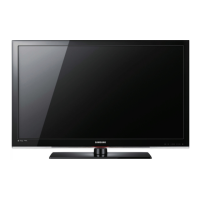
Samsung LN26B450 - User Manual

Samsung LN26B450
13 pages
Print Icon
To Next Page IconTo Next Page
Loading...
LCD TV
quick start guide
imagine the possibilities
Thank you for purchasing this Samsung product.
To receive more complete service, please register
your product at
www.samsung.com/register

Questions and Answers

  • M
    Michaela WiseAug 11, 2025
    What to do if picture on my Samsung LN26B450 is distorted?
    • T
      Toni HernandezAug 11, 2025
      If the picture on your Samsung LCD TV screen is intermittently broken, appearing as a mosaic or distorted, it could be due to a weak or unstable broadcast signal. Check the transmitting signal of your cable TV network or broadcasting station. If you're using a shared antenna, ask your apartment manager to check the signal.
  • R
    rebeccamorrisonAug 19, 2025
    Why is my Samsung LCD TV remote not working?
    • J
      jacobpaulAug 20, 2025
      If your Samsung LCD TV remote control isn't working, first, replace the batteries and try again. If that doesn't work, make sure the remote is in TV mode by pressing the 'TV' button. If the issue persists, the remote control might be temporarily malfunctioning.
  • B
    Brian CastanedaAug 30, 2025
    Why is my Samsung LN26B450 LCD TV making a strange noise?
    • M
      Morgan MartinezAug 30, 2025
      Strange sounds from your Samsung LCD TV can occur due to the temporary swelling and shrinking of the TV's plastic components because of temperature and humidity changes, also some noise can be heard due to the characteristics of the product. Temporary electronic oscillation sounds can also occur due to the TV's characteristics.

Samsung LN26B450 Specifications

General IconGeneral
BrandSamsung
ModelLN26B450
CategoryLCD TV
LanguageEnglish

Related product manuals