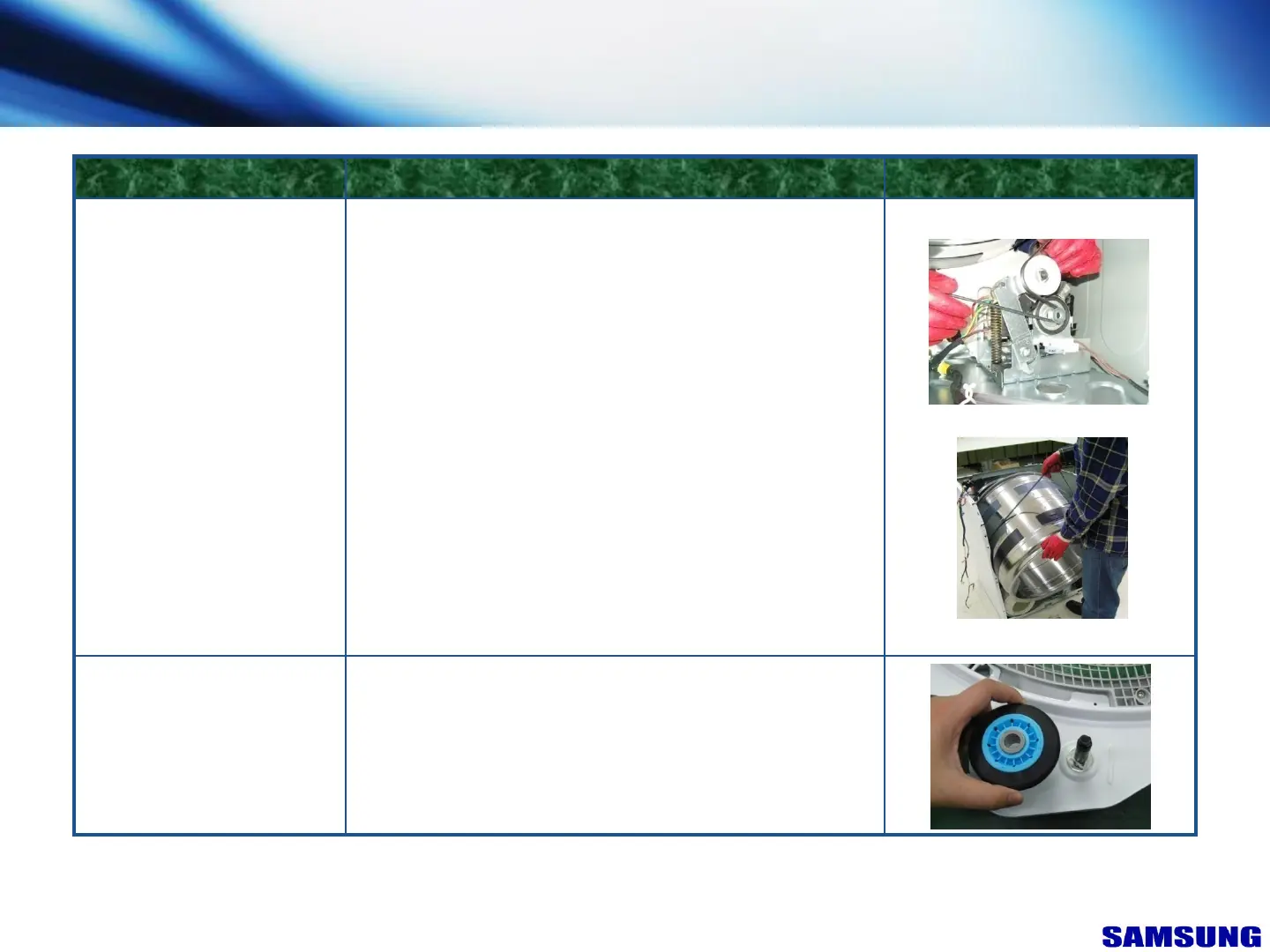
Drum
FIGUREDESCRIPTIONPART NAME
1. Disconnect Power Supply to Unit
2. Remove Top Cover, Console, Front Panel,
Plate(u), Front Bulkhead
3. Remove Belt
4. Lift Drum and Pull out
* Carefully spread the cabinet as
needed to get extra clearance.
But, take care not to deform
the cabinet.
1.After remove Holder-Shaft, separate each Roller.
Front & Rear Roller
(After removing
Rear Bulkhead)
7. Disassembly & Reassembly
“This document can not be used without Samsung's authorization”
65



 To Next Page