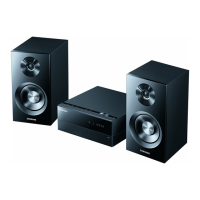
Need help?
Do you have a question about the Samsung MAX- DC650 and is the answer not in the manual?
Covers Class 1 Laser Product classification and warnings about invisible laser radiation exposure.
Details on preventing electric shock, including not opening covers and matching plug blades.
Warnings to reduce risks of fire or electric shock by not exposing the appliance to rain or moisture.
Guidelines for AC power, ventilation, avoiding heat sources, and precautions during thunderstorms.
Instructions on proper battery usage and environmentally conscious disposal.
Highlights the system's capability for multi-disc playback, AM/FM tuning, and cassette tape operation.
Details on the TV screen saver and automatic power saving modes for energy efficiency.
Explains setting custom wallpapers from JPEG files and DVD playback features.
Notes on copy protection technology and its implications for connecting to VCRs.
Identifies and explains the buttons and indicators on the front panel of the system.
Details the various input and output jacks located on the rear panel of the unit.
Describes the information displayed on the system's front panel display window.
Lists the accessories that come packaged with the component system.
Provides a diagram and explanation of all buttons on the remote control.
Instructions on how to insert and replace batteries in the remote control.
Specifies the effective distance and angle for operating the remote control.
Recommendations for optimal speaker positioning and installation safety.
Instructions for connecting the system to a TV using composite and S-Video outputs.
Defines composite and S-Video signals and their quality differences.
Guide for connecting the system using component video jacks for superior quality.
Explanation of progressive scan and how to enable it for clearer images.
Instructions on how to switch between NTSC and PAL video standards.
Steps for connecting external analog audio/video devices like VCRs or camcorders.
Instructions for connecting FM, AM, and optional SW antennas for radio reception.
Step-by-step guide to setting the current time on the system.
How to use the REMAIN button to check title or chapter playback duration.
Instructions on how to choose a specific disc from the multi-disc changer.
Overview of essential playback controls like Play/Pause and Stop.
Guide to skipping files, fast playback, and zooming into video content.
Instructions on how to turn subtitle display on or off during DivX playback.
Information on supported video and audio formats for DivX playback.
Steps for connecting USB devices, selecting USB mode, and starting playback.
How to navigate files, stop playback, and utilize fast playback with USB media.
Lists compatible USB device types and supported file extensions (FAT file system only).
How to view disc details like title, chapter, and elapsed time using the INFO button.
Instructions for adjusting playback speed during fast or slow motion playback.
Methods for navigating between chapters, tracks, or files during playback.
How to advance playback one frame at a time using the STEP button.
Instructions on using the ANGLE button to view scenes from multiple camera perspectives.
How to set repeat playback for chapter, title, track, directory, or disc using the REPEAT button.
Alternative method to select repeat playback modes through the disc information display.
How to set and cancel A-B repeat for specific sections of playback.
Using the ZOOM button for screen enlargement and EZ VIEW for aspect ratio correction.
Guide to choosing desired audio tracks and subtitle languages for playback.
How to jump directly to specific titles, tracks, chapters, or time points.
Instructions for viewing JPEG files in a slide show with various transition effects.
Using the Digest function to view multiple images and Rotate/Flip for image orientation.
How to access and navigate the disc-specific menu for settings like language.
Explanation of Playback Control (PBC) for VCDs and its modes.
Guide to viewing and selecting individual movie titles from a DVD.
Setting the On-Screen Display, audio track, and subtitle languages for discs.
Choosing the language for the disc's interactive menu, if supported.
A list of numerical codes corresponding to various languages for setup.
How to set the system's aspect ratio (4:3 or 16:9) to match your TV screen.
Restricting playback of DVDs based on their content rating level.
Procedure for setting, changing, or confirming the parental control password.
How to select and save an image from a DVD or JPEG CD as a wallpaper.
Instructions for switching between saved wallpapers or setting the Samsung logo.
Adjusting the DRC setting to optimize Dolby Digital sound at low volumes.
Procedure to adjust audio delay for optimal synchronization with video signals.
Guide to manually or automatically tuning and storing FM/AM radio stations.
Instructions for inserting, playing, and controlling cassette playback.
Explanation of the three available cassette playback modes (one-side, reverse).
Information on the tape counter for tracking cassette position.
Step-by-step guide for copying cassette tapes from Tape 1 to Tape 2.
How to record a CD onto a cassette, synchronizing with disc or track start.
Enables direct recording from any track on a compact disc to cassette tape.
Instructions for recording desired radio broadcasts onto a cassette tape.
Guide to setting automatic system on/off timers and how to cancel them.
Details on enhanced sound functions for powerful audio output.
Choosing preset equalizer settings for different music genres or listening environments.
Using the sleep timer to automatically shut off the unit and the mute function.
Operating the demonstration mode and adjusting display brightness.
Instructions for connecting optional headphones and microphones to the system.
Guidelines for proper disc care, cleaning, and storage to prevent damage.
Specific advice for handling and using audio cassette tapes.
A guide to diagnosing and resolving common problems like playback errors or no sound.
Important notes regarding disc compatibility issues and handling recommendations.
Information on CD-R, MP3, and JPEG recording formats and compatibility.
Definitions of terms used throughout the manual, such as ANGLE, DVD, and PBC.
Detailed technical specifications for the system's radio, player, tape deck, and amplifier.
 General
| Brand | Samsung |
|---|---|
| Model | MAX- DC650 |
| Category | Stereo System |
| Language | English |


 To Next Page