56
Sleep Timer Function / Mute Function
•
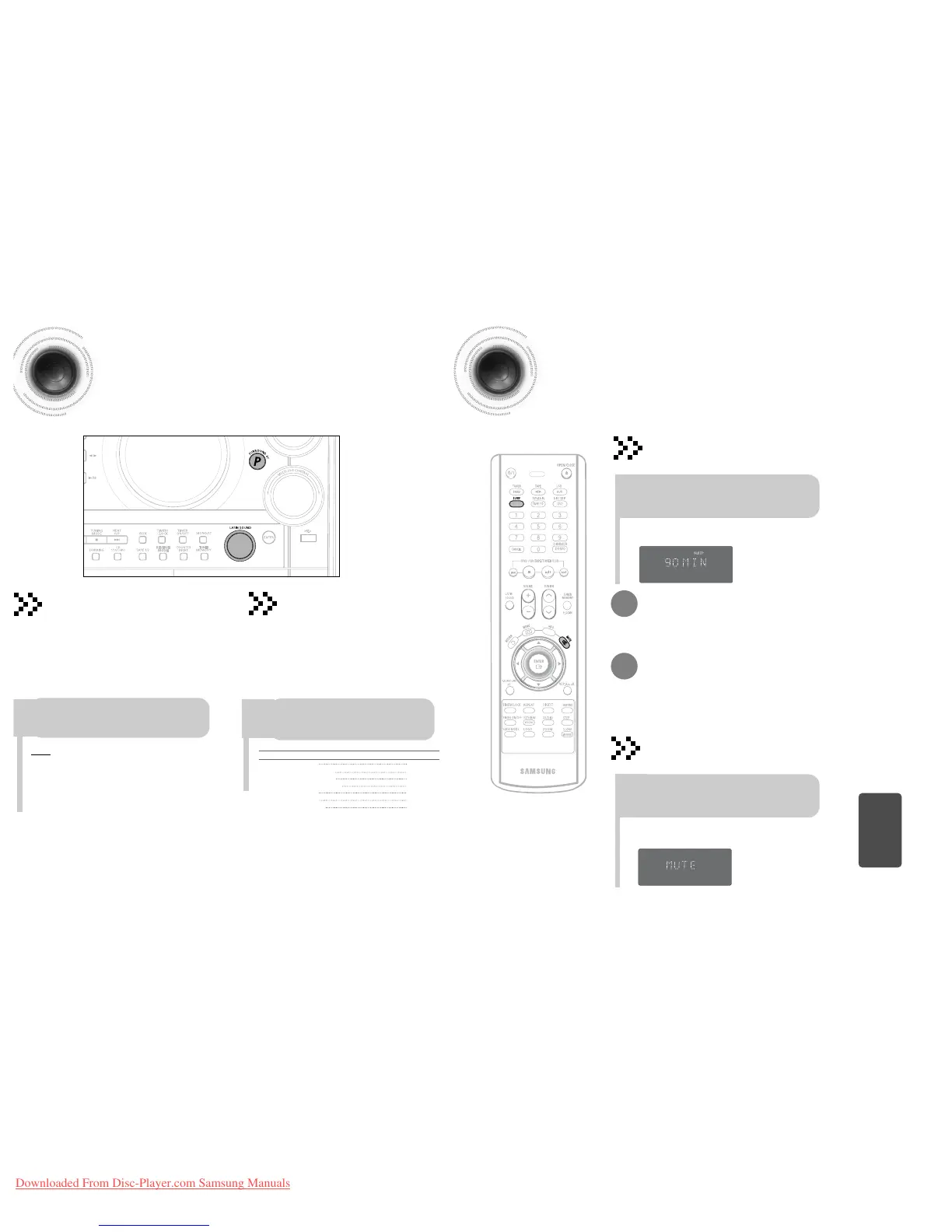
The remaining time before the DVD player will shut itself off is displayed.
•
Pressing the button again changes the sleep time from what you have set
earlier.
To confirm the sleep timer setting, press SLEEP button.
•
Each time the button is pressed, the selection changes as follows:
90 MIN ➝ 60 MIN ➝ 45 MIN ➝ 30 MIN ➝ 15 MIN ➝ OFF.
Press SLEEP button.
Sleep Timer Function
You can set the time that the DVD player will shut itself off.
To cancel the sleep timer, press SLEEP button until
OFF appears on the display.
•
‘
MUTE ’ appears in the display.
•
To turn off mute, press the button again.
Mute Function
This is useful when answering a doorbell or telephone call.
Press MUTE button.
55
P.SOUND/SURROUND and SOUND MODE Function
P.SOUND/SURROUND/SORROUND
XT Function
To obtain a... Select...
Normal balance (linear) PASS
Balance suitable for pop music POP
Balance suitable for rock music ROCK
Balance suitable for classic music CLASSIC
Balance suitable for hall HALL
Balance suitable for live LIVE
Balance suitable for cinema CINEMA
Turn SOUND MODE on the front panel or
Press SOUND MODE on the remote control
until the required option is selected.
Selecting SOUND MODE
Your mini-compact system is equipped with a
preset equalizer that allows you to choose the
most appropriate balance between treble and bass
frequencies, according to the type of music you are
listening to.
MISCELLANEOUS
Your mini-compact system is equipped with the function
of Power Sound/Power Surround/Power Surround XT.
The function of Power Sound/Power Surround /Power
Surround XT amplifies bass and improves high key or bass
twice as much for you to appreciate powerful real sound.
Press theSURROUND XT button on the
front panel.
Result: Press SURROUND XT button on the front
panel,“P,SOUND,P,SURROUND,P,SURROUNDXT,
OFF” is displayed.
To cancel this function, pressSURROUND XT button again .



 To Next Page