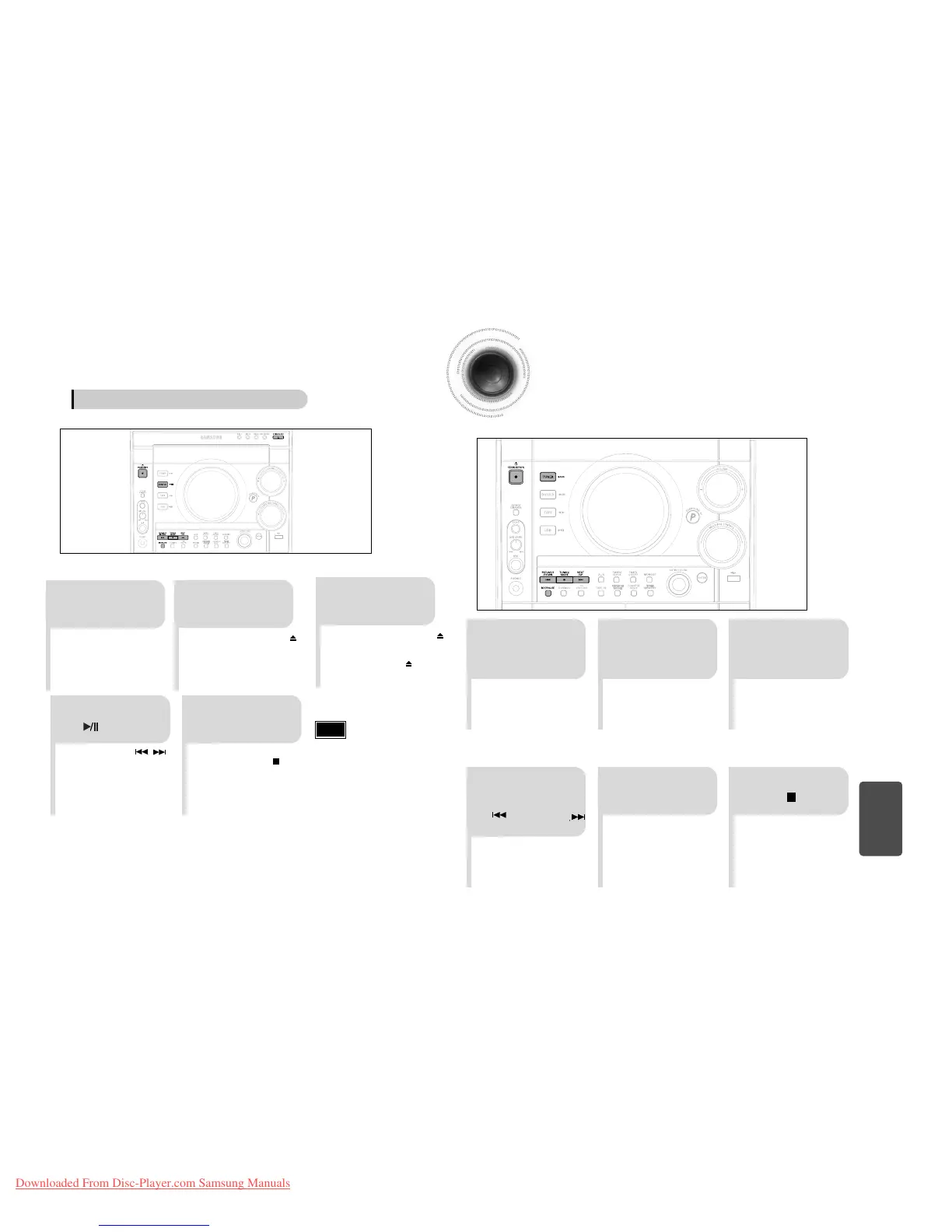
The direct recording mode enables you to start recording with any track on the compact disc.
•
Press the OPEN/CLOSE button ( )
to open the CD door.
•
Insert a CD and press the
OPEN/CLOSE button ( ) to close
the CD door.
•
Press the PUSH/EJECT button ( )
to open the cassette door, insert a
cassette, and then close the cassette
door.
•
Insert the cassette with the safety
tabs.
21
3
Insert a blank
cassette in Tape 2.
Switch the system
on by pressing
STANDBY/ON.
•
Recording will begin.
•
To stop recording, press button.
54
•
Use the CD selection ( , )
buttons to select the desired song.
Load a compact
disc.
Press
REC/ PAUSE
button.
Press the DVD/CD
( ) button.
Direct recording
•
The cassette tape you want to record
on must have the safety tabs intact.
Note
Recording a Radio Program
You can record a radio program of your choice.
You do not need to adjust the volume, as it has no effect on the recording.
2
1 3
Insert a blank
cassette in Tape 2.
Switch the system
on by pressing
STANDBY/ON.
•
REC is displayed in red and
recording starts.
54
Select the
TUNER function
by pressing
TUNER/BAND.
Press(
REC/PAUSE
)
button.
6
To stop recording,
press button.
Select the radio
station that you wish
to record by pressing
/DOWN or UP/
button .
51
52
MISCELLANEOUS



 To Next Page