EasyManua.ls Logo

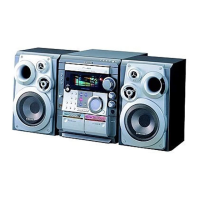
Samsung MAX-VB550 - User Manual

Samsung MAX-VB550
29 pages
Print Icon
To Next Page IconTo Next Page
Loading...
Downloaded From DvDPlayer-Manual.com Samsung Manuals
Question and Answer IconNeed help?

Do you have a question about the Samsung MAX-VB550 and is the answer not in the manual?

Samsung MAX-VB550 Specifications

General IconGeneral
BrandSamsung
ModelMAX-VB550
CategoryStereo System
TypeMini Hi-Fi System
Audio Output ModeStereo
Input Sensitivity500 mV
Playable MediaCD-R, CD-RW
Speaker Type2-way
Frequency Response40Hz - 20kHz

Summary

Samsung MAX-VB550 Instruction Manual

Safety Warnings

Front Panel View

Remote Control

Rear Panel View

Connecting your System to the Power Supply

Connecting the Loudspeakers

Connecting to an External Source

Connecting to the Equipment

Setting the Clock

Loading and Changing Compact Discs

To replay the CD;MP3-CD

Selecting a CD in the Disc changer

MP3-CD Playback

Selecting a Track

Programming the Order of Playback

Checking or Changing Programmed Tracks

Video CD Player Playback

Sound Select Function

Searching for and Storing the Radio Stations

Selecting a Stored Station

Improving Radio Reception

Listening to a Cassette

CD Synchro Record Feature

Recording a Compact Disc

Recording a Radio Program

Copying a Cassette (Dubbing)

Timer Function

Cancelling the Timer

Selecting Sound Mode

Setting the System to Switch off Automatically

Connecting Headphones

Safety Precautions

Cleaning Your Mini-Compact System

Precautions When Using Compact Discs

Precautions When Using Audio Cassettes

Before Contacting the After-Sales Service

Technical Specifications

Related product manuals