EasyManua.ls Logo

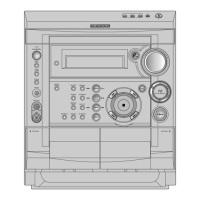
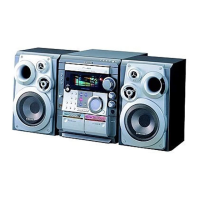
Samsung MAX-VS530 - User Manual

Samsung MAX-VS530
28 pages
Print Icon
To Next Page IconTo Next Page
Loading...
Instruction Manual
THREE-CD CHANGER
VIDEO-CD
MINI-COMPACT SYSTEM
MP3-CD
/
CD-R/RW PLAYBACK
MAX-VS530
MAX-VS530 GB-1~18 10/17/03 16:03 Page 1

Table of Contents

Question and Answer IconNeed help?

Do you have a question about the Samsung MAX-VS530 and is the answer not in the manual?

Summary

Safety Warnings

System Installation and Setup

Where to Install Your Mini-Compact System

Guidance on optimal unit placement for performance and ventilation.

Connecting your System to the Power Supply

Steps to connect the system to a mains power outlet.

External Component Connections

Connecting the Loudspeakers

Guide for properly connecting the speaker system.

Display and Clock Functions

Setting the Clock

Crucial for timer functions and displaying the current time.

CD Player Basic Operations

Loading and Changing Compact Discs

How to insert, change, and remove discs from the changer.

To replay the CD;MP3-CD

Instructions for playing standard audio CDs and MP3 CDs.

CD and MP3-CD Playback Details

MP3-CD Playback

Detailed guide for playing MP3 discs, including file compatibility.

Track Selection and Navigation Methods

Selecting a Track

Choosing a specific song to play.

Programmed Playback Management

Programming the Order of Playback

Setting a specific order for playing tracks.

Video CD Player Functions

Video CD Player Playback

How to play Video CDs, including version compatibility.

Radio Tuning and Reception

Searching for and Storing the Radio Stations

Finding and saving desired radio stations.

Selecting a Stored Station

Listening to saved radio stations.

Cassette Deck and CD Recording

Listening to a Cassette

Instructions for playing audio cassettes.

CD Synchro Record Feature

Synchronized recording from CD to cassette.

Recording and Cassette Modes

Timer Functions

Timer Function

Setting specific on and off times for system operation.

Safety and Maintenance

Safety Precautions

General safety guidelines for using and handling the system.

Usage Precautions and Troubleshooting

Before Contacting the After-Sales Service

Troubleshooting guide for common problems.

Summary

Safety Warnings

System Installation and Setup

Where to Install Your Mini-Compact System

Guidance on optimal unit placement for performance and ventilation.

Connecting your System to the Power Supply

Steps to connect the system to a mains power outlet.

External Component Connections

Connecting the Loudspeakers

Guide for properly connecting the speaker system.

Display and Clock Functions

Setting the Clock

Crucial for timer functions and displaying the current time.

CD Player Basic Operations

Loading and Changing Compact Discs

How to insert, change, and remove discs from the changer.

To replay the CD;MP3-CD

Instructions for playing standard audio CDs and MP3 CDs.

CD and MP3-CD Playback Details

MP3-CD Playback

Detailed guide for playing MP3 discs, including file compatibility.

Track Selection and Navigation Methods

Selecting a Track

Choosing a specific song to play.

Programmed Playback Management

Programming the Order of Playback

Setting a specific order for playing tracks.

Video CD Player Functions

Video CD Player Playback

How to play Video CDs, including version compatibility.

Radio Tuning and Reception

Searching for and Storing the Radio Stations

Finding and saving desired radio stations.

Selecting a Stored Station

Listening to saved radio stations.

Cassette Deck and CD Recording

Listening to a Cassette

Instructions for playing audio cassettes.

CD Synchro Record Feature

Synchronized recording from CD to cassette.

Recording and Cassette Modes

Timer Functions

Timer Function

Setting specific on and off times for system operation.

Safety and Maintenance

Safety Precautions

General safety guidelines for using and handling the system.

Usage Precautions and Troubleshooting

Before Contacting the After-Sales Service

Troubleshooting guide for common problems.

Samsung MAX-VS530 Specifications

General IconGeneral
BrandSamsung
ModelMAX-VS530
CategoryStereo System
Number of Discs1
Audio formats supportedMP3, WMA
Tuner BandsFM
CD PlayerYes
USB PlaybackYes
FM RadioYes
Remote ControlYes
Speaker Configuration2.0
Playable MediaCD, CD-R, CD-RW

Related product manuals