EasyManua.ls Logo

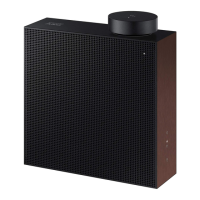
Samsung VL350 - User Manual

Samsung VL350
41 pages
Print Icon
To Next Page IconTo Next Page
Loading...
FULL MANUAL

Other manuals for Samsung VL350

Questions and Answers

Summary

Safety Information

Regulatory Compliance Statements

Explains safety symbols and compliance statements.

Safety Precautions

Power Supply Precautions

Guidelines for safe use of the power cord and adapter.

Installation Precautions

Advice on product placement and mounting to avoid damage or hazards.

Usage Precautions

Instructions for safe operation, including volume, handling, and environmental factors.

Cleaning Precautions

Methods and materials to avoid when cleaning the product.

Getting Started

Checking the Components

Lists and illustrates the items included with the speakers.

Product Overview

Top; Front; Right Side of the Speaker

Details the controls and indicators on the speaker's top and front surfaces.

LED Display

Explains the meaning of LED indicator lights for various speaker statuses.

Rear of the Speaker

Identifies ports and buttons on the back of the speaker.

Using Dial Controller

Top of the Dial Controller

Details the multi-function button, LED display, volume wheel, and voice mic.

LED Display

Explains the meaning of LED indicator lights for various speaker statuses.

Volume Adjustment

How to increase or decrease the volume using the dial.

Voice MIC

Information about the microphone used for voice recognition.

Bottom of the Dial Controller

Details charging the dial controller and the reset/connect buttons.

Connecting the Dial Controller and Speaker

Step-by-step guide to pair the dial controller with the speaker.

Connecting to Bluetooth

First Time Connection

How to establish an initial Bluetooth connection with a mobile device.

Reconnection

Process for reconnecting to previously paired mobile devices.

Connecting to Wi-Fi

Using SmartThings App

Steps to connect the speaker to Wi-Fi using the SmartThings mobile application.

Connecting to an External Device

Connecting via AUX Cable

How to connect external audio sources using the AUX input.

Additional Functions

Mobile Voice Recognition

How to use voice commands via a connected mobile device.

Using via Wi-Fi connection

Guides for Wi-Fi features including audio groups, stereo, TV, and Amazon Echo.

Connecting with Samsung Smart TV

Guides for connecting the speaker to various Samsung Smart TV models.

Connecting an Amazon Product

Steps to integrate the speaker with Amazon Echo devices for voice control.

Installing the Wall Mount

Considerations for Purchasing

Important factors and tips before buying or installing wall mount hardware.

Wall-Mount Components and Installation

Lists required mounting parts and outlines the installation process.

Appendix

Troubleshooting

Common problems and their solutions for speaker operation.

Connectivity Troubleshooting

Solutions for issues connecting the speaker to mobile devices or TVs.

Audio and Connection Issues

Addresses problems like audio stuttering and intermittent connection loss.

Specifications

Technical Specifications

Technical details of the VL series speakers, including weight, dimensions, and speaker configuration.

Additional Information

About the Network Connection

Explains network requirements, wireless interference, and encryption compatibility.

Works with SmartThings

Information on product compatibility and services related to SmartThings.

Contact Samsung Worldwide

North America & Latin America Contacts

Lists phone numbers and websites for Samsung support in North and Latin America.

Europe & CIS Contacts

Provides contact details for Samsung customer service centers across Europe and CIS countries.

Asia Pacific Contacts

Contact information for Samsung support in various Asia Pacific countries.

Middle East & Africa Contacts

Lists phone numbers and websites for Samsung customer support in the Middle East and Africa.

Summary

Safety Information

Regulatory Compliance Statements

Explains safety symbols and compliance statements.

Safety Precautions

Power Supply Precautions

Guidelines for safe use of the power cord and adapter.

Installation Precautions

Advice on product placement and mounting to avoid damage or hazards.

Usage Precautions

Instructions for safe operation, including volume, handling, and environmental factors.

Cleaning Precautions

Methods and materials to avoid when cleaning the product.

Getting Started

Checking the Components

Lists and illustrates the items included with the speakers.

Product Overview

Top; Front; Right Side of the Speaker

Details the controls and indicators on the speaker's top and front surfaces.

LED Display

Explains the meaning of LED indicator lights for various speaker statuses.

Rear of the Speaker

Identifies ports and buttons on the back of the speaker.

Using Dial Controller

Top of the Dial Controller

Details the multi-function button, LED display, volume wheel, and voice mic.

LED Display

Explains the meaning of LED indicator lights for various speaker statuses.

Volume Adjustment

How to increase or decrease the volume using the dial.

Voice MIC

Information about the microphone used for voice recognition.

Bottom of the Dial Controller

Details charging the dial controller and the reset/connect buttons.

Connecting the Dial Controller and Speaker

Step-by-step guide to pair the dial controller with the speaker.

Connecting to Bluetooth

First Time Connection

How to establish an initial Bluetooth connection with a mobile device.

Reconnection

Process for reconnecting to previously paired mobile devices.

Connecting to Wi-Fi

Using SmartThings App

Steps to connect the speaker to Wi-Fi using the SmartThings mobile application.

Connecting to an External Device

Connecting via AUX Cable

How to connect external audio sources using the AUX input.

Additional Functions

Mobile Voice Recognition

How to use voice commands via a connected mobile device.

Using via Wi-Fi connection

Guides for Wi-Fi features including audio groups, stereo, TV, and Amazon Echo.

Connecting with Samsung Smart TV

Guides for connecting the speaker to various Samsung Smart TV models.

Connecting an Amazon Product

Steps to integrate the speaker with Amazon Echo devices for voice control.

Installing the Wall Mount

Considerations for Purchasing

Important factors and tips before buying or installing wall mount hardware.

Wall-Mount Components and Installation

Lists required mounting parts and outlines the installation process.

Appendix

Troubleshooting

Common problems and their solutions for speaker operation.

Connectivity Troubleshooting

Solutions for issues connecting the speaker to mobile devices or TVs.

Audio and Connection Issues

Addresses problems like audio stuttering and intermittent connection loss.

Specifications

Technical Specifications

Technical details of the VL series speakers, including weight, dimensions, and speaker configuration.

Additional Information

About the Network Connection

Explains network requirements, wireless interference, and encryption compatibility.

Works with SmartThings

Information on product compatibility and services related to SmartThings.

Contact Samsung Worldwide

North America & Latin America Contacts

Lists phone numbers and websites for Samsung support in North and Latin America.

Europe & CIS Contacts

Provides contact details for Samsung customer service centers across Europe and CIS countries.

Asia Pacific Contacts

Contact information for Samsung support in various Asia Pacific countries.

Middle East & Africa Contacts

Lists phone numbers and websites for Samsung customer support in the Middle East and Africa.

Samsung VL350 Specifications

General IconGeneral
Product colorBlack
Recommended usage-
Multi-Room Streaming (MRS) supportNo
TweeterYes
Speaker typeFull range
Speaker placementTabletop/bookshelf
Audio output channels- channels
RMS rated power- W
Connectivity technologyWired & Wireless
Number of built-in speakers2
Power source typeAC
Power consumption (standby)2.7 W
Weight and Dimensions IconWeight and Dimensions
Depth70 mm
Width210 mm
Height211.5 mm
Weight3200 g

Related product manuals