Need help?
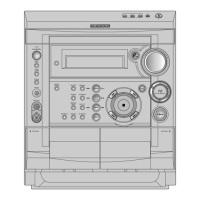
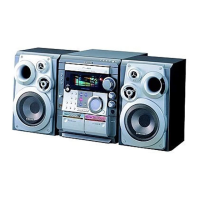
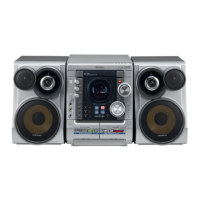
Do you have a question about the Samsung MAX-VJ650 and is the answer not in the manual?
Warnings regarding Class 1 Laser Product classification and invisible laser radiation exposure.
Warnings about electric shock risk, opening the unit, and exposure to rain/moisture.
Explanation of the various indicators shown on the system's display.
Overview of the buttons and functions on the remote control.
Identifies connection terminals on the rear panel of the system.
Guidelines for selecting an appropriate location to install the system.
Instructions for safely connecting the system to the main power supply.
Step-by-step guide for inserting batteries into the remote control.
Instructions for properly connecting the speaker wires to the system.
How to connect external devices via auxiliary input.
Connecting the system to TV or VCR for audio/video output.
Instructions for connecting AM and LW radio aerials.
Instructions for connecting FM radio aerials.
Instructions for connecting optional SW radio aerials.
How to use the demo mode and adjust display brightness.
Steps to set the system's internal clock time.
How to load, change, and unload compact discs.
Steps for playing audio CDs and MP3-CDs.
How to choose a specific disc from the changer.
Instructions for playing MP3-CDs directly and via menu.
How to select a specific track on a disc.
How to skip forward 10 tracks during playback.
Setting repeat functions for single tracks or entire discs.
Resumes playback from the last listened track.
How to set a custom sequence of tracks for playback.
Viewing or modifying pre-programmed track sequences.
Instructions for playing Video CDs (VCD 1.1 and 2.0).
Scanning forwards/backwards and 5-minute interval searches.
Reproducing a desired track at a specific playback time.
How to adjust the playback speed (slow motion).
Choosing between L-CH, R-CH, and STEREO sound.
Method for selecting NTSC or PAL video output.
Adjusting the key for voice input during VCD playback.
Using VCD view to select tracks or indexes.
Enlarging the picture during playback.
How to recall and listen to stored radio stations.
Tips and methods to enhance radio signal quality.
Instructions for playing audio cassettes.
Performing synchronized or direct recording from CDs to cassettes.
How to record radio broadcasts onto a cassette.
Selecting automatic playback modes for Deck 2.
How to copy cassette content from Deck 1 to Deck 2.
Information about the tape counter for tracking playback.
How to set the system to switch on/off automatically at specific times.
How to disable the automatic timer function.
How to temporarily silence the sound output.
Choosing preset equalizer modes for different music types.
Using features to enhance sound immersion and bass.
Manually adjusting treble and bass levels.
Setting the system to switch off automatically after a set time.
How to connect headphones for private listening.
Mixing microphone vocals with music playback.
Illustrative diagrams of safety measures during use.
How to clean the outer casing, CD player, and tape decks.
Guidelines for handling and storing compact discs.
Guidelines for handling and storing audio cassettes.
Solutions for common issues before contacting after-sales service.
 General
| Brand | Samsung |
|---|---|
| Model | MAX-VJ650 |
| Category | Stereo System |
| Language | English |

 To Next Page