GB
3
Contents
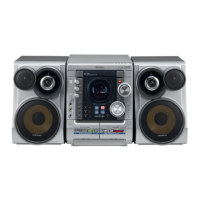
Thank you for buying this
SAMSUNG mini-compact system.
Please take time to read these instructions.
They will allow you to operate your
system with ease and take full advantage
of its features.
Press Push Important Note
S
AFETY
W
ARNINGS
.................................................................................................................................................................................................. 2
I
NSTALLING
Y
OUR
M
INI
-C
OMPACT
S
YSTEM
Front Panel View...................................................................................................................................................................................................... 4
Window Display........................................................................................................................................................................................................ 5
Remote Control ........................................................................................................................................................................................................ 5
Rear Panel View ...................................................................................................................................................................................................... 6
Where to Install Your Mini-Compact System............................................................................................................................................................ 6
Connecting your System to the Power Supply ........................................................................................................................................................ 6
Inserting Remote Control Batteries .......................................................................................................................................................................... 7
Connecting the Loudspeakers.................................................................................................................................................................................. 7
Connecting to an External Source............................................................................................................................................................................ 8
Connecting to the Equipment .................................................................................................................................................................................. 8
Connecting the AM (MW/LW) Aerial .......................................................................................................................................................................... 9
Connecting the FM Aerial.......................................................................................................................................................................................... 9
Connecting the SW Aerial (OPTION) ........................................................................................................................................................................ 9
DEMO/DIMMER function.......................................................................................................................................................................................... 10
Setting the Clock ...................................................................................................................................................................................................... 10
VCD/MP3-CD/CD-P
LAYER
Loading and Changing Compact Discs.................................................................................................................................................................... 11
To replay the CD/MP3-CD........................................................................................................................................................................................ 11
Selecting a CD in the Disc changer ........................................................................................................................................................................ 12
MP3-CD Playback .................................................................................................................................................................................................. 12
Selecting a Track...................................................................................................................................................................................................... 12
Function to skip through 10 tracks at a time............................................................................................................................................................ 13
Repeating One or All Tracks on the Compact Discs................................................................................................................................................ 13
Last Memory Function.............................................................................................................................................................................................. 13
Programming the Order of Playback........................................................................................................................................................................ 14
Checking or Changing Programmed Tracks ............................................................................................................................................................ 14
Video CD Player Playback ...................................................................................................................................................................................... 15
Search Functions .................................................................................................................................................................................................... 15
Time Search Function .............................................................................................................................................................................................. 15
When adjusting play speed...................................................................................................................................................................................... 16
NTSC/PAL Selection Method .................................................................................................................................................................................. 16
Sound Selection Function ........................................................................................................................................................................................ 16
KEY CONTROL Function ........................................................................................................................................................................................ 16
VCD VIEW function.................................................................................................................................................................................................. 17
ZOOM Function........................................................................................................................................................................................................ 17
T
UNER
Searching for and Storing the Radio Stations ........................................................................................................................................................ 18
Selecting a Stored Station........................................................................................................................................................................................ 19
Improving Radio Reception...................................................................................................................................................................................... 19
T
APE
D
ECK
Listening to a Cassette ............................................................................................................................................................................................ 20
CD Synchro Record Feature.................................................................................................................................................................................... 20
Recording a Radio Program .................................................................................................................................................................................... 20
Copying a Cassette (Dubbing) ................................................................................................................................................................................ 21
Selecting the Cassette Playback Mode(Deck 2 Only) ............................................................................................................................................ 21
Tape Counter............................................................................................................................................................................................................ 21
O
THER
F
UNCTIONS
Timer Function.......................................................................................................................................................................................................... 22
Cancelling the Timer ................................................................................................................................................................................................ 22
Mute Function .......................................................................................................................................................................................................... 22
Selecting Sound Mode ............................................................................................................................................................................................ 23
Treble/Bass Control Function(User EQ) .................................................................................................................................................................. 23
Power Surround/Power Sound Function.................................................................................................................................................................. 23
Setting the System to Switch off Automatically........................................................................................................................................................ 24
Connecting Headphones.......................................................................................................................................................................................... 24
Microphone Function................................................................................................................................................................................................ 24
R
ECOMMENDATIONS FOR
U
SE
Safety Precautions .................................................................................................................................................................................................. 25
Cleaning Your Mini-Compact System ...................................................................................................................................................................... 25
Precautions When Using Compact Discs ................................................................................................................................................................ 26
Precautions When Using Audio Cassettes .............................................................................................................................................................. 26
Before Contacting the After-Sales Service .............................................................................................................................................................. 26
Technical Specifications .......................................................................................................................................................................................... 27
Symbols


 To Next Page