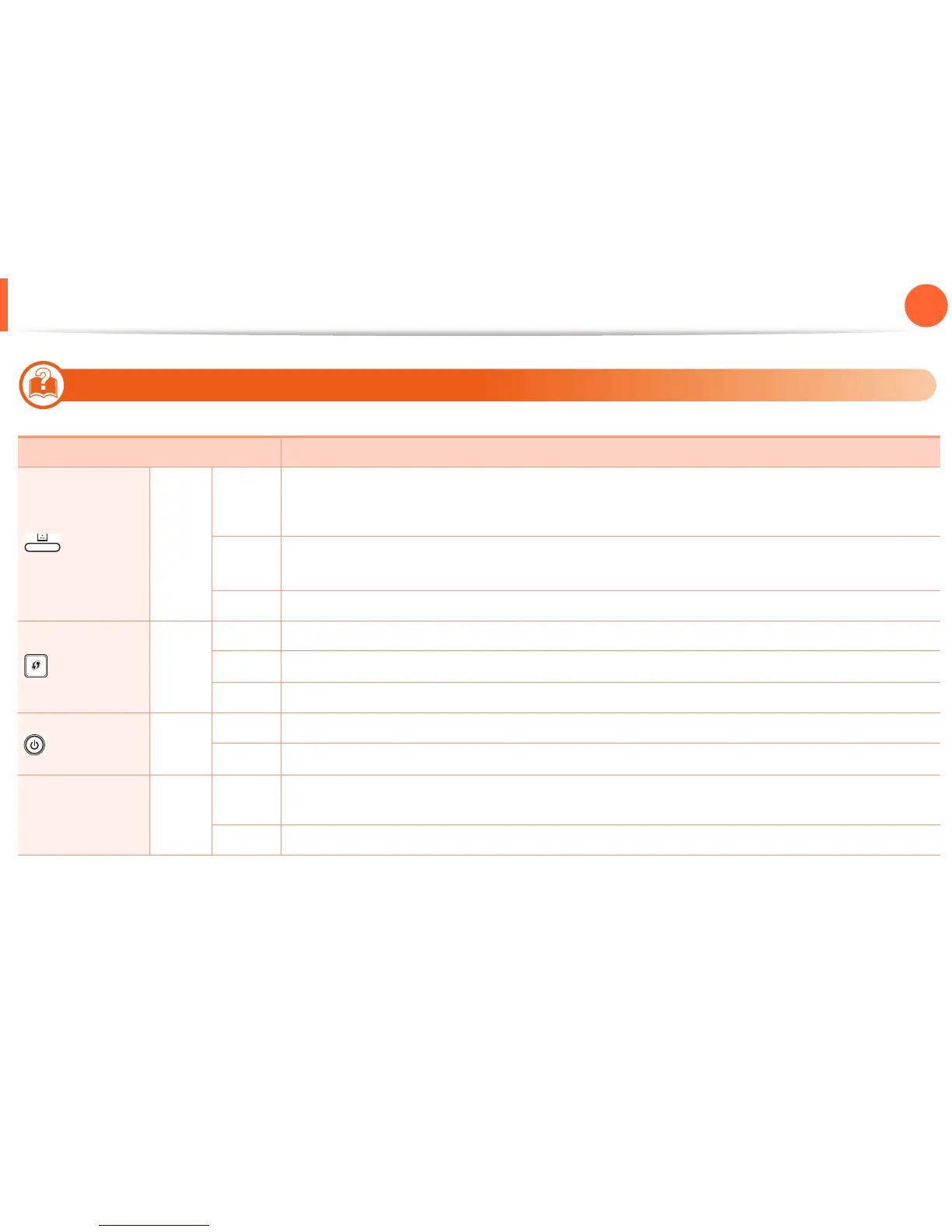
Understanding the status LED
64
4. Troubleshooting
7
Toner LED/ WPS LED
Status Description
(Toner LED)
Orange
Blinking
Small amount of toner is left in the cartridge. The estimated cartridge life of toner is close. Prepare a new
cartridge for replacement. You may temporarily increase the printing quality by redistributing the toner
(see "Redistributing toner" on page 47).
On
A toner cartridge has almost reached its estimated cartridge life
a
. It is recommended to replace the
toner cartridge (see "Replacing the toner cartridge" on page 48).
a. Estimated cartridge life means the expected or estimated toner cartridge life, which indicates the average capacity of print-outs and is designed pursuant to ISO/IEC 19752.
The number of pages may be affected by operating environment, printing interval, graphics, media type and media size. Some amount of toner may remain in the
cartridge even when red LED is on and the printer stops printing.
Off All toner cartridges are at normal capacity.
(WPS LED)
b
b. Wireless model only (see "Features by models" on page 6).
Blue
Blinking The machine is connecting to a wireless network.
On
The machine is connected to a wireless network (see Advanced Guide).
Off The machine is disconnected from a wireless network.
(Power LED)
Blue
On The machine is in power save mode.
Off
The machine is in ready mode or the machine’s power is off.
Eco button Green
On
Eco mode is on. Duplex, 2-up, toner save on, skip blank page feature will automatically be applied when
printing (see "Eco printing" on page 41).
Off Eco mode is off.














 To Next Page