19
1. Introduction
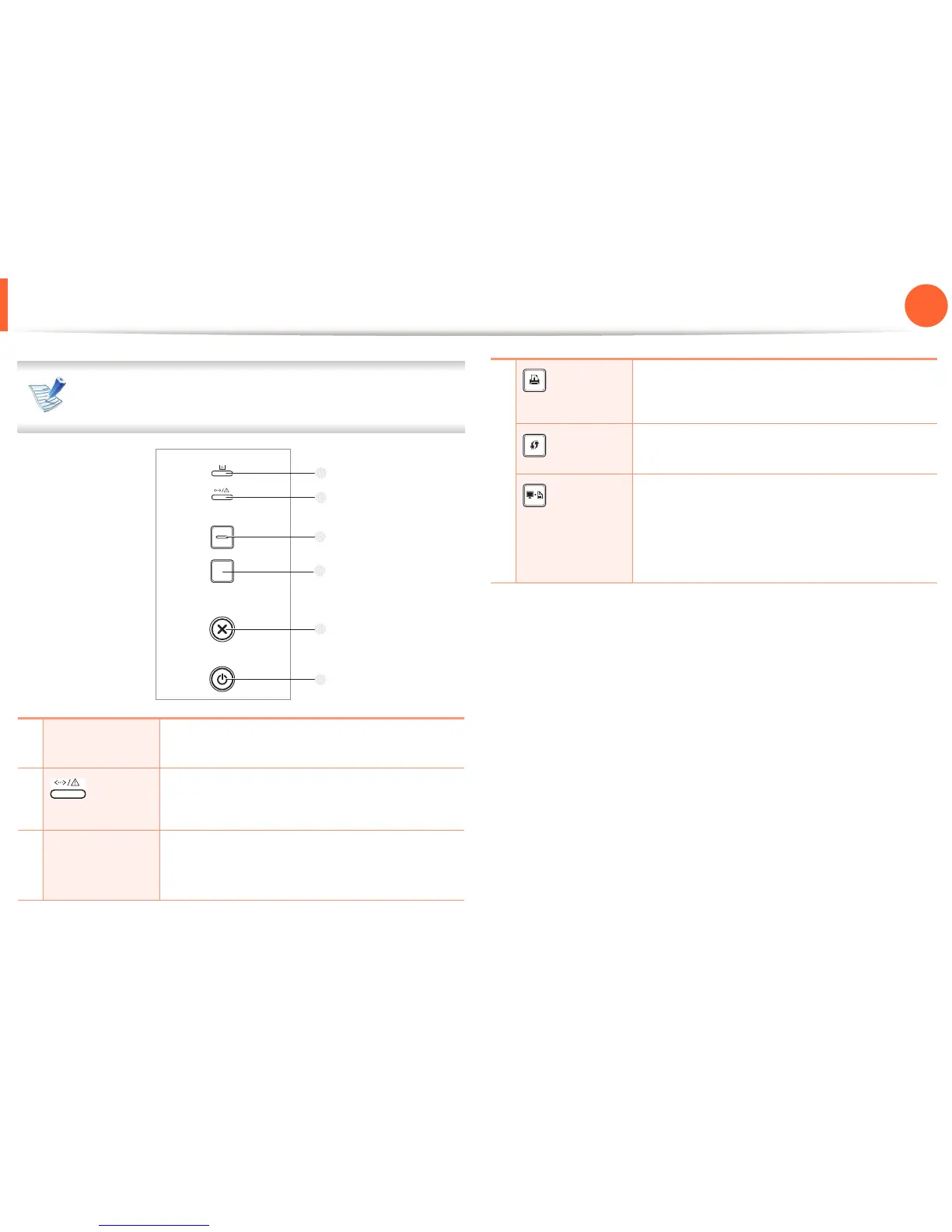
Control panel overview
This control panel may differ from your machine depending
on its model. There are various types of control panels.
1
Toner LED
Shows the status of the toner (see "Status LED"
on page 63).
2
(Status
LED)
Shows the status of your machine (see "Status
LED" on page 63).
3
Eco
Enters eco mode to reduce toner consumption
and paper usage (see "Eco options" on page
42).
4
(Demo
page)
Prints a demo page.
(WPS)
Configures the wireless network connection
easily without a computer (see Admin Guide).
(Print
screen)
Press this button and the green LED will start
blinking. If you want to print only the active
screen, release the button when the green LED
stops blinking. If you want to print the whole
screen, release the button while it’s blinking.














 To Next Page