
EasyManua.ls Logo

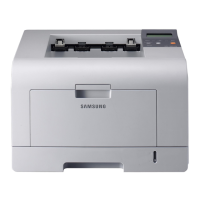
Samsung ML-3051N - User Manual

Samsung ML-3051N
102 pages
Print Icon
To Next Page IconTo Next Page
Loading...

Table of Contents

Questions and Answers

  • A
    Alyssa GonzalezSep 9, 2025
    What causes curl or wave in prints from my Samsung Printer and how can I fix it?
    • M
      Michael RamirezSep 9, 2025
      If your Samsung Printer produces prints with a curl or wave, it might be due to the page not being loaded properly. Ensure that the paper is loaded correctly.
  • M
    Matthew MartinAug 22, 2025
    What to do if my Samsung ML-3051N says 'Toner Exhausted Replace Toner'?
    • J
      Jessica HenryAug 23, 2025
      If your Samsung Printer displays 'Toner Exhausted Replace Toner', it means the lifespan of the toner cartridge has been reached. Install a new genuine toner cartridge.
  • R
    Rachel BurkeAug 25, 2025
    What to do if my Samsung ML-3051N Printer has 'Paper Jam 0 Open/Close Door'?
    • J
      Jennifer QuinnAug 25, 2025
      If your Samsung Printer displays the message 'Paper Jam 0 Open/Close Door', it indicates that paper has jammed in the feeding area of the tray. Clear the jam.
  • S
    Steven CollinsAug 26, 2025
    What to do if my Samsung Printer displays 'Toner Low'?
    • K
      Kevin FuentesAug 27, 2025
      If your Samsung Printer indicates 'Toner Low', it means the toner cartridge is almost empty. To temporarily continue printing, remove the toner cartridge and shake it thoroughly.
  • M
    Mr. Robert Clark PhDAug 27, 2025
    How to fix a 'Door Open' error on my Samsung ML-3051N Printer?
    • A
      ashleyhuynhAug 28, 2025
      If your Samsung Printer shows a 'Door Open' error, it means that either the front cover or the rear cover is not securely latched. Ensure that you close the cover until it locks into place.
  • M
    Melissa GeorgeAug 29, 2025
    What to do if my Samsung ML-3051N Printer has 'Paper Jam 1 Open/Close Door'?
    • K
      Kyle ValdezAug 29, 2025
      If your Samsung Printer displays the message 'Paper Jam 1 Open/Close Door', it indicates that paper has jammed in the fuser area. Clear the jam.
  • S
    Sarah ChapmanSep 18, 2025
    How to fix a 'Fuser Door Open' error on my Samsung Printer?
    • T
      Terry FarmerSep 18, 2025
      If your Samsung Printer displays a 'Fuser Door Open' error, the fuser door is not securely latched. Open the rear cover and close the fuser door until it locks into place.
  • R
    Richard GonzalezSep 19, 2025
    Why does my Samsung ML-3051N not print PDF files correctly?
    • N
      Nicholas HamiltonSep 22, 2025
      If your Samsung Printer is not printing PDF files correctly, it may be due to incompatibility between the PDF file and the Acrobat products. Printing the PDF file as an image may solve this problem. Turn on Print As Image from the Acrobat printing options. Note that it will take longer to print when you print a PDF file as an image.
  • J
    Jillian GreeneSep 7, 2025
    How to fix 'Main Motor Locked' error on a Samsung ML-3051N?
    • S
      Sarah CooperSep 8, 2025
      If your Samsung Printer displays a 'Main Motor Locked' error, it indicates a problem with the main motor. Try opening and then closing the front cover.
  • L
    Lisa WilcoxSep 4, 2025
    Why is my Samsung ML-3051N Printer printing only half the page?
    • J
      Joe BurnsSep 4, 2025
      If your Samsung Printer is printing only half the page, it could be because the page layout is too complex. Try simplifying the page layout and removing any unnecessary graphics from the document.

Samsung ML-3051N Specifications

General IconGeneral
ColorNo
Print technologyLaser
Maximum resolution1200 x 1200 DPI
Economical printingYes
Time to first page (black, normal)8.5 s
Print speed (black, normal quality, A4/US Letter)28 ppm
Processor modelSamsung
Maximum internal memory320 MB
Sound power level (standby)39 dB
Sound pressure level (printing)54 dB
Maximum print size210 x 297 mm
Media types supportedPlain paper, Transparencies, Labels, Post Cards, Envelopes
Maximum ISO A-series paper sizeA4
Maximum duty cycle100000 pages per month
Number of print cartridges1
Total input capacity250 sheets
Total output capacity150 sheets
Paper tray 2 input capacity50 sheets
Memory upgradeYes GB
Custom media sizes(76 x 127mm) - (216 x 356mm)
Networking featuresEthernet 10/100Base-TX
Compatible operating systemsWindows 98/Me/NT4.0/2000/XP/2003 Server Linux OS (Red Hat 8-9, Fedora Core 1-3, Mandrake 9.2-10.1, SuSE 8.2~9.2) Mac OS 10.3
Weight and Dimensions IconWeight and Dimensions
Dimensions (WxDxH)400 x 433 x 285 mm

Related product manuals





