EasyManua.ls Logo

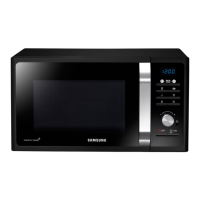
Samsung MS32J5133A SERIES - User Manual

Samsung MS32J5133A SERIES
64 pages
Print Icon
To Next Page IconTo Next Page
Loading...
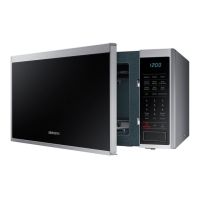
Microwave oven
User manual
MS32J5133A*/MS40J5133AT
Please be advised that the Samsung warranty does NOT cover
service calls to explain product operation, correct improper
installation, or perform normal cleaning or maintenance.
MS40J5133AT_AP_DE68-04345A-00_EN.indd 1 2015-01-02  6:58:50

Questions and Answers

  • T
    tmartinezSep 10, 2025
    Why does the turn table drag while turning in my Samsung Microwave Oven?
    • M
      Mark RuizSep 10, 2025
      If the turntable in your Samsung Microwave Oven drags while turning, it could be due to the roller ring not being properly in place, too much food inside, or using a container that's too large and touches the inside of the microwave. Adjust the amount of food and avoid using oversized containers.
  • G
    greeneloriAug 22, 2025
    Why Samsung MS32J5133A Microwave Oven does not work?
    • A
      Anthony ThompsonAug 23, 2025
      If your Samsung Microwave Oven isn't working, first ensure that it's properly connected to a power source. Also, make sure the door is fully closed. If there's any foreign matter obstructing the door safety mechanisms, remove it and try again.
  • J
    james52Aug 25, 2025
    What to do if the door of my Samsung MS32J5133A Microwave Oven cannot be opened properly?
    • R
      Rebecca SandersAug 25, 2025
      If your Samsung Microwave Oven door is difficult to open, it could be due to food residue stuck between the door and the oven interior. Clean the oven thoroughly before attempting to open the door.
  • G
    Gary AcostaAug 26, 2025
    Why is the heating weak or slow in my Samsung Microwave Oven?
    • I
      igallegosAug 27, 2025
      If the heating is weak or slow in your Samsung Microwave Oven, start by placing one cup of water in a microwave-safe container and running the microwave for 1-2 minutes to see if the water heats up. The oven may not work, too much food is being cooked, or improper cookware is being used. Reduce the amount of food and start the function again. Use a cooking container with a flat bottom.
  • E
    eharrisAug 27, 2025
    Why does my Samsung MS32J5133A power turn off during operation?
    • D
      David WalkerAug 27, 2025
      If your Samsung Microwave Oven turns off during operation, it could be due to several reasons. If the oven has been cooking for a long time, allow it to cool down. Check if the cooling fan is running. Ensure there is food inside the oven during operation. Make sure there's enough ventilation space around the oven, keeping the gaps specified in the product installation guide. Also, ensure the oven is the only appliance using the socket.
  • S
    Stephen RuizAug 29, 2025
    Why is the time not displayed on my Samsung MS32J5133A?
    • B
      brian36Aug 29, 2025
      If the time isn't displayed on your Samsung Microwave Oven, ensure that it's receiving power. Also, check if the Eco (power-saving) function is activated and turn it off.
  • S
    schneiderdeborahSep 18, 2025
    What to do, if control buttons are pressed over 10 seconds on Samsung MS32J5133A Microwave Oven?
    • V
      vincentrosarioSep 18, 2025
      Clean the keys and check if there is water on the surface around key. If it occurs again, turn off the microwave oven over 30 seconds and try setting again. If it appears again, call your local SAMSUNG Customer Care Centre.
  • L
    Lisa HutchinsonSep 12, 2025
    Why does the turn table rattle while turning and is noisy in my Samsung MS32J5133A?
    • M
      Megan GreenSep 12, 2025
      If the turntable in your Samsung Microwave Oven rattles and is noisy, it's likely due to food residue stuck to the bottom of the oven. Remove any food residue to resolve the issue.
  • C
    cardenasmonicaSep 8, 2025
    Why does my Samsung Microwave Oven start working immediately when power is connected?
    • M
      Mr. Jason WeeksSep 8, 2025
      If your Samsung Microwave Oven starts working immediately when power is connected, it indicates that the door is not properly closed. Ensure the door is fully closed and check again.
  • A
    Anthony McintyreSep 5, 2025
    Why is the exterior of my Samsung Microwave Oven too hot during operation?
    • L
      Lisa ElliottSep 5, 2025
      If the exterior of your Samsung Microwave Oven gets too hot during operation, ensure there's sufficient ventilation space around it, following the guidelines in the product installation guide. Also, remove any objects placed on top of the oven.

Summary

User Manual Introduction

Product Model Information

Specifies the model numbers MS32J5133A* and MS40J5133AT.

Warranty Limitations

Details limitations of the Samsung warranty regarding service calls.

Using this User Manual

Symbol Explanations

Explains symbols used in the manual (WARNING, CAUTION, NOTE) for user guidance.

Safety Instructions

Important Safety Instructions

Comprehensive safety precautions to be read and followed carefully.

Specific Safety Warnings

Warnings on heating liquids, children's use, ignition risks, and bottle contents.

Installation & Usage Safety

Safety advice on positioning, cord handling, cleaning, and usage environments.

Oven Function Specific Safety

Safety for optional oven modes, hot parts, and young children.

Installation

Whats Included & Oven Overview

Lists included parts and identifies oven components.

Included Accessories

Describes the roller ring and turntable and their usage.

Installation Site Requirements

Specifies ventilation, clearance, and surface requirements for oven placement.

Maintenance

Cleaning the Oven

Guidance on regular cleaning, removing odors, and model-specific cleaning.

Replacement and Storage

Information on user-serviceable parts and storing during disuse.

Before You Start

Setting the Clock and Power Saving

How to set the current time and use power saving features.

Child Lock and Sound Control

Activating Child Lock and muting oven sounds.

Kitchen Timer and Microwave Energy

Using the timer and understanding how microwaves cook food.

Cookware Guidelines

Recommendations for microwave-safe cookware and materials to avoid.

Operations

Feature Panel and Basic Operation

Identifying controls and simple steps to cook/defrost food.

Cooking Modes

Details on Manual mode, Cooking Time, and Power Level adjustments.

Auto Cooking Programs

Using pre-programmed recipes for Healthy Cook, Baby Food, and Auto Cook.

Special Functions

Guides for Soften/Melt, Auto Reheat, Auto Defrost, Maintain Temp, Deodorization.

Cooking Smart Guides

Vegetable Cooking Guides

Instructions for cooking frozen and fresh vegetables.

Rice, Pasta, and Reheating

Guides for cooking rice/pasta and reheating various foods.

Defrosting and Quick Recipes

Instructions for defrosting and simple quick recipes.

Troubleshooting

Common Operational Problems

Solutions for button issues, display errors, and oven not working.

Performance and Safety Issues

Addressing power turns off, heat, sparks, and door problems.

Turntable and Light Issues

Resolving turntable problems and interior light issues.

Information Codes

Explanation of error codes and contact for unresolved issues.

Technical Specifications

Product Specifications

Detailed specifications including model, power, dimensions, and weight.

Warranty and Service Information

Customer Support Contacts

Phone numbers and websites for regional support and registration.

Service Requirements

Information needed for warranty service and authorized service centers.

Samsung MS32J5133A SERIES Specifications

General IconGeneral
Capacity32 L
Control TypeElectronic
TurntableYes
Weight13.5 kg
FreestandingYes
Display TypeLED
ColorBlack
Cooking Levels6
GrillNo
ConvectionNo
Auto Cook MenuYes
Child LockYes
TypeMicrowave Oven

Related product manuals