To skip next 10 tracks
Before you begin! Connect the external USB storage device to your player.
Select USB by pressing the USB button on the main
unit.
Press the
➣
+10 button on the remote control shortly during the play.
Example:
If you want to select 43rd track while 15th track is playing,
press the +10 button 3 times, and then press the
button 2 times.
To repeat
Before you begin! Connect the external USB storage device to your player.
Select USB by pressing the USB button on the main
unit.
Press the
1
REPEAT button.
Each time you press the REPEAT button, the repeat mode will change
as following:
R OFF
➝
R TRK
➝
R DIR
➝
R ALL
➝
R RAN
When you wish to stop the Repeat function, press the
2
REPEAT button
until R OFF is displayed.
R OFF:
◆
Cancels Repeat Playback.
R TRK:
◆
Repeatedly plays the selected track.
R DIR:
◆
Repeatedly plays all tracks in the selected folder.
R ALL:
◆
Repeatedly plays all tracks.
R RAN:
◆
Plays tracks in random order.
Playing USB(continue)
To delete a file
You can delete a file on your USB device.
Before you begin! Connect the external USB storage device to your player.
Select USB by pressing the USB button on the main
unit.
Play a file you want to delete.
1.
Press the
2.
DELETE button.
Press
3.
[,] on the remote control to select YES.
Press the
4.
ENTER button on the remote control.
The selected file will be deleted.
The NTFS file system is not supported.
☛
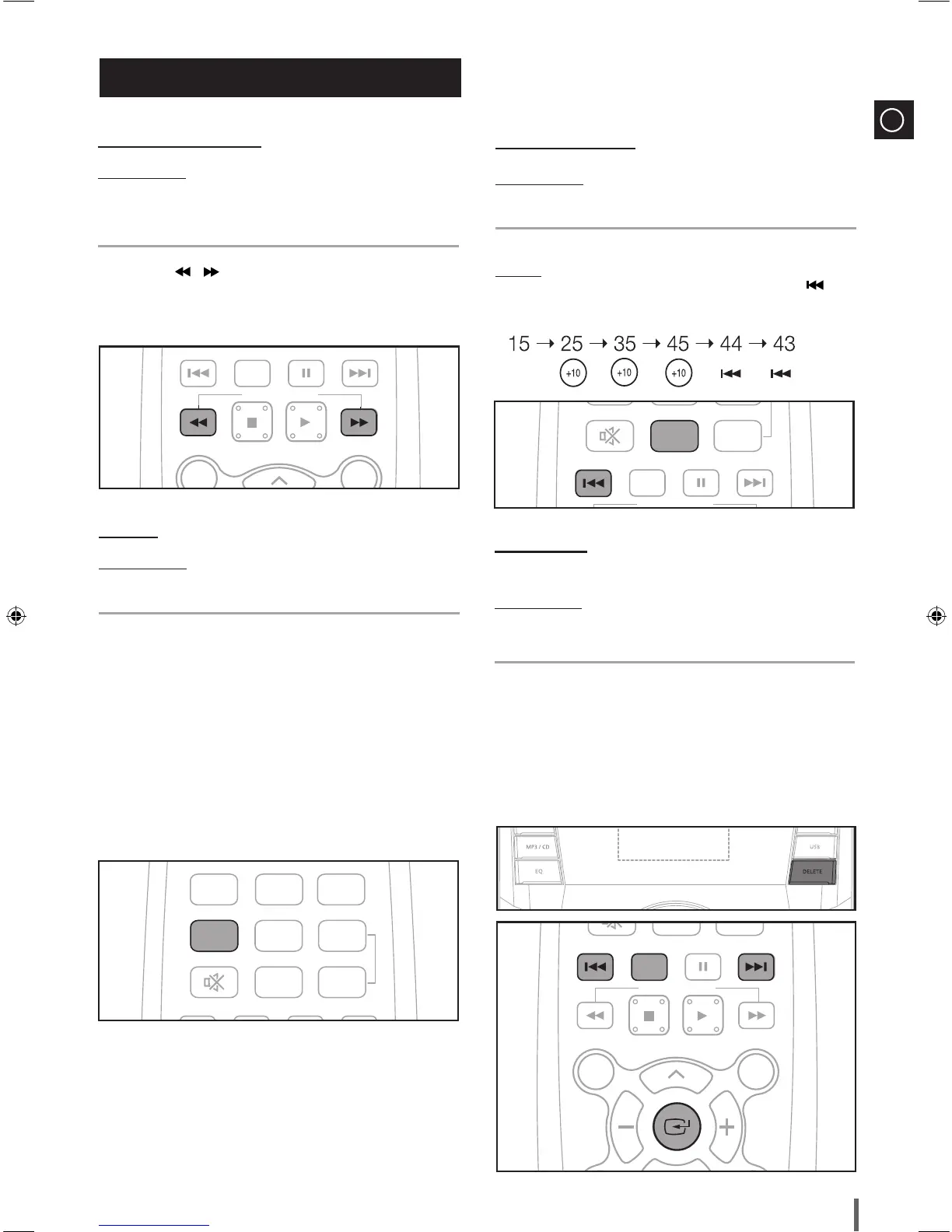
To use high speed search
Before you begin! Connect the external USB storage device to your player.
Select USB by pressing the USB button on the main
unit.
You can search the desired section quickly during the play.
Press the
➣
, button.
Whenever you
◆
press the button, you can search backward or forward quickly.
When you use the high speed search function, there is no sound.
☛


 To Next Page