Your mini-compact system is equipped with the function of
GIGA SOUND mode .
The function of GIGA SOUND mode amplifies bass and improves
high key or bass twice as much for you to appreciate powerful real
sound.
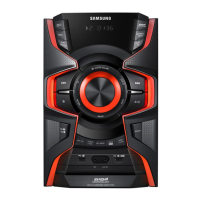
Press the
1
GIGA SOUND PRO button on the main unit or the SOUND
button on the remote control.
Each time press this button, the sound
will switch as following:
OFF GIGA SOUND GIGA LOUDNESS
To cancel this function, press the
2
GIGA SOUND PRO button until the
“OFF” is displayed.
GIGA SOUND function
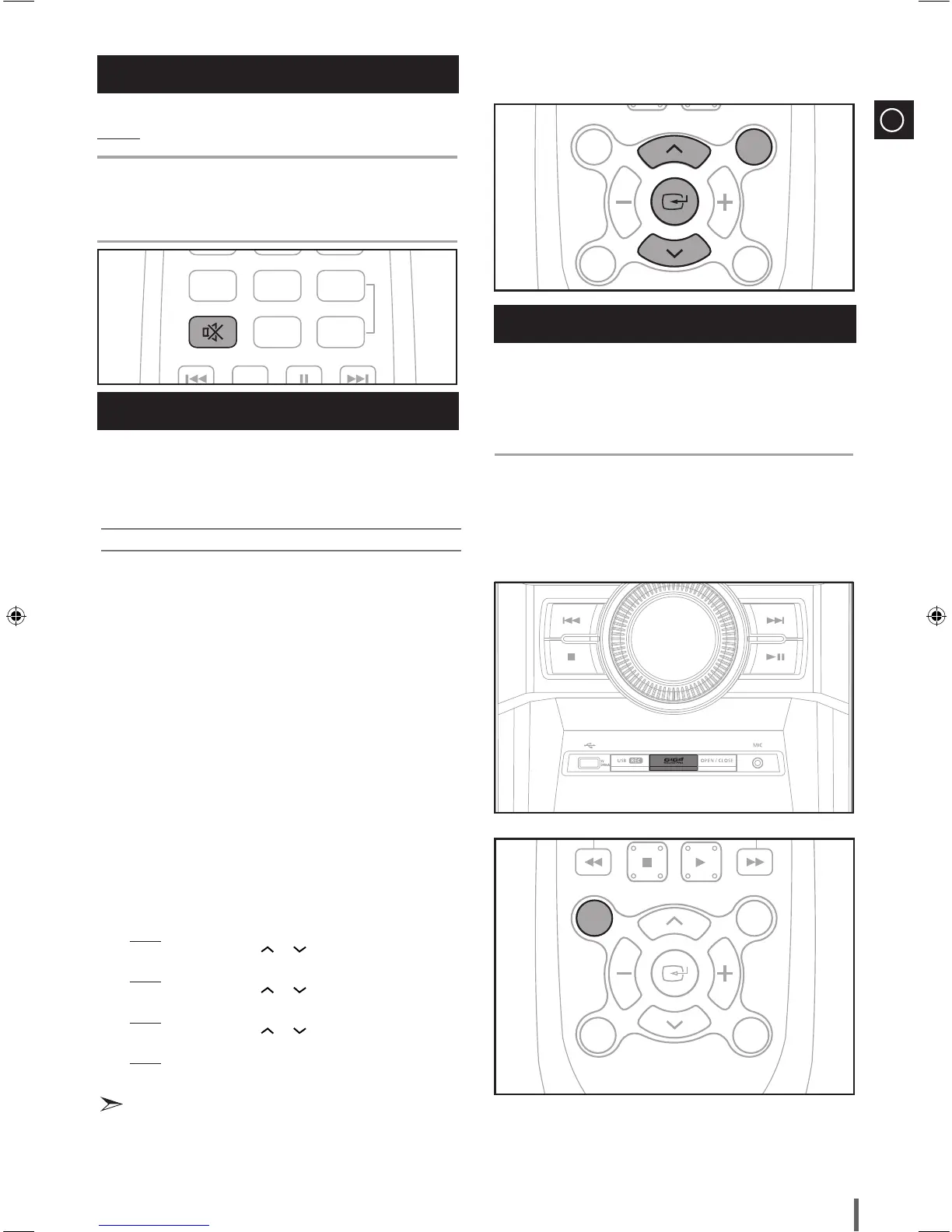
You can turn the sound off temporarily on your system.
Example: You wish to answer a telephone call.
Press the
1
MUTE button.
To switch the sound back on , press the
2
MUTE button again or the
VOLUME buttons.
Mute Function
Your mini-compact system is equipped with a preset equalizer that
allows you to choose the most appropriate balance between treble and
bass frequencies, according to the type of music you are listening to.
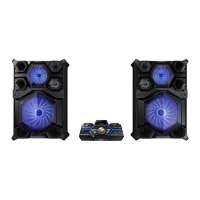
Press the
1
EQ button until the required option is selected.
Select... To obtain a...
OFF ................................ Normal balance (linear)
RANCHA ...................... Banlace suitable for Rancha Music.
SAMBA ........................ Banlace suitable for Samba Music.
CUMBIA ....................... Banlace suitable for Cumbia Music.
HABANA ...................... Banlace suitable for Habana Music.
BOOM BA .................... Banlace suitable for Boom Ba Music.
REGGAE ...................... Balance suitable for Reggae Music
PARTY .......................... Balance suitable for Party Music
POP ............................. Balance suitable for Pop Music
HIPHOP ....................... Balance suitable for HipHop Music
ROCK ........................... Balance suitable for Rock Music
JAZZ ............................ Balance suitable for Jazz Music
CLASS ......................... Balance suitable for Class Music
FLAT ............................. Balance suitable for Flat Music
STA+EQ ....................... Banlace suitable for Stadium Music.
DYN+S ......................... Banlace suitable for Dynamic spot Music.
MP3+ ........................... Banlace suitable for MP3 Enhan Music.
VIR+S ........................... Banlace suitable for Virtual Music.
U1 B 0 ......................... Banlace suitable for User 1 mode Music.
U2 B 0 ......................... Banlace suitable for User 2 mode Music.
U3 B 0 ......................... Banlace suitable for User 3 mode Music.
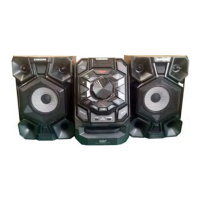
Set the BASS (left numeric), MIDDLE (middle numeric), TREBLE (right
2.
numeric) level.
Press the ENTER button when you select the U1 B 0 / U2 B 0 /U3 B 0.
Result: The BASS level(left numeric) flash.
Press the TUNING/ALBUM or button to select from -06 to 06.
Press the ENTER button.
Result: The MIDDLE level(middle numeric) flash.
Press the TUNING/ALBUM or button to select from -06 to 06.
Press the ENTER button.
Result: The TREBLE level(right numeric) flash.
Press the TUNING/ALBUM or button to select from -06 to 06.
Press the ENTER button.
Result: setting is completed.
Selecting EQ Mode


 To Next Page