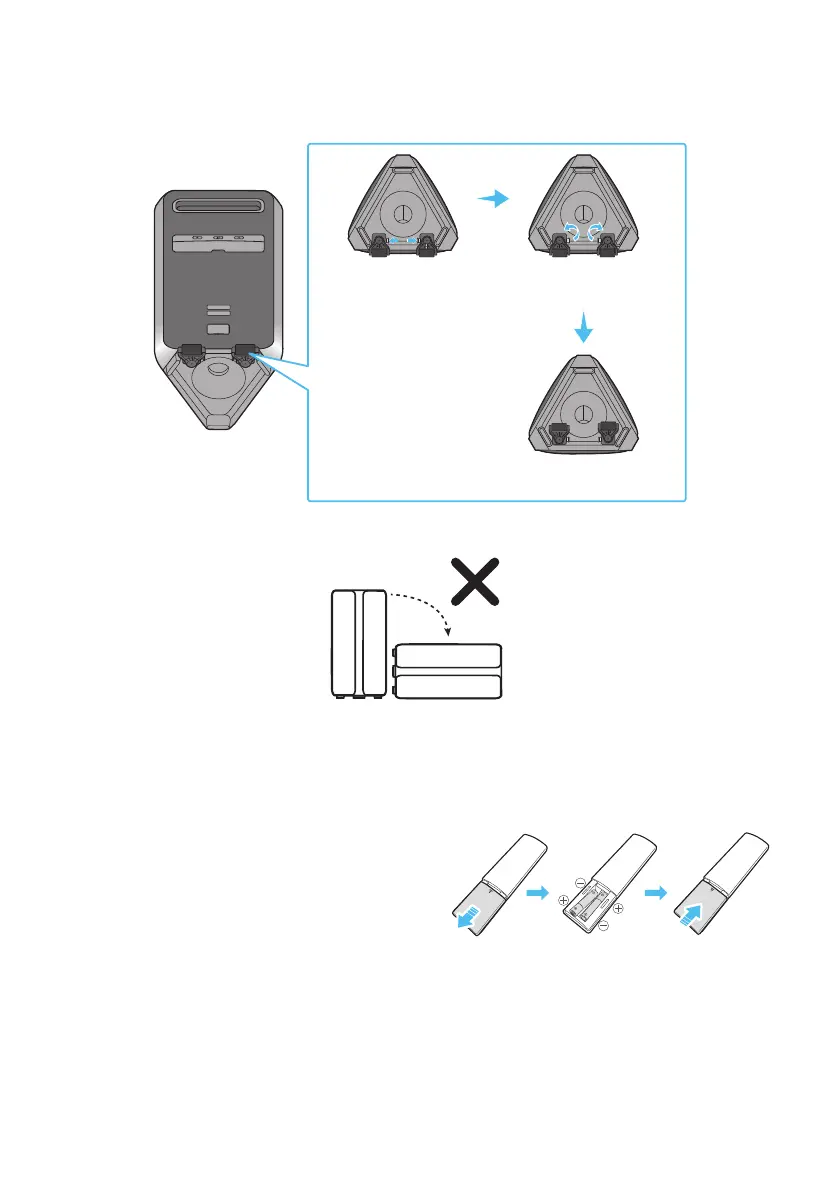
After the set is moved, press the self-locking switch of the two wheels respectively to rotate
the wheels to the bottom of the set. When it clicks, it means that the wheels are adjusted in
place.
POWER
Press the self-locking
switch
Rotate the wheels 180
degrees
The wheel was rotated back
to the bottom of the set
4. The product should not be knocked over to ensure it keeps it’s water resistance.
Inserting Batteries before using the Remote Control
(AAA batteries X 2)
Slide the battery cover in the direction of the arrow
batteries (1.5V) oriented so that their polarity is
correct. Slide the battery cover back into position.
(the remote control does not support IPX5)









 To Next Page