1-32
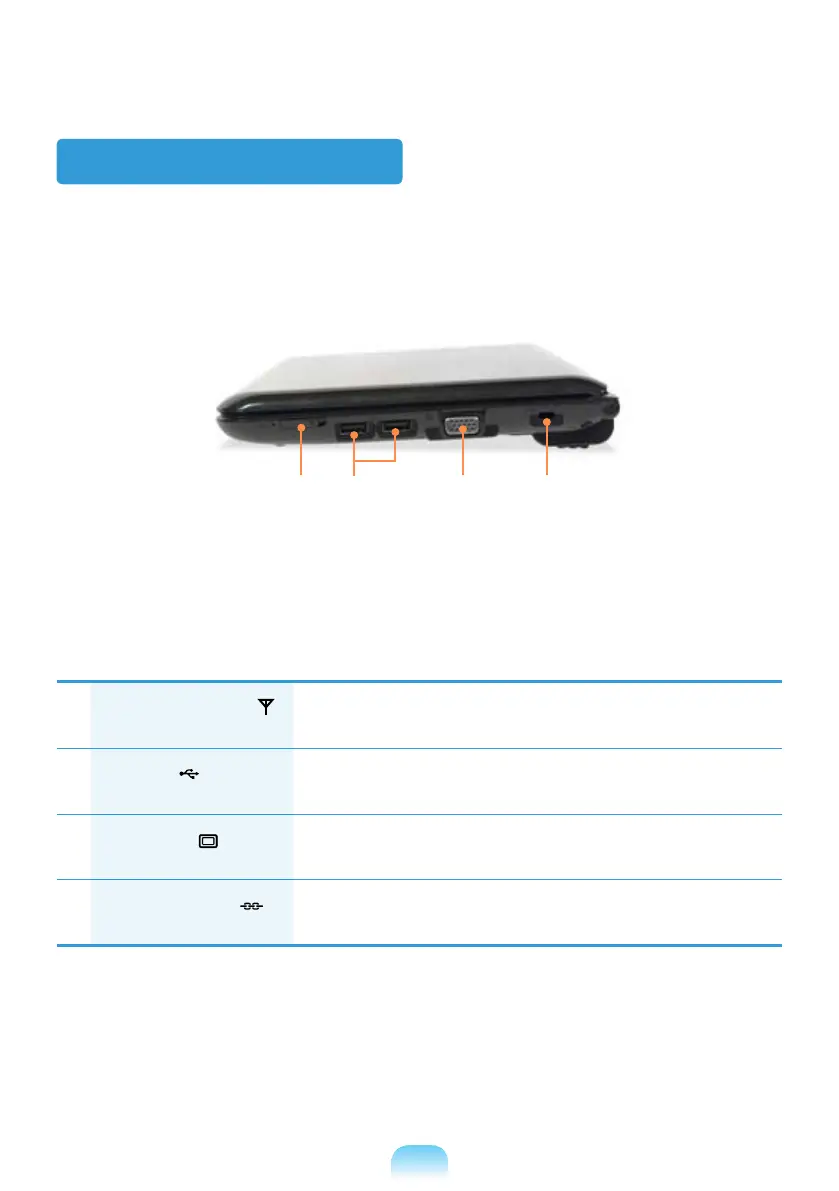
Right View
1
Wireless LAN Switch
(Optional)
wireless LAN function is turned off.
2
USB Port
You can connect USB devices to the USB port such as a keyboard/
mouse, digital camera, etc.
3
Monitor Port
A port used to connect a monitor, TV or projector supporting a
15pin D-SUB interface.
4
Security Lock Port
You can connect a Kensington lock to the Security Lock Port to
prevent the computer from being stolen.
2 3 41



 To Next Page