1-47
English
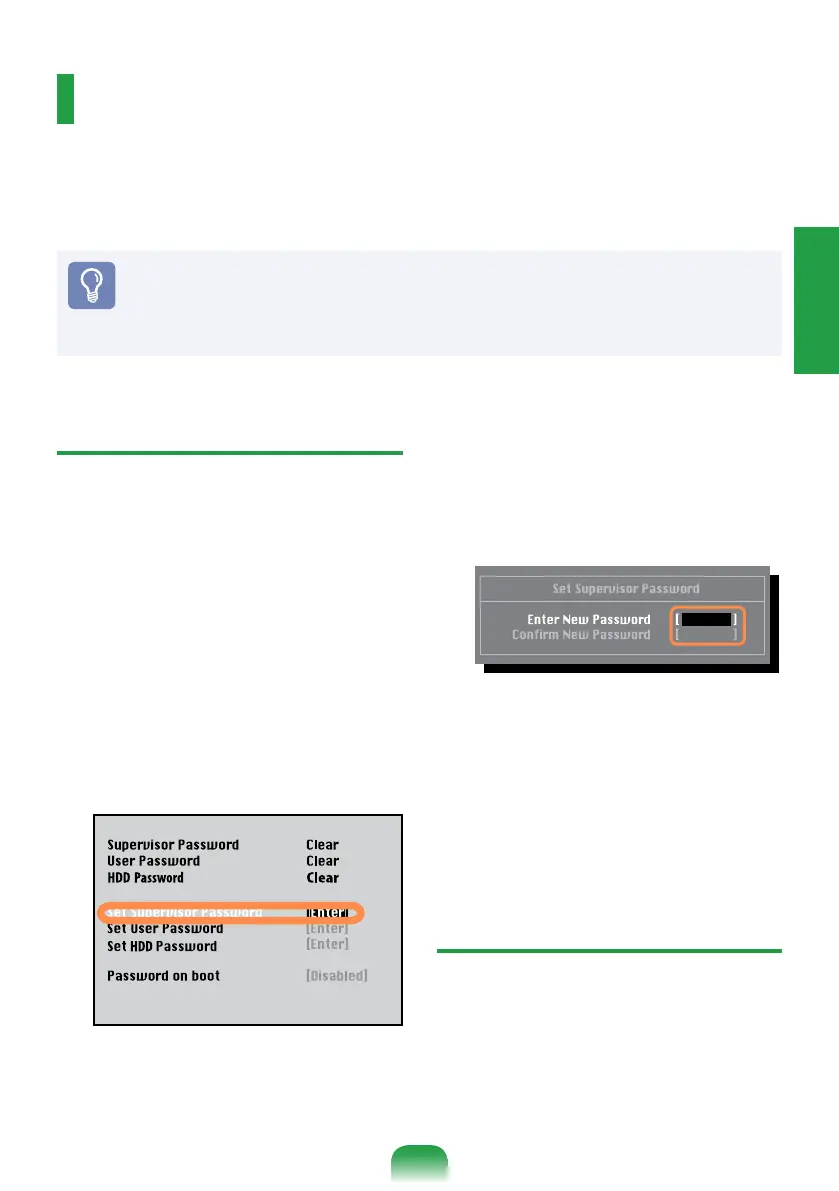
Setting a Supervisor Password
A Supervisor Password is required to turn
the computer on or to start the System
Setup.
When setting a Supervisor Password, users
other than a supervisor cannot use the
computer.
1
Select the
Security
menu in the BIOS
Setup.
2
In the
Set Supervisor Password
item,
press <
Enter
>.
3
Enter a password, press <
Enter
>, re-
and press <
Enter
> again. The
password can be up to 8 alphanumeric
characters. Special characters are not
allowed.
4
[
Setup Notice
] window, press <
Enter
>.
The supervisor password has been set.
The supervisor password is required to
turn the computer on or to enter the
BIOS Setup.
Setting a User Password
Users can start the system with a user
password, but cannot enter the System
Setup. By doing this, you can prevent other
users from entering Setup.
Setting a Boot Password
When setting a password, you have to enter a password to use the computer or enter the
BIOS Setup.
Before You Start!
Do not lose or forget your password.
If you have forgotten your password, contact a Samsung service center.
In this case, a service fee will be charged.



 To Next Page