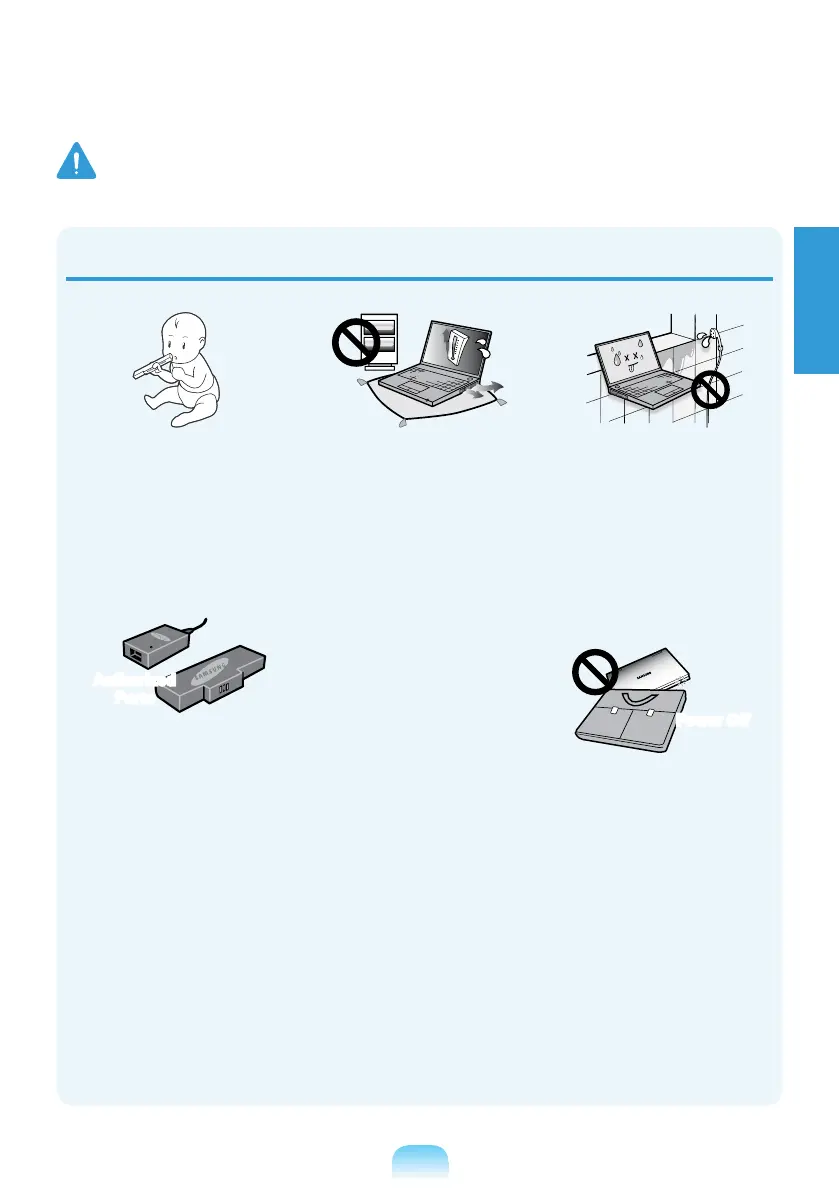
Keep the battery out of the
reach of infants and pets, as
they could put the battery
into their mouths.
There is a danger of electric
shock or choking.
Authorized
Parts
Use an authorized battery
and AC adapter only.
battery and adapter approved
by Samsung Electronics.
adapters may not meet the
proper safety requirements
and may cause problems or
malfunctions and result in an
Do not use the computer in
a badly ventilated location
such as on bedding, on a
pillow or cushion, etc, and do
not use it in a location such
it may cause the computer to
overheat.
Take care that the computer
vents (on the side or the
bottom) are not blocked
especially in these
environments. If the vents are
blocked, the computer may
overheat and it may cause a
computer problem, or even an
explosion.
Do not use the computer in
a humid location such as a
bathroom or sauna.
Please use the computer
within the recommended
temperature and humidity
RH).
Power Off
Do not close the LCD panel
and put the computer into
your bag to move it when it is
still turned on.
If you put the computer into
your bag without turning it off,
the computer may overheat
Shut the computer down
properly before moving it.
Warning
Failing to follow instructions marked with this symbol may cause personal injury and even fatality.



 To Next Page