EasyManua.ls Logo

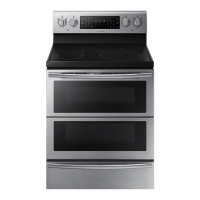
Samsung NE59J7630SS/AA - User Manual

Samsung NE59J7630SS/AA
52 pages
Print Icon
To Next Page IconTo Next Page
Loading...
Electric Range
User manual
NE59J7630**/NE59M7630**
NE59J7630SS_AA_DG68-00598A-07_EN+MES+CFR.indb 1 2/15/2017 6:19:06 PM

Questions and Answers

  • H
    hhernandezSep 23, 2025
    How to make oven racks easier to slide in Samsung Ranges?
    • W
      wilsonphillipSep 23, 2025
      If the oven racks in your Samsung range are difficult to slide, especially if the shiny, silver-colored racks were cleaned in a self-cleaning cycle, apply a small amount of vegetable oil to a paper towel and wipe the edges of the oven racks with the paper towel.
  • K
    Kerri SmithAug 23, 2025
    Why won't the oven light turn on in my Samsung NE59J7630SS/AA Ranges?
    • C
      Christopher HortonAug 23, 2025
      If the oven light in your Samsung range will not turn on, the light bulb may be loose or defective. Tighten or replace the bulb.
  • W
    wolfecarlAug 25, 2025
    What to do if the display goes blank on Samsung Ranges?
    • S
      Susan PenningtonAug 25, 2025
      If the display on your Samsung range goes blank, it may be due to a blown fuse or a tripped circuit breaker in your home. Replace the fuse or reset the circuit breaker.
  • L
    Loretta MyersAug 27, 2025
    Why are there areas of discoloration on my Samsung NE59J7630SS/AA Ranges cooktop?
    • I
      Isaiah PinedaAug 27, 2025
      Areas of discoloration on your Samsung cooktop can occur if food spillover was not cleaned. Another reason could be that the surface is hot, and the model features a light-colored cooktop. This is normal; the surface may appear discolored when it is hot, but this is temporary and will disappear as the glass cools.
  • J
    Jason WoodAug 27, 2025
    Why does the display flash on my Samsung Ranges?
    • J
      Justin MoraAug 28, 2025
      The display flashes on your Samsung range because there was a power failure. Reset the clock.
  • S
    Samantha GriffithSep 18, 2025
    Why doesn't the drawer slide smoothly on my Samsung NE59J7630SS/AA Ranges?
    • E
      Elizabeth HughesSep 18, 2025
      If the drawer on your Samsung range does not slide smoothly or drags, it could be out of alignment. Fully extend the drawer and push it all the way in. It may also be overloaded or the load is unbalanced. Reduce weight and redistribute the drawer contents.
  • S
    swilliamsSep 15, 2025
    What to do if oven is not clean after self-cleaning cycle on Samsung NE59J7630SS/AA?
    • J
      Jack GreenSep 15, 2025
      If your Samsung oven is not clean after a self-cleaning cycle, it could be because the oven controls were not set correctly. Another reason could be that the oven was heavily soiled. Wipe up heavy spillovers before starting the self-cleaning cycle. Heavily soiled ovens may need to be self-cleaned again or for a longer period of time.
  • A
    April PenaSep 16, 2025
    Why is there a strong odor coming from my Samsung Ranges?
    • Q
      qwilsonSep 16, 2025
      A strong odor coming from the insulation around the inside of the oven is normal for the first few times the oven is used. Operate the oven at the bake setting at 400 °F for 1 hour.
  • M
    Mr. Eric AndrewsSep 6, 2025
    How to level Samsung NE59J7630SS/AA Ranges?
    • B
      Brian ClarkSep 6, 2025
      If your Samsung range is not level, it may be due to improper installation. Place the oven rack in the center of the oven and put a level on the oven rack. Adjust the leveling legs at the base of the range until the oven rack is level. Also, ensure the floor is level, strong, and stable enough to adequately support the range. If the floor is sagging or sloping, contact a carpenter to correct the situation. Misaligned kitchen cabinets can also make the range appear unlevel; ensure the cabinets are square and provide sufficient room for installation.
  • D
    darrellchenSep 4, 2025
    Why does the surface unit frequently cycle on and off on Samsung NE59J7630SS/AA?
    • S
      scottrobinsonSep 4, 2025
      The element will cycle on and off to maintain the power setting. This is normal operation, and not a system failure. Use the oven as usual.

Summary

Anti-tip Device Safety

Crucial Anti-Tip Device Warning

Warning about securing the range with an anti-tip device to prevent tipping injuries.

Door Safety Warning

Warning against leaning or sitting on the oven door to avoid tipping hazards.

Important Safety Instructions

General Safety Information

Covers essential safety rules, symbols, and general warnings.

Electrical and Child Safety

Focuses on safety related to electrical components and children.

Oven Operation and Cleaning Safety

Safety guidelines for using the oven, self-cleaning, and cooktop.

Installation, Usage, and Cleaning Warnings

Critical warnings for installation, operation, and cleaning procedures.

Introducing Your New Range

Overview of Range Components

A visual guide identifying the main parts of the electric range.

Included Accessories

Lists the items that come with the new range.

Before You Begin

Energy Saving Tips

Practical advice for reducing energy consumption.

Cooktop Cooking Introduction

Preliminary information and cautions before using the cooktop.

Cooktop Cooking

Radiant Surface Elements and Controls

Identifies cooktop elements and their associated control knobs.

Using the Cooktop

Instructions on how to operate the cooktop and its settings.

Proper Cookware Selection

Guidance on choosing the right cookware for efficient cooking.

Protecting the Cooktop Surface

Methods to prevent damage and scratches on the glass cooktop.

Operating the Oven

Oven Control Panel Overview

Explanation of the buttons, display, and icons on the control panel.

Setting Oven Functions

Instructions for using timed cooking, kitchen timer, and delay start.

Oven Rack Placement

Guidance on positioning oven racks for different cooking needs.

Baking and Roasting Modes

How to use bake, convection bake, and convection roast functions.

Broiling Guide

Instructions and recommendations for using the broil function.

Special Cooking Features

Details on using Easy Cook, Slow Cook, Bread Proof, and Dehydrate.

Favorite Cook and Keep Warm

How to save recipes and keep food warm after cooking.

Sabbath Feature Operation

Instructions for using the oven during Sabbath observance.

Additional Oven Features

Thermostat adjustment, temperature units, and convection auto-conversion.

Oven Control Lockout

How to lock and unlock the control panel to prevent accidental changes.

Maintaining Your Appliance

Self-Cleaning Oven Procedures

Steps for preparing, running, and completing the self-cleaning cycle.

Steam Cleaning the Oven

Instructions for using the steam clean function for lighter cleaning tasks.

Cleaning Oven Components

Guidance on cleaning the oven vent, exterior parts, racks, and door.

Care and Cleaning of the Glass Cooktop

Daily Cooktop Cleaning

Routine cleaning methods for maintaining the glass cooktop.

Removing Stubborn Residue

Techniques for removing burned-on food and spills from the cooktop.

Preventing Cooktop Damage

Advice to avoid scratches, marks, and permanent damage to the glass surface.

Oven Door Removal and Replacement

Step-by-step guide to safely remove and reinstall the oven door.

Replacing the Oven Light Bulb

Instructions for safely changing the oven's interior light bulb.

Troubleshooting

Control Display Issues

Solutions for problems related to the oven's display panel.

Cooktop Troubleshooting

Common issues with the cooktop and their resolutions.

Oven Troubleshooting

Solutions for typical problems encountered with oven operation.

Information Codes

Explanation of error codes and their meanings for the oven.

Warranty (U.S.A.)

Warranty (CANADA)

Samsung NE59J7630SS/AA Specifications

General IconGeneral
BrandSamsung
ModelNE59J7630SS/AA
CategoryRanges
LanguageEnglish

Related product manuals