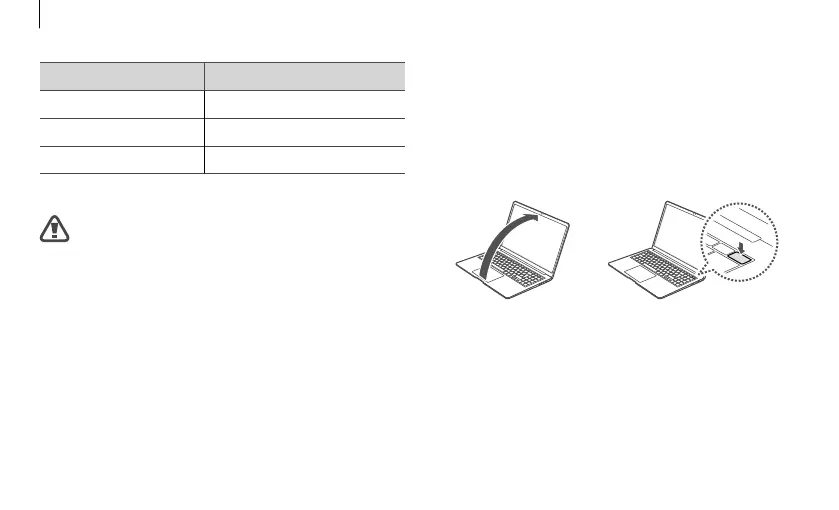
Turning the computer on
The computer turns on automatically when the
display panel is opened.
If the computer does not turn on automatically,
press the Power button.
or
Operating status LED Status
Red Charging
Green Fully charged
Blue Turned on
4
Unplug the adapter from the electric socket.
Do not allow the adapter to make contact with
your skin for a long time. A low-temperature
burn may result.
8
Getting started



 To Next Page