9
Getting started
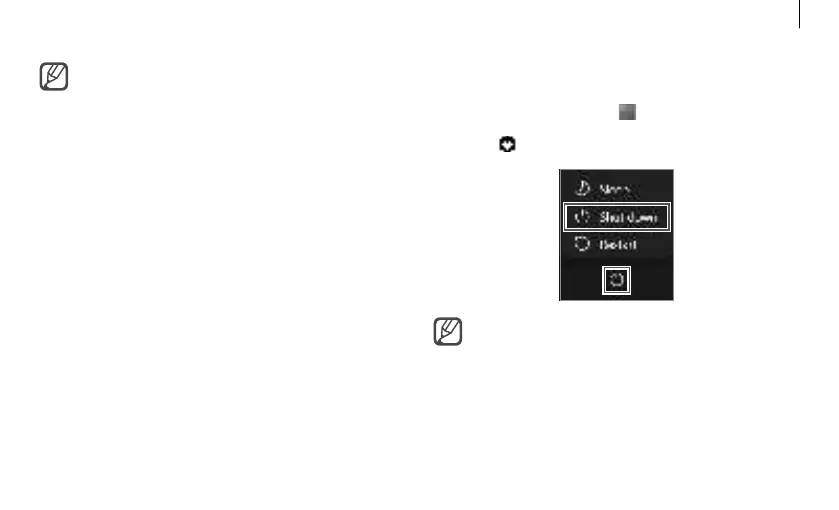
Turning the computer off
1
Select the Start button ( ).
2
Select
→
Shut down.
•
Save all data before turning off the
computer.
•
If the screen is locked in power saving
mode
Click on the screen, tap the touchpad, or
press any key to unlock the screen.
•
When you turn the computer on for the
first time, the Windows Activation screen
appears. Follow the onscreen instructions.
•
When turning on the computer for the
first time or after the battery has been
fully discharged or removed
‐It may take some time until the pictures
on the screen appears. After optimizing,
the next step will proceed.
‐The computer’s date and time may be
incorrect. To set the date and time, go to
the desktop taskbar and right-click the
date and clock area. Then, select Adjust
date/time and set the current date and
time.





 To Next Page