EasyManua.ls Logo

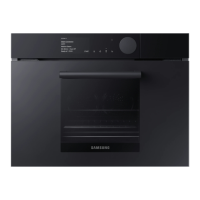
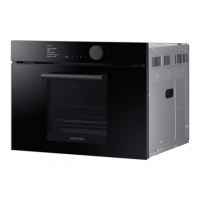
Samsung NQ50H5537KB - User Manual

Samsung NQ50H5537KB
64 pages
Print Icon
To Next Page IconTo Next Page
Loading...
imagine the possibilities
Thank you for purchasing this Samsung product.
Combi MWO Built-in
Oven
user & installation manual
NQ50H5537KB
Please be advised that the Samsung warranty does NOT cover service calls
to explain product operation, correct improper installation, or perform normal
cleaning or maintenance.
NQ50H5537KB_EU_DE68-04306N-00_EN.indd 1 2015-04-13 �� 2:53:06

Questions and Answers

  • J
    Jose HollandAug 14, 2025
    How to fix a Samsung NQ50H5537KB when neither the display nor the oven operate?
    • K
      Keith MedinaAug 14, 2025
      If your Samsung oven's display or the oven itself isn't working, ensure the plug is properly connected to a grounded outlet. If the wall outlet is controlled by a wall switch, make sure the switch is on. You can also try removing the plug from the outlet, waiting ten seconds, and then plugging it back in. Additionally, check the circuit breaker or replace any blown fuse. Try plugging the oven into a different outlet, or test the outlet with another appliance. If the other appliance doesn’t work, call a qualified electrician to repair the wall outlet.
  • J
    Joanna SmithAug 17, 2025
    What to do if my Samsung Oven display works but the power won't come on?
    • M
      Mark RobertsAug 17, 2025
      If your Samsung oven's display is working, but the power won’t come on, make sure the door is closed securely and check if any packaging material or anything else is stuck in the door seal. Also, check if the door is damaged. You can also try pressing Cancel twice and re-entering all cooking instructions.
  • V
    Victoria LamAug 20, 2025
    Why does my Samsung NQ50H5537KB Oven not start when I press the start button?
    • P
      Patricia HubbardAug 20, 2025
      If your Samsung oven does not start when you press the start button, make sure the door is closed completely.
  • J
    James HoodAug 25, 2025
    What to do if sparking and cracking occur inside my Samsung NQ50H5537KB Oven?
    • S
      salinaserinAug 25, 2025
      If your Samsung oven is sparking or cracking inside (arcing), remove any metallic utensils, cookware, or metal ties. If you are using foil, use only narrow strips and allow at least one inch between the foil and the interior oven walls.
  • D
    Denise BishopAug 27, 2025
    Why is the food either overcooked or undercooked in my Samsung Oven?
    • M
      megan16Aug 27, 2025
      If food is either overcooked or undercooked in your Samsung oven, make sure the cooking length is set appropriately by considering the type of food and that the power level is set appropriately.
  • E
    Elizabeth HolmesAug 31, 2025
    What to do if the food is not cooked at all in my Samsung NQ50H5537KB?
    • J
      Jonathan MooreAug 31, 2025
      If the food is not cooked at all in your Samsung oven, make sure the door is closed securely. Also, check if the timer is set correctly and/or the start button is pressed. You may also want to reset the circuit breaker or replace any blown fuse.
  • A
    avilaandrewSep 2, 2025
    Why is there smoke and a bad smell when initially operating my Samsung NQ50H5537KB Oven?
    • A
      Amanda MannSep 2, 2025
      If you experience smoke and a bad smell when initially operating your Samsung oven, this is a temporary condition caused by new component heating. To remove the smell more quickly, operate the microwave oven with lemon formation or lemon juice in the cabinet.
  • C
    Claudia JonesSep 6, 2025
    What to do if the Samsung NQ50H5537KB power goes off before the set time?
    • B
      Brooke MooreSep 6, 2025
      If the power goes off before the set time has elapsed on your Samsung oven, it may be due to a power outage. Reset the clock and any cooking instructions. You can also try resetting the circuit breaker or replacing any blown fuse. Make sure the oven is placed properly in accordance with the installation guide.
  • T
    Theresa WalkerSep 9, 2025
    How to stop my Samsung NQ50H5537KB Oven from causing interference with radios or televisions?
    • T
      Todd BeckerSep 9, 2025
      If your Samsung oven is causing interference with radios or televisions, install the oven away from televisions, radios and aerials. If interference is detected by the oven’s microprocessor, the display may be reset. Disconnect the power plug and reconnect it.

Summary

SAFETY INFORMATION

Instruction Booklet Overview

Guide to the manual's content: safety, accessories, tips.

Symbols and Icons Legend

Explanation of warning symbols and icons used in the manual.

Important Safety Precautions

Essential safety precautions to be followed at all times for safe operation.

INSTALLATION AND WIRING

General Installation Guidelines

Information on general installation, technical data, and required clearances for the oven.

Electrical Connection and Safety

Detailed instructions for wiring, grounding, and fuse replacement for safe operation.

OVEN FEATURES

Control Panel Overview

Description of the oven's control panel buttons and their functions.

Oven Interior and Accessories

Details on oven interior features, shelf levels, and included accessories.

GETTING STARTED

Clock Settings

Step-by-step guide to setting the oven's clock time.

Energy Save and Beeper Settings

How to configure energy saving modes and turn the beeper on or off.

OVEN USAGE MODES

Heating Modes Explained

Overview of Microwave, Oven, Combi-functions, and Automatic heating modes.

Microwave Mode Operation

Instructions for operating the oven in microwave mode, including power levels and cookware.

Oven and Combination Cooking

Guides for setting and using Grill, Convection, and combination cooking modes.

Automatic Cooking Programs

Instructions for Vegetable Mode, Auto Menu, and Auto Defrost programs.

Steam Cooking and Safety Lock

Details on Pure Steam cooking, Child Safety Lock, and Steam Clean mode.

TROUBLESHOOTING AND TECHNICAL DATA

Troubleshooting Common Issues

Solutions for common operational problems and error codes.

Technical Specifications

Detailed specifications of the oven, including model, power, dimensions, and weight.

Samsung NQ50H5537KB Specifications

General IconGeneral
Oven sizeMedium
Oven typeElectric
Top heatingYes
Cleaning typeSteam
Number of ovens1
Total oven power2500 W
Convection cooking-
Oven thermostat range40 - 250 °C
Total oven(s) interior capacity50 L
Clock typeElectronic
Timer typeDigital
Timer modesCooking time
Door hingedown
Control typeTouch
Door materialGlass
Product colorBlack
Tray materialEnameled
Control positionFront
Appliance placementBuilt-in
Illumination locationSide
Energy consumption (conventional)- kWh
Weight and Dimensions IconWeight and Dimensions
Depth570 mm
Width595 mm
Height454.2 mm
Weight38300 g
Installation compartment width- mm

Related product manuals