EasyManua.ls Logo

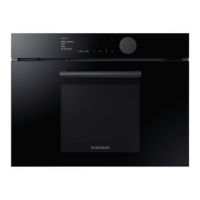
Samsung NQ50T8539BK - User Manual

Samsung NQ50T8539BK
52 pages
Print Icon
To Next Page IconTo Next Page
Loading...
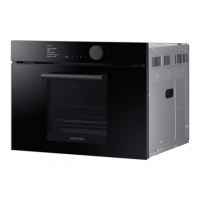
Combi MWO Built-in Oven
User manual
NQ50T8539BK
NQ8300T_NQ50T8539BK_EU_DG68-01262C-00_EN.indd 1 2020-01-30  9:00:25

Questions and Answers

  • T
    Tara VanceAug 11, 2025
    Why does my Samsung NQ50T8539BK Oven power off during operation?
    • B
      brownshannonAug 11, 2025
      Your Samsung Oven may be turning off due to several reasons: * If the oven has been cooking for an extended period, allow it to cool down. * Ensure the cooling fan is working by listening for its sound. * Make sure there is food inside the oven during operation. * Ensure sufficient ventilation space around the oven, maintaining the gaps specified in the product installation guide, as there are intake/exhaust outlets on the front and rear of the oven for ventilation. * Use a designated socket for the oven and avoid using several power plugs in the same socket.
  • S
    Spencer MurphyAug 19, 2025
    What to do if my Samsung Oven does not work?
    • J
      Jennifer Barnes DVMAug 19, 2025
      If your Samsung Oven isn't working, it could be due to a few reasons. First, ensure that the oven is properly supplied with power. Second, check that the oven door is completely closed. Finally, make sure that the door open safety mechanisms are free from any foreign matter. If any foreign matter is present, remove it.
  • J
    John GriffinAug 27, 2025
    Why are the buttons on my Samsung NQ50T8539BK Oven not working?
    • V
      Vickie BrownAug 27, 2025
      If the buttons on your Samsung Oven are not working properly, there might be a simple fix. First, check for any foreign matter caught between the buttons and remove it. If it's a touch model, wipe any moisture from the exterior. Also, ensure that the Child lock feature is deactivated.
  • A
    Albert GraySep 3, 2025
    How to fix a Samsung Oven when the time is not displayed?
    • T
      Timothy HawkinsSep 3, 2025
      If the time is not displayed on your Samsung Oven, first ensure that the oven is receiving power. If power is supplied, check if the display option is turned off and turn it on. Note that it is normal for the current time to disappear a few minutes after the display option has been turned on.

Samsung NQ50T8539BK Specifications

General IconGeneral
BrandSamsung
ModelNQ50T8539BK
CategoryOven
LanguageEnglish

Related product manuals