EasyManua.ls Logo

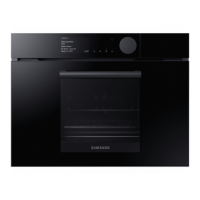
Samsung NQ50J5530 Series - User Manual

Samsung NQ50J5530 Series
76 pages
Print Icon
To Next Page IconTo Next Page
Loading...
Microwave oven
User manual
NQ50J5530**
Please be advised that the Samsung warranty does NOT cover service calls to explain product
operation, correct improper installation, or perform normal cleaning or maintenance.
NQ50J5530BS_EU_DE68-04355C-00_EN.indd 1 3/10/2015 4:44:27 PM

Questions and Answers

  • M
    Michelle DanielsSep 12, 2025
    Why does my Samsung NQ50J5530 make a popping sound during operation?
    • S
      Seth MccoySep 12, 2025
      A popping sound during operation in your Samsung Oven, especially if it's not working, may be due to cooking sealed food or using a container with a lid. Do not use sealed containers as they may burst during cooking due to expansion of the contents.
  • K
    Kristin BrownAug 25, 2025
    What to do if my Samsung Microwave Oven buttons cannot be pressed properly?
    • T
      Tyler KingAug 25, 2025
      If the buttons on your Samsung Microwave Oven cannot be pressed properly, there might be a few reasons. First, check if any foreign matter is caught between the buttons and remove it. For touch models, wipe any moisture from the exterior. Also, ensure that the Child lock is deactivated.
  • P
    petersonstephanieAug 25, 2025
    What to do if my Samsung Microwave Oven does not work?
    • J
      Jeffrey StoneAug 26, 2025
      If your Samsung Microwave Oven does not work, first ensure that power is supplied to the oven. Also, make sure the door is fully closed. If the door open safety mechanisms are covered in foreign matter, remove it.
  • J
    jennifer23Sep 23, 2025
    Why does the turntable of my Samsung NQ50J5530 Oven rattle while turning?
    • N
      Nicholas JonesSep 23, 2025
      If the turntable in your Samsung Oven rattles while turning and is noisy, food residue is stuck to the bottom of the oven. Remove any food residue stuck to the bottom of the oven.
  • L
    Lisa OliverSep 12, 2025
    What to do if my Samsung Microwave Oven has no power?
    • V
      Vincent BakerSep 12, 2025
      If there is no power to your Samsung Microwave Oven, make sure power is supplied.
  • P
    Pamela AndradeSep 18, 2025
    Why is there water left in my Samsung NQ50J5530?
    • K
      Kathleen FieldsSep 18, 2025
      Water may be left in your Samsung Oven depending on the food. This is not an oven malfunction. Let the oven cool and then wipe with a dry dish towel.
  • T
    Tracy HudsonSep 5, 2025
    Why can't I open the door of my Samsung NQ50J5530 properly?
    • A
      Amanda HallSep 5, 2025
      If the door of your Samsung Oven cannot be opened properly, it's likely due to food residue stuck between the door and the oven interior. Clean the oven and then open the door.
  • D
    Dylan CamachoSep 6, 2025
    Why is the time not displayed on my Samsung NQ50J5530 Oven?
    • A
      Amanda PooleSep 6, 2025
      If the time is not displayed on your Samsung Oven, first ensure that power is supplied. If power is supplied and the time is still not displayed, the Eco (power-saving) function may be set. Turn off the Eco function.
  • V
    Victoria OconnorSep 18, 2025
    Why does the brightness inside my Samsung NQ50J5530 Oven vary?
    • J
      Jay DavisSep 18, 2025
      Brightness changes inside your Samsung Oven depending on power output changes according to function. This is not an oven malfunction.
  • W
    Willie CrosbyAug 30, 2025
    What to do if my Samsung Oven does not work?
    • S
      Shawn MorrisAug 30, 2025
      If your Samsung Oven isn't working, first ensure that power is supplied to the oven. Also, check if the door is completely closed. If the door open safety mechanisms are covered in foreign matter, remove the foreign matter and try again.

Summary

Oven Safety Instructions

Critical Safety Precautions

Critical safety precautions and warnings for oven operation.

Installation and Wiring

Oven Wiring Guide

Details on how to properly earth and connect the oven's wiring.

Oven Installation Details

Oven Maintenance

Getting Started with Your Oven

Cookware Guidelines

Guidelines on suitable and unsuitable cookware for microwave mode.

Oven Operations

Manual Cooking Modes

Details on various manual cooking modes like Convection, Grill, and Microwave.

Auto Modes & Special Functions

Explanation of automatic cooking programs and special functions like Keep Warm.

Smart Cooking Guides

Auto Cooking Programs

Detailed recipes and settings for automatic cooking programs.

Manual Cooking Recipes

Specific instructions and timings for manual cooking of various food types.

Defrosting Guide

Instructions for defrosting different types of food using the oven.

Oven Troubleshooting

Troubleshooting Guide

Common problems, their causes, and suggested solutions for oven operation.

Samsung NQ50J5530 Series Specifications

General IconGeneral
BrandSamsung
ModelNQ50J5530 Series
CategoryOven
LanguageEnglish

Related product manuals