EasyManua.ls Logo

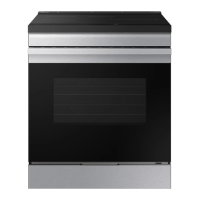
Samsung NSE6DG8100SR/AC - User Manual

Samsung NSE6DG8100SR/AC
60 pages
Print Icon
To Next Page IconTo Next Page
Loading...
Electric Range
User manual
NSE6D*81****

Questions and Answers

  • E
    elizabeth02Aug 20, 2025
    What to do if the surface units will not turn on on my Samsung Ranges?
    • T
      tpatelAug 20, 2025
      If the surface units on your Samsung Range won't turn on, first check if a fuse in your home has blown or a circuit breaker has tripped; replace the fuse or reset the breaker. Also, verify that the cooktop controls are correctly set for the surface unit you're trying to use.
  • G
    Gerald LewisAug 22, 2025
    How to fix a blank display on Samsung NSE6DG8100SR/AC Ranges?
    • J
      Jose MoyerAug 22, 2025
      If the display on your Samsung Range goes blank, it might be due to a blown fuse or a tripped circuit breaker in your home. Replace the fuse or reset the circuit breaker to resolve this issue.
  • C
    Cheryl HollandAug 25, 2025
    What to do if my Samsung NSE6DG8100SR/AC oven will not turn on?
    • A
      adrianjonesAug 25, 2025
      If your Samsung Range oven won't turn on, ensure the range is fully plugged into a properly grounded outlet. Check for blown fuses or tripped circuit breakers and replace or reset them. If the oven is too hot, allow it to cool down. For incorrect oven control settings, please refer to the chapter on operating the oven. In case of incomplete service wiring or a power outage, call for service or your local electric company.
  • M
    maryreynoldsAug 26, 2025
    What to do if my Samsung Ranges display flashes?
    • S
      Shawn JonesAug 26, 2025
      If the display on your Samsung Range flashes, it indicates there was a power failure. Reset the clock to resolve this.
  • A
    Andrea CarrollAug 28, 2025
    How to remove brown streaks from my Samsung NSE6DG8100SR/AC cooktop?
    • W
      westheatherAug 28, 2025
      Brown streaks or specks on your Samsung Range usually indicate boil-overs cooked onto the surface. Wait until the surface cools, then use a single-edge razor-blade scraper at a 45° angle to remove the residue. Refer to the care and cleaning section for the glass cooktop.
  • C
    cassieandersonAug 30, 2025
    How to clean discoloration on my Samsung NSE6DG8100SR/AC Ranges cooktop?
    • S
      Steven WarrenAug 30, 2025
      Areas of discoloration with a metallic sheen on your Samsung Range cooktop are likely due to mineral deposits from water and food. Remove these using a ceramic-glass cooktop cleaning cream. Use cookware with clean, dry bottoms, and clean the cooktop with a ceramic cleaning agent regularly.
  • A
    anthony48Aug 31, 2025
    Why does my Samsung NSE6DG8100SR/AC oven smoke so much when broiling?
    • D
      Derek ChenAug 31, 2025
      Excessive smoke during broiling with your Samsung Range can occur if the oven controls aren't set properly, the meat is too close to the element, the meat hasn't been properly prepared by removing excess fat, or grease has built up on oven surfaces. Ensure you reposition the rack for proper clearance, trim excess fat from the meat, and clean the oven regularly. For control settings, please refer to the broiling section.
  • C
    Cynthia MedinaSep 2, 2025
    Why won't my Samsung Ranges surface units maintain a rolling boil?
    • M
      Martin GoodmanSep 2, 2025
      If the surface units on your Samsung Range aren't maintaining a rolling boil or cooking fast enough, ensure you're using flat pans that match the diameter of the surface unit. If the power voltage is low in your area, cover the pan with a lid until the desired heat is achieved.
  • A
    ashley65Sep 4, 2025
    How to fix Samsung NSE6DG8100SR/AC Ranges oven light that won't turn on?
    • K
      kennedytimothySep 4, 2025
      If the oven light in your Samsung Range isn't turning on, check if the light bulb is loose or defective. Tighten or replace the bulb. If the switch operating the light is broken, call for service.
  • A
    Alexander MurphySep 6, 2025
    Why won't my Samsung NSE6DG8100SR/AC oven self-clean?
    • C
      cunninghammitchellSep 6, 2025
      Your Samsung Range oven may not self-clean if the oven temperature is too high; allow it to cool, then reset the controls. A self-cleaning cycle cannot be started if the oven lock feature has been activated or if a radiant surface element is on; deactivate the oven lock and ensure all surface elements are turned off. For incorrect oven control settings, please refer to the section on self-cleaning.

Summary

Anti-tip Device Safety

WARNING: Securing the Range

Ensure the Anti-Tip device is properly installed and engaged for safety.

WARNING: Preventing Tipping

Avoid leaning or sitting on doors; verify device engagement after moving.

Important Safety Instructions

Key Safety Information

General warnings and precautions for safe appliance operation.

Safety Symbols and Precautions

Explanation of warning and caution symbols used in the manual.

California Proposition 65 Warning

Notice regarding cancer and reproductive harm.

General Safety Precautions

Appliance Usage Guidelines

Use appliance for intended purpose; avoid hot surfaces and children's access.

Servicing and Grounding

Ensure proper installation, grounding, and qualified servicing.

Operational Safety Warnings

Oven Fire and Self-Cleaning Safety

Procedures for oven fires during self-cleaning and preparing for it.

Appliance Storage and Wearable Safety

Guidelines on storing items and wearing proper apparel.

Safe Handling and Usage

Precautions for potholders, children, cleaning, and power cords.

Surface Cooking Units Safety

Unattended Units and Liners

Never leave units unattended; avoid improper use of protective liners.

Cookware and Glazed Cookware

Use proper pan sizes and types; turn handles inward; clean with care.

Electrical Safety

Proper Installation and Servicing

Ensure qualified installation and servicing by authorized personnel.

Appliance Malfunctions and Cracked Surfaces

Steps for malfunctions; avoid using cracked surfaces; precautions for lamp replacement.

Child Safety Precautions

Supervision and Hot Surfaces

Supervise children; keep them away from hot parts and self-cleaning surfaces.

Oven Safety Guidelines

Heating Elements and Interior Surfaces

Avoid touching hot elements and interior surfaces; allow cooling time.

Unopened Containers and Drying Newspapers

Do not heat unopened containers; avoid drying newspapers in the oven.

Oven Operation and Cleaning Safety

Oven Door and Vent Duct Safety

Use care when opening door; keep vents unobstructed; avoid covering vents.

Rack Placement and Foil Use

Place racks correctly; avoid aluminum foil contact with elements.

Remote Operation and Self-Cleaning Warnings

Guidelines for remote operation and self-cleaning, including pet safety.

Glass;Ceramic Cooktop Safety

Hot Surface Units and Broken Cooktops

Avoid touching hot units; do not cook on broken cooktops.

Careful Cleaning of Cooktop

Wipe spills cautiously to avoid steam burns and fumes.

Critical Installation Warnings

Qualified Installation and Grounding

Must be installed by qualified technician; ensure proper grounding.

Power Cord and Location Precautions

Proper outlet connection; avoid humid/dusty locations; handle power cord carefully.

Critical Usage Warnings

Appliance Flooding and Strange Noises

Contact service for flooding or unusual sounds/smells; ventilate gas leaks.

Contact with Hot Parts and Oven Fires

Avoid contact with hot parts; close door during oven fires.

Self-Repair and Contamination

Do not self-repair; clean if contaminated; handle hot food carefully.

General Usage and Child Safety Warnings

Oven Door and Food Heating Precautions

Usage Cautions

Critical Cleaning Warnings

Surface Cooking Basics

Surface Cooking Operation

Cookware Material and Cooktop Protection

Oven Control Panel Overview

Oven Lock, Clock, and Timer Functions

Timed Cooking and Oven Light

Oven Cooking Modes and Rack Usage

Baking Operations

Broiling Functionality

Self-Cleaning Procedure

Self-Cleaning Safety Precautions

Warnings about hot surfaces, fumes, aluminum foil, and door locking.

Self-Cleaning Process Overview

How the self-cleaning cycle works to remove grease and residue.

Preparing for and Running Self-Cleaning

Self-Cleaning Interruption and Steam Cleaning

Oven Care and Cleaning

Appliance Surface Cleaning

Glass Cooktop Care and Cleaning

Cooktop Seal and Oven Door Removal

Oven Door Reinstallation

Drawer and Oven Light Maintenance

Troubleshooting Guide

Control Display Issues

Solutions for blank or flashing displays.

Cooktop Performance Issues

Addressing surface units not heating or turning on properly.

Cooktop Troubleshooting Details

Oven Troubleshooting

Oven Not Turning On or Lighting

Solutions for oven not powering on or oven light not working.

Appliance Not Turning On

Troubleshooting power issues and potential causes.

Oven Performance Troubleshooting

Broiling and Temperature Issues

Resolving broiling problems and oven temperature inaccuracies.

Self-Cleaning and Smoking Issues

Troubleshooting self-cleaning errors, smoking, and oven door locking.

Troubleshooting Information Codes

Advanced Troubleshooting Codes

Samsung NSE6DG8100SR/AC Specifications

General IconGeneral
Control TypeTouch
ColorStainless Steel
Convection OvenYes
Self-CleaningYes
Power SourceElectric

Related product manuals