EasyManua.ls Logo

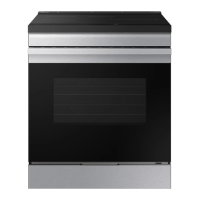
Samsung NSG6DG8100SR - User Manual

Samsung NSG6DG8100SR
52 pages
Print Icon
To Next Page IconTo Next Page
Loading...
Gas Slide-in Range
User manual
NSG6**81******

Questions and Answers

  • B
    Brian VillarrealAug 17, 2025
    What to do if my Samsung NSG6DG8100SR Ranges oven will not turn on?
    • J
      Johnny LopezAug 18, 2025
      If the oven will not turn on, ensure that the electrical plug is fully inserted into a working, properly grounded outlet. Also, check your home's fuse box or circuit breaker and replace any blown fuses or reset tripped breakers.
  • S
    Susan SchaeferAug 20, 2025
    What to do if Samsung NSG6DG8100SR beeps and displays an information code?
    • T
      Troy RodriguezAug 20, 2025
      If the oven control on your Samsung Ranges is beeping and displaying an information code, press Stop/Clear to reset it, and then restart the oven. If the problem continues, disconnect power to the range for at least 30 seconds, then reconnect it. If the issue persists, call for service.
  • M
    Mary SimpsonAug 22, 2025
    What to do if I smell gas from my Samsung Ranges?
    • R
      Robert LoweAug 22, 2025
      If you smell gas, ensure the surface burner knob is turned to the Off position. If the knob is already off, there may be a gas leak. In this case, evacuate everyone from the area and immediately call your gas supplier from a neighbor's phone. Do not use your own phone, as it could cause a spark. Follow the gas supplier's instructions, and if you cannot reach them, contact the fire department.
  • W
    William HarveyAug 25, 2025
    Why all burners do not light on my Samsung Ranges?
    • N
      nstoneAug 26, 2025
      If all burners on your Samsung Ranges fail to light, ensure the power cord is correctly plugged into a working, grounded electrical outlet. Also, check your home's fuse box or circuit breaker and replace any blown fuses or reset tripped breakers. If these steps don't resolve the issue, refer to the Installation Instructions that came with your range to ensure the gas supply is properly connected and turned on.
  • R
    rmorrisAug 27, 2025
    Why surface burners do not light on my Samsung NSG6DG8100SR?
    • L
      Lisa BarrettAug 28, 2025
      If the surface burners on your Samsung Ranges do not light, first, make sure the control knob is properly set by pushing it in and turning it to the Lite position. Also, ensure that the burner caps are correctly placed and the burner base is aligned. Clean the electrodes if necessary.
  • T
    Tina VillarrealAug 30, 2025
    Why Samsung Ranges oven will not self-clean?
    • K
      kimberlyjonesAug 30, 2025
      If your Samsung Ranges oven will not self-clean, first ensure the oven door lock is not engaged. The display will show the Lock icon if it is. Hold the oven door open, and then press for 3 seconds to turn it off. Also, make sure the oven has cooled down, as the self-clean cycle won't start if it's too hot, and verify that no surface burners are on, as this will also prevent self-cleaning. If these do not help, reset the self-cleaning oven controls referring to page 37.
  • W
    William MyersSep 1, 2025
    Why surface burner clicks during operation on my Samsung Ranges?
    • G
      Grace StantonSep 2, 2025
      If the surface burner clicks during operation on your Samsung Ranges, it might be because the control knob is left in the Lite position. Turn the control knob to your desired setting after the burner lights. If clicking continues, contact a service technician.
  • J
    James TorresSep 4, 2025
    Why food does not bake or roast properly in Samsung Ranges oven?
    • M
      Miss Ashley SimsSep 4, 2025
      If food isn't baking or roasting properly in your Samsung Ranges oven, make sure you've selected the correct cooking mode. Refer to page 21 for guidance. Also, ensure the oven racks are properly positioned for the food you're cooking, as detailed on page 20. Check that you're using appropriate cookware of the correct size (see page 18), and verify the oven temperature is accurately calibrated (page 28). Remove any aluminum foil from the racks or oven bottom, and ensure the clock or timers are correctly set, as described on pages 15 and 23.
  • M
    morgannicoleSep 6, 2025
    How to fix Samsung NSG6DG8100SR Ranges oven light that will not turn on?
    • W
      William DuncanSep 7, 2025
      If the oven light in your Samsung Ranges won't turn on, first check if the oven door lock is activated, indicated by the Lock icon on the display. Hold the oven door open, and then press for 3 seconds to deactivate it. If the Sabbath function is enabled (displaying SAb and the time), deactivate it by pressing and holding Bake and NUM 1 simultaneously for 3 seconds. If these don't help, the bulb may be loose or burned out, check page 39, or the switch operating the oven light may need replacement, in which case you should call a qualified service technician.
  • S
    Sarah ChavezSep 9, 2025
    Why food does not broil properly in the oven of my Samsung NSG6DG8100SR?
    • S
      Sarah CarrollSep 9, 2025
      If food isn't broiling properly in your Samsung Ranges oven, ensure the oven controls are correctly set, referring to page 23. Make sure the oven door was closed during broiling, as mentioned on page 21, and that the rack is properly positioned according to the broiling guide on page 23.

Summary

Important Safety Information

Safety Warnings and Anti-Tip Device

Covers critical warnings and anti-tip device installation for safe operation.

Regulatory Compliance Notices

Information regarding radio apparatus compliance with FCC and Canadian regulations.

Radio Apparatus Compliance Statement

Details compliance with FCC rules for radio frequency energy and interference.

General Safety Guidelines

General warnings to reduce fire, electric shock, and injury risks.

Fire Safety Guidelines

Crucial warnings to prevent fires related to range operation and materials.

Gas Safety Guidelines

Safety measures for handling gas, including leak detection and odor response.

Electrical and Grounding Safety Guidelines

Guidelines for safe electrical connections and grounding to prevent shock.

Installation Safety Requirements

Requirements for safe installation by qualified personnel and proper grounding.

Location Safety Guidelines

Guidance on selecting a safe installation location, considering drafts and ventilation.

Cooktop Safety Precautions

Precautions for safe operation of the surface burners, including flame control and cookware.

Oven Safety Precautions

Guidelines for safe oven use, including rack placement and avoiding misuse.

Storage Drawer Safety Precautions

Warnings regarding the use of the storage drawer, prohibiting non-cooking purposes.

Self-Cleaning Oven Safety Precautions

Safety instructions for the self-cleaning cycle, emphasizing high temperatures and child safety.

Key Features

Oven Capacity Feature

Highlights the oven's 6.0 cubic feet capacity for increased cooking space.

Five-Burner Cooktop Feature

Describes the cooktop's five burners, including power and simmer options.

Integrated Convenience Features

Features combining range, oven, and storage for user convenience.

Overview

Component Identification Diagram

Visual identification of range components with numbered labels.

Included Accessories

Lists items provided with the range and how to obtain optional accessories.

Before You Start

Control Panel Overview

Explains the purpose of each button and pad on the control panel.

Clock Setting

Step-by-step guide for setting the clock, essential for automatic features.

Oven Vent and Cooling System Explanation

Explains the function of oven vents for proper air circulation and performance.

Cooktop Operations

Cooktop Operation Steps

Basic steps for using the cooktop, including placing ingredients and igniting burners.

Gas Burner Guide and Ignition

Details burner positions, purposes, food types, ignition methods, and flame control.

Cooktop Flame Level Adjustment

Guidance on adjusting burner flame levels for optimal cooking and safety.

Cookware Selection and Material Guide

Recommendations for suitable cookware and characteristics of different materials.

Gas Oven Operation

Cookware Size Limitations

Warnings about using pans that are too small or too large for the grates.

Oven Rack Placement and Usage

Guide to using oven racks, including insertion, removal, and rack settings table.

Rack and Pan Placement Guidance

Tips for centering pans and spacing them for best baking results.

Oven Cooking Modes and Settings

Explains available cooking modes and their minimum/maximum temperature settings.

Baking and Roasting Guide

Instructions for using the Bake mode, including temperature setting and preheating.

Broiling Guide and Operation

Guidance on using the Broil mode for cooking and browning food.

Broiling Reference Guide

A reference table for broiling times based on food type, doneness, and thickness.

Timer Operation

How to use the oven timer for cooking tasks, from 1 minute to 9 hours 59 minutes.

Cook Time Setting

How to set a specific cooking duration, after which the oven automatically turns off.

Delay Start Operation

How to schedule the oven to start cooking at a later time, up to 12 hours ahead.

Keep Warm Feature

How to keep food warm at a low temperature for up to 3 hours.

Bread Proof Feature

Using the Bread Proof setting for optimal dough rising at a specific temperature.

Sabbath Option

Instructions for using the Sabbath option for baking during religious observances.

Oven Lock Feature

How to lock the control panel and door to prevent accidental operation or tipping.

Changing Oven Settings

How to adjust settings like temperature unit, time format, and energy saving.

Demo Mode

Information on the demo mode used for display purposes, with no heating.

Oven Temperature Adjustment

How to recalibrate the oven temperature if it appears too hot or too cold.

Temperature Unit Settings

How to switch between Fahrenheit and Celsius temperature displays.

Time Format Settings

How to set the clock display to 12-hour or 24-hour format.

Energy Saving and Sound Settings

How to enable energy saving and control audible beeps.

Wi-Fi Connectivity Control

How to enable or disable the Wi-Fi connectivity for smart features.

Smart Control Setup and Connection

Steps to connect the range to your smart device via the SmartThings app.

Remote Oven Control via SmartThings App

Functions available for controlling the oven remotely using the SmartThings app.

Voice Control Integration

How to use voice assistants like Bixby, Alexa, or Google Assistant with the range.

Appliance Maintenance and Cleaning

General Cleaning and Surface Care

General cleaning advice, control panel, and stainless steel surface care.

Oven Interior and Door Cleaning

Instructions for cleaning oven racks, interior surfaces, and the door gasket.

Exterior Surface and Control Cleaning

Cleaning the outer door glass, drawer handle, and burner controls.

Cooktop and Burner Component Cleaning

Guide to cleaning the cooktop surface, grates, and burner parts.

Burner Reassembly Guide

Detailed steps for correctly reassembling burner heads and caps.

Self-Cleaning Oven Procedures

How to perform a self-cleaning cycle, including time selection and safety precautions.

Self-Cleaning Cycle Management

Managing self-cleaning, including delayed start, cancellation, and post-cleaning steps.

Oven Light Bulb Replacement

Step-by-step instructions for safely replacing the oven light bulb.

Oven Door Removal and Reinstallation

Procedures for safely removing and reinstalling the oven door.

Storage Drawer Maintenance

Instructions for removing, cleaning, and reinstalling the storage drawer.

Troubleshooting

Initial Checks and Gas Safety Troubleshooting

Basic troubleshooting steps for gas safety and initial checks.

Surface Burner Troubleshooting

Diagnosing and resolving problems with surface burners not lighting or burning unevenly.

Oven Operational Troubleshooting

Troubleshooting common oven problems like temperature, door lock, and fan noise.

Cooking Performance Troubleshooting

Troubleshooting issues related to cooking results, smoking, and self-cleaning effectiveness.

Troubleshooting Error Codes

Explains oven error codes and provides solutions for common malfunctions.

Warranty Information

U.S.A. Warranty Coverage

Covers warranty terms, coverage, exclusions, and support for U.S. customers.

U.S.A. Support and Registration

Information on registering the product and contacting Samsung USA for support.

Canada Warranty Coverage

Covers warranty terms, coverage, exclusions, and support for Canadian customers.

Canada Support and Registration

Information on registering the product and contacting Samsung Canada for support.

Appendix

Open Source Software Information

Provides a URL for open source license information related to the product's software.

Samsung NSG6DG8100SR Specifications

General IconGeneral
BrandSamsung
ModelNSG6DG8100SR
CategoryRanges
LanguageEnglish

Related product manuals