EasyManua.ls Logo

Samsung NSG6DG8300SR - User Manual

Samsung NSG6DG8300SR
56 pages
Print Icon
To Next Page IconTo Next Page
Loading...
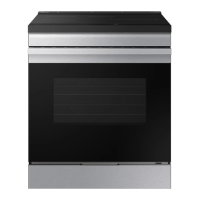
Gas Slide-in Range
User manual
NSG6**83******

Questions and Answers

  • V
    Vincent ThompsonSep 9, 2025
    Why does my Samsung NSG6DG8300SR surface burner click during operation?
    • J
      John JohnsonSep 9, 2025
      If your Samsung Ranges surface burner clicks during operation, turn the control knob to a desired setting after the burner lights. If the burner continues to click, contact a service technician.
  • S
    spencerheatherAug 23, 2025
    How to fix a Samsung NSG6DG8300SR oven that will not turn on?
    • B
      beckerwesleyAug 23, 2025
      If the oven on your Samsung Ranges will not turn on, ensure it is fully plugged into a properly grounded electrical outlet. Also, check your home's fuse box or circuit breaker and replace any blown fuses or reset any tripped breakers.
  • K
    ksmithAug 25, 2025
    How to fix Samsung NSG6DG8300SR surface burners that do not light?
    • E
      Eric BrownAug 25, 2025
      If the surface burners on your Samsung Ranges do not light, make sure the control knob is properly set by pushing it in and turning it to the Lite position. Also, ensure that the burner caps are correctly placed and that the burner base is properly aligned. Clean the electrodes if necessary.
  • M
    mfisherAug 27, 2025
    What to do if I smell gas from my Samsung NSG6DG8300SR Ranges?
    • L
      Luis RiveraAug 27, 2025
      If you smell gas, immediately turn the burner knob to the Off position. If the knob was already off, evacuate the area and call your gas supplier from a neighbor's phone. Do not use your own phone, as it could create a spark. Follow the gas supplier's instructions. If you cannot reach them, call the fire department, as there may be a gas leak.
  • K
    Kimberly ColeAug 28, 2025
    Why Samsung Ranges oven will not self-clean?
    • M
      mkaiserAug 28, 2025
      If your Samsung Ranges oven will not self-clean, first ensure the oven door lock is not engaged by holding the oven door open and pressing the control for 3 seconds until the Lock icon turns off. Make sure the oven has cooled down sufficiently before attempting to start the self-clean cycle. Reset the self-cleaning oven controls and ensure that no surface burners are on, as the self-clean function will not operate if a burner is in use.
  • B
    Barbara ThomasAug 29, 2025
    Why is the cooling fan still running after cooking on my Samsung Ranges?
    • S
      Stephanie ThompsonAug 29, 2025
      The cooling fan in your Samsung Ranges is designed to run automatically to cool down the oven's electronics and will shut off once the oven cools. This is normal operation.
  • K
    Kelsey BryanSep 18, 2025
    Why does my Samsung NSG6DG8300SR have a strong odor?
    • Z
      zthomasSep 18, 2025
      This is temporary. The insulation around the inside of the oven emits an odor the first few times the oven is used.
  • W
    Whitney BrockSep 19, 2025
    Why is my Samsung NSG6DG8300SR Ranges smoking excessively during a self-cleaning cycle?
    • L
      lindsay95Sep 22, 2025
      This is normal. The oven will always smoke more the first time it is cleaned. Wipe up all excessive soil before starting the self-cleaning cycle. If smoke persists, press Stop/Clear. Open the windows to clear the smoke from the room. After the oven has cooled and unlocked, wipe up excessive soil, and then reset the oven for self-cleaning.
  • T
    Tony HendersonSep 7, 2025
    Why Samsung NSG6DG8300SR oven door will not open after a self-cleaning cycle?
    • S
      Samantha HunterSep 8, 2025
      If the oven door on your Samsung Ranges will not open after a self-cleaning cycle, this is normal. The oven door will remain locked until the oven temperature drops below 400 °F.
  • J
    jadeboydSep 4, 2025
    Why is there a burning smell coming from my new Samsung Ranges?
    • B
      brittanycookSep 4, 2025
      If you notice a burning or oily odor coming from the vent of your new Samsung Ranges, this is normal and should disappear within 30 minutes of the first bake cycle. To speed up the process, set a self-cleaning cycle for a minimum of 3 hours.

Summary

Product Safety

Anti-Tip Device

Crucial safety measure to prevent range tipping and injury.

General Safety

Essential precautions for safe operation to prevent injury or damage.

Fire Safety

Guidelines to prevent fires and handle fire emergencies effectively.

Gas Safety

Procedures for safe gas handling and leak detection to prevent hazards.

Oven Safety

Precautions for safe operation of the oven compartment.

Cooktop Operation

Gas Oven Operation

Maintenance

Troubleshooting

Gas Safety Issues

Common problems related to gas leaks and burner operation.

Samsung NSG6DG8300SR Specifications

General IconGeneral
Number of Burners5
Self-CleaningYes
Convection OvenYes
ColorStainless Steel
Fuel TypeGas
Width30 inches

Related product manuals