EasyManua.ls Logo

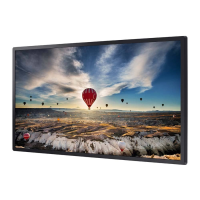
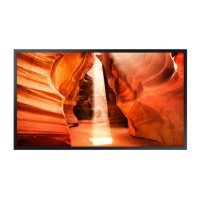
Samsung OM55N-S - User Manual

Samsung OM55N-S
107 pages
Print Icon
To Next Page IconTo Next Page
Loading...
© Samsung
Samsung owns the copyright for this manual. Use or reproduction of this manual in parts or entirety without the authorization of Samsung is prohibited. Trademarks other than Samsung are property of their respective owners.
User Manual
OM55N-S
The color and the appearance may differ depending on the product, and the content in the
manual is subject to change without prior notice to improve the performance.

Table of Contents

Questions and Answers

  • C
    Cory FletcherJul 29, 2025
    Why is Anynet+ not working on my Samsung OM55N-S?
    • A
      Antonio ParkJul 29, 2025
      If Anynet+ is not working on your Samsung Monitor, first verify that the connected device is an Anynet+ compatible device, as the system only supports these devices. Ensure the power cord and the Video/Audio/HDMI cable of the Anynet+ device are properly connected. Also, check in the System menu to confirm that Anynet+ (HDMI-CEC) is set to On. Verify that the remote control you are using is Anynet+ compatible. Note that Anynet+ may not function during the initial setup. If you have reconnected the HDMI cable, perform a device search again or power cycle your product. Finally, ensure that the Anynet+ function of the connected device is enabled.
  • J
    Jamie FergusonAug 8, 2025
    How to exit Anynet+ on a Samsung Monitor?
    • J
      Jessica MitchellAug 8, 2025
      To exit Anynet+ on your Samsung Monitor, press the SOURCE button on the remote control and select a device that is not Anynet+ compatible.
  • C
    Christina JonesAug 18, 2025
    Why does the message “Disconnecting Anynet+ device ...” appear on the screen of my Samsung Monitor?
    • E
      Elizabeth ChangAug 18, 2025
      The message “Disconnecting Anynet+ device ...” appears on the screen of your Samsung Monitor because you cannot use the remote control when you are configuring Anynet+ or switching to a view mode. Use the remote control after the product has completed Anynet+ configuration or has finished switching to Anynet+.

Summary

Before Using the Product

Safety and Electrical Guidelines

General safety, symbol explanations, and electrical safety instructions for product use.

Installation Safety

Critical safety considerations and warnings to follow during product installation.

Product Operation and Maintenance

Safe Operation and Handling

Key safety instructions for operating the product without hazards.

Preparations for Use

Installation Guides

Pre-installation considerations and instructions for wall mount installation.

Remote Control and Connectivity

Remote Control Operation

Explanation of the remote control's buttons and their functions.

Connecting External Devices

Steps for connecting PCs, monitors, and audio/video sources to the display.

Multiple Display Control

Control Commands for Displays

PC commands for controlling power, volume, source, screen size, and video wall.

Player Feature Functionality

Player Overview and Content Playback

Navigating the player interface and playing content files.

OnScreen Display and Screen Protection

Troubleshooting Guide

Troubleshooting Preparation and Basic Issues

Steps before contacting support and resolving PC connection issues.

Samsung OM55N-S Specifications

General IconGeneral
BrandSamsung
ModelOM55N-S
CategoryMonitor
LanguageEnglish

Related product manuals