Basic functions
21
Taking photos
Learn how to take photos easily and quickly in the Program mode.
1
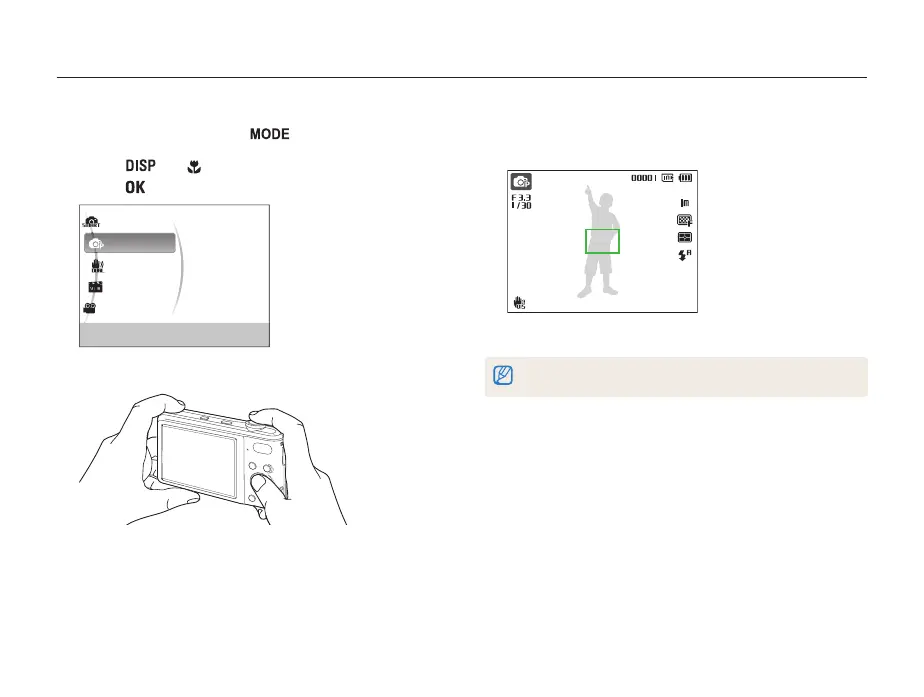
In Shooting mode, press [ ].
2
Press [ ] or [ ] to scroll to Program, and then
press [
].
Smart Auto
Program
DUAL IS
Scene
Movie
This mode allows you to directly set various
features for shooting.
3
Align your subject in the frame.
4
Half-press [Shutter] to focus.
• A green frame means the subject in focus.
5
Press [Shutter] to take a photo.
See page 24 for tips to get clearer photos.


 To Next Page