EasyManua.ls Logo

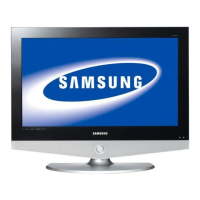
Samsung PN50B550T2F - User Manual

Samsung PN50B550T2F
107 pages
Print Icon
To Next Page IconTo Next Page
Loading...
Plasma TV
user manual
BN68-02221A-00
Contact SAMSUNG WORLD-WIDE
If you have any questions or comments relating to Samsung products, please contact the SAMSUNG customer care center.
Comment contacter Samsung dans le monde
Si vous avez des suggestions ou des questions concernant les produits Samsung, veuillez contacter le Service
Consommateurs Samsung.
Country
Customer Care Center
Web Site Address
U.S.A 1-800-SAMSUNG(726-7864) www.samsung.com/us
Samsung Electronics America, Inc. 105 Challenger Road
Ridgefield Park, NJ 07660-0511
CANADA 1-800-SAMSUNG(726-7864) www.samsung.com/ca
Samsung Electronics Canada Inc., Customer Service 55
Standish Court Mississauga, Ontario L5R 4B2 Canada
Samsung Electronique Canada Inc., Service à la Clientèle
55 Standish Court Mississauga, Ontario L5R 4B2
Canada
BN68-02221A
Thank you for purchasing this Samsung product.
To receive more complete service, please
register your product at
www.samsung.com/register
Model Serial No.
imagine the possibilities

BN68-02221A_Eng.indb 1 2009-03-13 오후 6:38:24

Table of Contents

Questions and Answers

  • J
    Jessica HayesAug 14, 2025
    What to do if my Samsung PN50B550T2F Flat Panel TV has no picture or sound?
    • N
      Nicholas LawrenceAug 14, 2025
      If your Samsung Flat Panel TV has no picture or sound, try these steps: First, try another channel. If that doesn't work, press the SOURCE button. Also, make sure the TV is plugged in and check the antenna connections. Finally, ensure the MUTE button is off.
  • J
    Jacob LopezAug 17, 2025
    How to fix Samsung PN50B550T2F Flat Panel TV remote control malfunctions?
    • C
      Christina JohnsonAug 18, 2025
      To address remote control issues with your Samsung Flat Panel TV, try the following: Replace the remote control batteries. Clean the upper edge of the remote control (transmission window). Check the battery terminals and ensure the batteries are inserted correctly, paying attention to the “+” and “-” ends. Press the TV button to put your remote control in the TV mode. Also, make sure the remote has batteries.
  • E
    Eddie LongAug 21, 2025
    Why is the screen black and power indicator light blinking steadily on my Samsung Flat Panel TV?
    • B
      Brandon EricksonAug 21, 2025
      If the screen is black and the power indicator light is blinking steadily, on your computer, check the Power and Signal Cable. Move the computer’s mouse or press any key on the keyboard. On your equipment check (STB, DVD, etc); Power and Signal Cable. Also, press the Source button on the panel or remote control and turn the TV off and on.
  • V
    Vincent DavisAug 25, 2025
    How to resolve a digital broadcasting screen problem on Samsung PN50B550T2F?
    • D
      Derek BarreraAug 25, 2025
      To resolve a digital broadcasting screen problem on your Samsung Flat Panel TV, please check the digital signal strength and antenna input.
  • B
    bwalkerAug 28, 2025
    How to adjust the image if it's too light or dark on my Samsung PN50B550T2F?
    • J
      Joel ThompsonAug 28, 2025
      If the image on your Samsung Flat Panel TV is too light or too dark, adjust the Brightness and Contrast. You can also adjust the Fine tuning.
  • R
    Robert JohnsonAug 31, 2025
    How to fix the image size being too large or too small on a Samsung Flat Panel TV?
    • P
      pboydAug 31, 2025
      If the image on your Samsung Flat Panel TV is too large or too small, adjust the Size settings.
  • T
    Taylor RichardSep 3, 2025
    Why does a distorted picture appear in the corner of my Samsung Flat Panel TV?
    • J
      Jean OlsenSep 3, 2025
      If a distorted picture appears in the corner of the screen on your Samsung Flat Panel TV, it may be because Screen Fit is selected in some external devices.
  • M
    Melissa HaasSep 6, 2025
    Why is a strange sound heard from my Samsung PN50B550T2F Flat Panel TV?
    • S
      Sophia JonesSep 6, 2025
      If you hear a strange sound from your Samsung Flat Panel TV, this is caused by minor systems operation and is not a defect.
  • H
    Holly MeyerSep 10, 2025
    Why are pixels visible on the screen of my Samsung PN50B550T2F Flat Panel TV?
    • T
      theresajohnsonSep 10, 2025
      If pixels are visible on the screen of your Samsung Flat Panel TV, there may be few bright or dark pixels on the screen. These pixels will have no impact on the performance of the product.

Summary

Important Warranty Information

Television Format Viewing Warranty

Discusses warranty coverage related to television format viewing and potential display aging issues.

User Instructions

Screen Image Retention and Panel Care

Advises on preventing screen burn-in, image retention, and potential damage from static images.

Remote Control

Remote Control Operations and Battery Installation

Explains button functions, battery installation, and basic troubleshooting for the remote control.

Operation

Basic TV Operations

Covers turning the TV on/off, changing channels, and adjusting volume using the remote control.

Picture Control

Changing Picture Settings

Explains adjusting picture modes, brightness, contrast, color, sharpness, and advanced settings.

Picture Enhancements and Screen Burn Prevention

Details white balance, color options, size adjustments, and screen burn protection features.

Sound Control

Changing Sound Settings

Covers selecting sound modes, equalizer settings, and enabling SRS TruSurround HD.

Support

Self Diagnosis and Contacting Samsung

Provides tools for diagnosing problems, checking signal strength, and contacting customer support.

Media Play

Using Media Play Function for Photos and Music

Explains viewing photos (JPEG) and playing music (MP3) from a USB device.

Anynet+

Connecting and Setting Up Anynet+ Devices

Guides on connecting and configuring Samsung devices for unified control via Anynet+ (HDMI-CEC).

Appendix

General Troubleshooting and Solutions

Lists common TV problems and their possible solutions for picture, sound, and operation.

Samsung PN50B550T2F Specifications

General IconGeneral
Screen Size50 inches
Display TypePlasma
Resolution1366 x 768
Aspect Ratio16:9
HDMI Ports3
USB Ports1
Component Video Inputs2
Composite Video Inputs2
S-Video Inputs1
Energy Star CompliantYes
Refresh Rate600Hz
Optical Audio Out1
Contrast Ratio2, 000, 000:1
PC Input1

Related product manuals