EasyManua.ls Logo

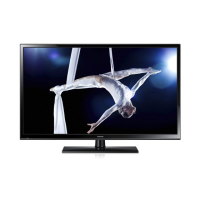
Samsung PS43D450A2W - User Manual

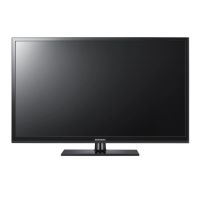
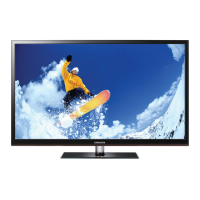
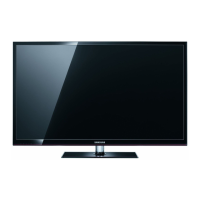
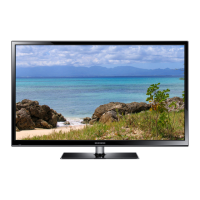
Samsung PS43D450A2W
164 pages
Print Icon
To Next Page IconTo Next Page
Loading...
Plasma TV
user manual
imagine the possibilities
Thank you for purchasing this Samsung product.
To receive more complete service, please register
your product at
www.samsung.com/register
Model _____________Serial No. _____________
E-MANUAL
© 2011 Samsung Electronics Co., Ltd. All rights reserved.
BN68-03491F-01
Contact SAMSUNG WORLDWIDE
If you have any questions or comments relating to Samsung products, please contact the SAMSUNG customer care centre.
Country
Customer Care Centre
Web Site
AUSTRIA 0810 - SAMSUNG (7267864, € 0.07/min) www.samsung.com/at
BELGIUM 02-201-24-18 www.samsung.com/be (Dutch)
www.samsung.com/be_fr (French)
CZECH 800 - SAMSUNG (800-726786) www.samsung.com/cz
Samsung Zrt., česká organizační složka, Oasis Florenc, Sokolovská394/17, 180 00, Praha 8
DENMARK 70 70 19 70 www.samsung.com/dk
FINLAND 030 - 6227 515 www.samsung.com/fi
FRANCE 01 48 63 00 00 www.samsung.com/fr
GERMANY 01805 - SAMSUNG (726-7864 € 0,14/Min) www.samsung.de
HUNGARY 06-80-SAMSUNG (726-7864) www.samsung.com/hu
ITALIA 800-SAMSUNG (726-7864) www.samsung.com/it
LUXEMBURG 261 03 710 www.samsung.com/lu
NETHERLANDS 0900-SAMSUNG (0900-7267864) (€ 0,10/Min) www.samsung.com/nl
NORWAY 815-56 480 www.samsung.com/no
POLAND 0 801 1SAMSUNG (172678)
022-607-93-33
www.samsung.com/pl
PORTUGAL 80820-SAMSUNG (726-7864) www.samsung.com/pt
SLOVAKIA 0800-SAMSUNG (726-7864) www.samsung.com/sk
SPAIN 902 - 1 - SAMSUNG (902 172 678) www.samsung.com/es
SWEDEN 0771 726 7864 (SAMSUNG) www.samsung.com/se
TURKEY 444 77 11 www.samsung.com/tr
U.K 0845 SAMSUNG (7267864) www.samsung.com/uk
EIRE 0818 717100 www.samsung.com/ie
SWITZERLAND 0848 - SAMSUNG (7267864, CHF 0.08/min) www.samsung.com/ch
www.samsung.com/ch_fr/(French)
LITHUANIA 8-800-77777 www.samsung.com/lt
LATVIA 8000-7267 www.samsung.com/lv
ESTONIA 800-7267 www.samsung.com/ee
Plasma TV user manual
[PD450-BT]BN68-03491F-01L09.indb 1 2011-02-21 오후 10:47:51

Table of Contents

Other manuals for Samsung PS43D450A2W

Questions and Answers

  • C
    Christian MonroeJul 26, 2025
    Why is Anynet+ not working on my Samsung Plasma TV?
    • S
      Scott BrownJul 26, 2025
      If Anynet+ is not working on your Samsung Plasma TV, first ensure that the connected device is Anynet+ compatible, as the system only supports these devices. Ensure that only one receiver is connected. Check the power cord and the Video/Audio/HDMI cable connections of the Anynet+ device. Verify that Anynet+ (HDMI-CEC) is enabled in the Anynet+ setup menu and that the TV remote is in TV mode and is Anynet+ compatible. Note that Anynet+ may not function during channel searches or initial setup. If you connect or disconnect the HDMI cable, rescan for devices or power cycle the TV. Finally, confirm that the Anynet+ function of the external device is enabled.
  • J
    Johnny GarciaJul 30, 2025
    What to do if the connected device is not displayed on Samsung Plasma TV?
    • A
      Andrew FriedmanJul 30, 2025
      If your connected device isn't showing up on your Samsung Plasma TV, verify that it supports Anynet+ functions. Also, check that the HDMI cable is properly connected and that Anynet+ (HDMI-CEC) is enabled in the Anynet+ setup menu. Try rescanning for Anynet+ devices. Keep in mind that Anynet+ only works with HDMI connections, and some HDMI cables may not support Anynet+. If there was a power interruption or the HDMI cable was disconnected, repeat the device scan.
  • C
    craiggonzalezAug 3, 2025
    How to start Anynet+ on a Samsung PS43D450A2W Plasma TV?
    • K
      Kyle HarrisAug 3, 2025
      To start Anynet+ on your Samsung Plasma TV, ensure the Anynet+ device is correctly connected to the TV and that Anynet+ (HDMI-CEC) is turned on in the Anynet+ Setup menu. Then, press the TOOLS button to bring up the Anynet+ menu and choose the option you want.
  • E
    Emily McintyreAug 7, 2025
    How to exit Anynet+ on a Samsung PS43D450A2W?
    • M
      Mr. Joshua OlsonAug 7, 2025
      To exit Anynet+ on your Samsung Plasma TV, select 'View TV' in the Anynet+ menu. Alternatively, press the SOURCE button on your TV remote and choose a device that is not Anynet+ compatible.
  • C
    Carl FisherAug 12, 2025
    What to do if the message “Connecting to Anynet+ device...” appears on the screen of Samsung PS43D450A2W?
    • R
      rharrisAug 12, 2025
      If you see the message “Connecting to Anynet+ device...” on your Samsung Plasma TV screen, you cannot use the remote control during the configuration process or while switching to a view mode. Wait until the Anynet+ setting or the switch to view mode is complete before using the remote control.
  • H
    Holly HoweAug 16, 2025
    Why Anynet+ device does not play on Samsung PS43D450A2W?
    • C
      Christopher OchoaAug 16, 2025
      If the Anynet+ device is not playing on your Samsung Plasma TV, it might be because Plug & Play (initial setup) is currently in progress. The play function is unavailable during this time.
  • E
    ehillAug 20, 2025
    How to output TV sound through the receiver on Samsung PS43D450A2W Plasma TV?
    • A
      Angela AcevedoAug 20, 2025
      To output the TV sound through the receiver on your Samsung Plasma TV, connect an optical cable between the TV and the receiver.

Summary

User Instructions

Screen Image Retention

Avoid displaying static images for extended periods to prevent screen burn-in.

Heat on the Top of the Plasma TV

The TV's top may become hot due to heat dissipation; this is normal operation.

Cracking Noise

The product may emit a "cracking" noise due to thermal expansion and contraction.

Cell Defects

Minor pixel variations (bright/dark) are normal due to manufacturing technology.

Operating Temperature Limits

Do not operate the TV at temperatures below 41°F (5°C).

Permanent Panel Damage

Displaying static images for too long can cause permanent damage to the PDP panel.

4:3 Format Border Traces

Extended viewing of 4:3 content may leave visible border traces on the screen.

After-images on the Screen

Prolonged display of still images can result in temporary after-images.

Warranty

Damage from image retention or burn-in is not covered by the warranty.

Correct Disposal of Product

Follow WEEE guidelines for environmentally sound disposal of electronic equipment.

Correct Disposal of Batteries

Batteries must be separated and recycled according to local regulations.

Accessories

Ferrite Core (43 inches model)

Ferrite cores shield cables from interference for the 43-inch model.

Ferrite Core Specifications

Ferrite Core for Power Cord (51 inches)

Ferrite cores for power cords shield cables from interference.

Ferrite Core (51 inches)

Ferrite cores shield cables from interference for 51-inch models.

Viewing the Control Panel

Standby Mode

Unplugging the TV is recommended for extended periods of non-use to save power.

Securing the Installation Space

Installation with a Stand

Ensure proper ventilation clearance when installing the TV on a stand.

Installation with a Wall-mount

Ensure proper ventilation clearance when mounting the TV on a wall.

Viewing the Remote Control

Installing Batteries

Instructions for correctly inserting AAA batteries into the remote control.

Changing the Input Source

Edit Name

Customize names for connected external input sources for easier selection.

Information

View detailed information about the currently selected external device.

Connecting to an Antenna

Basic Settings

Automatic basic settings configuration upon initial TV power-on.

Plug & Play (Initial Setup)

Selecting a Language

Choose the on-screen display language for the initial setup.

Selecting Store or Home Use

Choose between retail (Store) or home (Home) use mode for settings.

Selecting a Country

Select the country for appropriate settings and regional content.

Setting the Clock Mode

Set the clock automatically by time zone or manually.

Selecting an Antenna

Select the antenna source to memorize for channel tuning.

Selecting a Channel

Select the channel source for memorization and auto-tuning.

Enjoy Your TV

Final step to complete the initial setup and start using the TV.

Connecting AV Devices

Using HDMI or HDMI to DVI Cable

Connect devices using HDMI or HDMI to DVI cables for video and audio.

Using Component, Audio;Video, or Scart Cable

Connect with Component, A/V, or Scart cables for optimal picture quality.

Connecting to a PC and Audio Device

Using Optical or Headphone Connection

Connect digital audio systems or headphones via optical or headphone jacks.

Connecting to a PC

Using HDMI, HDMI to DVI, or D-Sub Cable

Connect PCs using HDMI, HDMI to DVI, or D-Sub cables.

Display Modes

Details display modes and resolutions supported via PC input connections.

Connecting to a Common Interface Slot

Using the CI or CI+ CARD

Insert a CI or CI+ card to access paid channels and update channel lists.

How to View the e-Manual

Screen Display Navigation

Navigate the e-Manual screen display to access features and sub-menus.

Toggling Between e-Manual and Menus

Learn how to switch between the e-Manual and TV menus for context.

Viewing the Contents

Using Zoom Mode

Magnify parts of the e-Manual screen for detailed viewing.

Searching by Index Page

Use the index page to search for specific keywords within the e-Manual.

Installing the Wall Mount

Installing the Wall Mount Kit

Instructions for safely installing the TV wall mount kit.

VESA Mount Specifications

Details VESA mounting hole specifications and screw compatibility.

Troubleshooting

Common Issues and Solutions

Guide to resolving common problems encountered with the TV.

List of Features

Digital Interface and Networking

Features like built-in HD tuner for receiving broadcasts without a cable box.

Anynet+ (HDMI-CEC)

Control connected Samsung devices supporting Anynet+ with the TV remote.

My Downloads

Play media files (music, pictures, movies) from a USB device.

Securing the TV to the Wall

Preventing TV from Falling

Steps to secure the TV to the wall using a strong cable to prevent tipping.

Storage and Maintenance

Cleaning the TV

Instructions for safely cleaning the TV screen and body.

Specifications

Samsung PS43D450A2W Specifications

General IconGeneral
3DNo
Depth56 mm
Width1011 mm
Height622 mm
Weight16000 g
HD typeNot supported
Comb filterDigital
Pixel pitch- mm
Audio systemDolby Digital Plus, Dolby Pulse
RS-232 ports0
Package depth270 mm
Package width1110 mm
Product colorBlack
Package height736 mm
Package weight23500 g
Cables includedAC
Noise reductionYes
RMS rated power20 W
AC input voltage220 - 240 V
Display diagonal43 \
AC input frequency50 - 60 Hz
Depth (with stand)251 mm
Display brightness- cd/m²
Display resolution1024 x 768 pixels
Display technologyPlasma
Number of speakers2
Height (with stand)697 mm
High frequency rate600 Hz
Weight (with stand)19000 g
USB 2.0 ports quantity1
Contrast ratio (typical)-
Display number of colors262144 colors
Power consumption (standby)0.1 W
Power consumption (typical)230 W
Digital signal format systemDVB-C, DVB-T
Supported graphics resolutions1024 x 768 (XGA)
Consumer Electronics Control (CEC)Anynet+
Dynamic contrast ratio marketing nameMega Contrast

Related product manuals