EasyManua.ls Logo

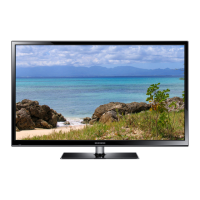
Samsung PS43F4500 - User Manual

Samsung PS43F4500
19 pages
Print Icon
To Next Page IconTo Next Page
Loading...
Plasma TV
user manual
Thank you for purchasing this Samsung product.
To receive more complete service, please register
your product at
www.samsung.com/register
Model _____________ Serial No. _____________
E-MANUAL
© 2013 Samsung Electronics Co., Ltd. All rights reserved.
BN68-04819H
BN68-04819H-01
Contact SAMSUNG WORLDWIDE
If you have any questions or comments relating to Samsung products, please contact the SAMSUNG customer care centre.
Country
Customer Care Centre
Web Site
EIRE 0818 717100 www.samsung.com
U.K 0330 SAMSUNG (7267864) www.samsung.com
[PF45005000-XU]BN68-04819H.indb 1 2013-02-07  9:08:12

Questions and Answers

  • A
    Amanda GutierrezSep 18, 2025
    How to prevent furniture damage from Samsung Plasma TV stand?
    • S
      scottperezSep 18, 2025
      To prevent a reaction between the rubber cushion pads on the base stand and the top finish of some furniture with your Samsung Plasma TV, use felt pads on any surface of the TV that comes in direct contact with furniture.
  • M
    Mrs. Megan GreenAug 25, 2025
    What to do if there is no picture/video on Samsung PS43F4500 Plasma TV?
    • J
      Joe DawsonAug 25, 2025
      If there is no picture/video on your Samsung Plasma TV, check the cable connections by removing and reconnecting all cables connected to the TV and external devices. Ensure your external device’s (Cable/Set top Box, DVD, Blu-ray etc) video outputs are set to match the connections to the TV input. For example, if an external device’s output is HDMI, it should be connected to an HDMI input on the TV. Make sure your connected devices are powered on. Be sure to select the TV’s correct source by pressing the SOURCE button on the remote control. You can also try rebooting the connected device by reconnecting the device’s power cable.
  • M
    Miranda GutierrezAug 25, 2025
    What to do if there is no sound or low sound on Samsung PS43F4500 Plasma TV?
    • S
      shernandezAug 26, 2025
      If there is no sound or the sound is too low at maximum volume on your Samsung Plasma TV, please check the volume of the device (Cable/Sat Box, DVD, Blu-ray etc) connected to your TV.
  • B
    Brenda RoseAug 27, 2025
    Why is there picture but no sound on my Samsung Plasma TV?
    • H
      howardjasonAug 27, 2025
      If the picture is good but there is no sound on your Samsung Plasma TV: * Set the Speaker Select option to TV Speaker in the sound menu. * If you are using an external device, make sure the audio cables are connected to the correct audio input jacks on the TV. * If you are using an external device, check the device’s audio output option (ex. you may need to change your cable box’s audio option to HDMI when you have a HDMI connected to your TV). * If you are using a DVI to HDMI cable, a separate audio cable is required. * Reboot the connected device by reconnecting the device’s power cable.
  • T
    timothyhudsonSep 19, 2025
    Why does my Samsung PS43F4500 say “This file may not be playable properly”?
    • M
      Mr. Brian MillerSep 22, 2025
      If the message “This file may not be playable properly.” appears on your Samsung Plasma TV, this may appear because of high bit rate of content. Content generally will play but could experience some playability issue.
  • G
    Gregory BergSep 23, 2025
    How to troubleshoot sound quality issues on Samsung Plasma TV?
    • D
      dunlapwilliamSep 23, 2025
      First of all, please perform the Sound Test on your Samsung Plasma TV to confirm that your TV audio is properly operating. Go to MENU - Support - Self Diagnosis - Sound Test. If the audio is ok, the sound problem may be caused by the source or signal.
  • J
    Jennifer HallSep 9, 2025
    How to program cable box remote to Samsung PS43F4500?
    • D
      Derek MclaughlinSep 9, 2025
      If the cable/set top box remote control doesn’t turn the Samsung Plasma TV on or off, or adjust the volume, programme the Cable/Set top box remote control to operate the TV. Refer to the Cable/Set top box user manual for the SAMSUNG TV code.
  • N
    noahedwardsSep 12, 2025
    Why the picture will not display in full screen on Samsung PS43F4500 Plasma TV?
    • J
      jameswilkinsSep 12, 2025
      If the picture will not display in full screen on your Samsung Plasma TV: * HD channels will have black bars on either side of the screen when displaying up scaled SD (4:3) contents. * Black bars on the top and bottom will appear during movies that have aspect ratios different from your TV. * Adjust the picture size options on your external device or TV to full screen.
  • L
    Lori OconnellSep 3, 2025
    Why is my Samsung PS43F4500 Plasma TV making humming noise?
    • J
      James MurilloSep 3, 2025
      If your Samsung Plasma TV is making a humming noise, it's typically normal. Plasma TVs typically make a soft humming sound caused by the electrical charges used to create the images on the screen. If the humming sound is loud, you may have set the brightness on the TV too high, so try setting the brightness lower. You can also have loud humming if the back of your Plasma TV is too close to a wall or other hard surface. Also try rerouting your connection cables. Improper installation of wall mount can create excessive noise.
  • J
    Joshua ReyesSep 1, 2025
    What to do if Samsung PS43F4500 speakers are making inappropriate noise?
    • J
      Jillian ChoiSep 1, 2025
      If the speakers on your Samsung Plasma TV are making an inappropriate noise, check the cable connections. Make sure a video cable is not connected to an audio input. For aerial or cable connections, check the signal strength. Low signal level may cause sound distortion.

Summary

Important Safety Instructions

Electrical Safety Precautions

Critical warnings regarding electric shock, opening the product, and electrical connections.

Appliance Placement and Usage Guidelines

Safety advice on ventilation, avoiding liquids, heat sources, and direct sunlight.

Battery and Power Cord Safety

Instructions for safe battery disposal and proper handling of power cords to prevent hazards.

Remote Control Operation

Understanding Remote Buttons

Detailed explanation of each button on the remote control for operating the TV functions.

Alternative Control and Initial Setup

Connecting External Devices

Overview of Connection Ports

Illustrates AV, Component, HDMI, and USB ports for connecting various external sources.

Connection Notes and Best Practices

Important information regarding PC input, HDMI cable usage, and recommended port connections.

Navigating the e-Manual

Accessing and Browsing the e-Manual

Steps to open and navigate the on-screen manual using the remote control buttons.

Troubleshooting Common Problems

Resolving Picture Quality Issues

Provides solutions for problems related to picture distortion, color, brightness, and screen artifacts.

Addressing Sound Quality Problems

Offers fixes for issues such as no sound, low volume, or unwanted noise from the speakers.

Advanced Troubleshooting Scenarios

Power, Picture, and Channel Issues

Solutions for the TV not turning on, auto-off, no picture, and problems with channel reception.

Remote Control and System Messages

Troubleshooting for remote malfunctions, 'Mode Not Supported' messages, and image retention.

Troubleshooting Specific Situations

Smell, Signal, and Placement Issues

Addresses minor issues like plastic smell, signal reception, and stand fitting problems.

Mounting and Security Features

Ensuring TV Stability and Space

Media Playback Compatibility

Samsung PS43F4500 Specifications

General IconGeneral
BrandSamsung
ModelPS43F4500
CategoryPlasma TV
LanguageEnglish

Related product manuals