EasyManua.ls Logo

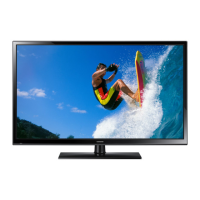
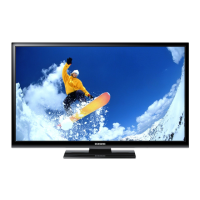
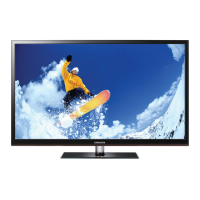
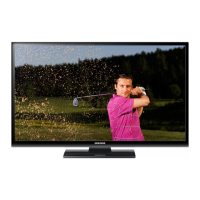
Samsung PS43F4500AW - User Manual

Samsung PS43F4500AW
73 pages
Print Icon
To Next Page IconTo Next Page
Loading...
Plasma TV
user manual
Thank you for purchasing this Samsung product.
To receive more complete service, please register
your product at
www.samsung.com/register
Model _____________Serial No. _____________
E-MANUAL
© 2013 Samsung Electronics Co., Ltd. All rights reserved.
BN68-04819C
BN68-04819C-01
Contact SAMSUNG WORLDWIDE
If you have any questions or comments relating to Samsung products, please contact the SAMSUNG customer care centre.
Country
Customer Care Centre
Web Site
AUSTRIA 0810 - SAMSUNG (7267864, € 0.07/min) www.samsung.com
BELGIUM 02-201-24-18 www.samsung.com/be (Dutch)
www.samsung.com/be_fr (French)
BOSNIA 051 133 1999 www.samsung.com
BULGARIA 07001 33 11, normal tariff www.samsung.com
CROATIA 062 SAMSUNG (062 726 786) www.samsung.com
CZECH 800 - SAMSUNG (800-726786) www.samsung.com
Samsung Electronics Czech and Slovak, s.r.o., Oasis Florenc, Sokolovská 394/17, 180 00, Praha 8
DENMARK 70 70 19 70 www.samsung.com
FINLAND 030-6227 515 www.samsung.com
FRANCE 01 48 63 00 00 www.samsung.com/fr
GERMANY 0180 5 SAMSUNG bzw.
0180 5 7267864* (*0,14 €/Min. aus dem dt. Festnetz, aus dem Mobilfunk
max. 0,42 €/Min.)
www.samsung.com
CYPRUS From landline : 8009 4000
From landline & mobile : (+30) 210 6897691
www.samsung.com
GREECE From landline : 80111-SAMSUNG (7267864)
From landline & mobile : (+30) 210 6897691
www.samsung.com
HUNGARY 06-80-SAMSUNG(726-7864) www.samsung.com
ITALIA 800-SAMSUNG(726-7864) www.samsung.com
LUXEMBURG 261 03 710 www.samsung.com
MONTENEGRO 020 405 888 www.samsung.com
NETHERLANDS 0900-SAMSUNG (0900-7267864) (€ 0,10/Min) www.samsung.com
NORWAY 815 56480 www.samsung.com
POLAND 0 801-1SAMSUNG(172-678) *
lub +48 22 607-93-33 **
* (całkowity koszt połączenia jak za 1 impuls według taryfy operatora)
** (koszt połączenia według taryfy operatora)
www.samsung.com/pl
PORTUGAL 808 20-SAMSUNG (808 20 7267) www.samsung.com
ROMANIA 08008 SAMSUNG (08008 726 7864)
TOLL FREE No.
www.samsung.com
SERBIA +381 11 321 6899
(old number still active 0700 7267864)
www.samsung.com
SLOVAKIA 0800 - SAMSUNG (0800-726 786) www.samsung.com/sk
SPAIN 902 - 1 - SAMSUNG (902 172 678) www.samsung.com
SWEDEN 0771 726 7864 (SAMSUNG) www.samsung.com
SWITZERLAND 0848 - SAMSUNG(7267864, CHF 0.08/min) www.samsung.com/ch (German)
www.samsung.com/ch_fr (French)
U.K 0330 SAMSUNG (7267864) www.samsung.com
EIRE 0818 717100 www.samsung.com
LITHUANIA 8-800-77777 www.samsung.com/lt
LATVIA 8000-7267 www.samsung.com/lv
ESTONIA 800-7267 www.samsung.com/ee
TURKEY 444 77 11 www.samsung.com
[PF45005000-XNZF]BN68-04819C-Cover.indd 1 2013-02-07  8:20:30

Other manuals for Samsung PS43F4500AW

Questions and Answers

  • L
    Laura GomezSep 6, 2025
    Why is my Samsung Plasma TV remote control not working?
    • K
      kaitlin94Sep 6, 2025
      If the remote control for your Samsung Plasma TV isn't working, first replace the batteries, making sure to align the poles (+/–) correctly. Clean the sensor's transmission window on the remote. Try pointing the remote directly at the TV from about 5 to 6 feet away.
  • E
    Eric HarrisAug 25, 2025
    What to do if there is no picture on Samsung Plasma TV?
    • N
      Nicholas PierceAug 25, 2025
      If there is no picture/video on your Samsung Plasma TV, check all cable connections by removing and reconnecting them to both the TV and any external devices. Ensure that the video outputs of your external devices (like a Cable/Set top Box, DVD, Blu-ray etc) match the connections to the TV input. For example, if the external device’s output is HDMI, it should be connected to an HDMI input on the TV. Confirm that all connected devices are powered on. Select the correct source on your TV using the SOURCE button on the remote control. Also, try rebooting the connected device by disconnecting and reconnecting its power cable.
  • P
    Paige PierceAug 25, 2025
    Why does my Samsung Plasma TV turn off automatically?
    • L
      Lisa DouglasAug 26, 2025
      If your Samsung Plasma TV turns off automatically, check the Sleep Timer setting in the Time menu and ensure it is set to Off. If a PC is connected to the TV, review your PC's power settings. Make sure the AC power cord is securely connected to both the wall outlet and the TV. Note that the TV will turn off after 10 to 15 minutes if there is no signal when watching TV from an aerial or cable connection.
  • G
    geoffreydavisSep 15, 2025
    What to do if there is poor colour or brightness on my Samsung Plasma TV?
    • K
      Kevin JosephSep 15, 2025
      Adjust the Picture options in the TV menu, specifically Picture Mode, Colour, Brightness, and Sharpness. You can also adjust the Energy Saving option in the TV menu under MENU - System - Eco Solution - Energy Saving. Alternatively, try resetting the picture to the default settings by going to MENU - Picture - Reset Picture.
  • J
    jenningsdouglasSep 23, 2025
    Why is the picture distorted on my Samsung Plasma TV?
    • A
      andreabeanSep 23, 2025
      If the picture is distorted on your Samsung Plasma TV due to macroblock error, small blocks, dots, pixelization, it may be caused by compression of video contents, especially on fast moving pictures such as sports and action movies. A low signal can cause picture distortion. This is not a TV issue.
  • G
    gmorenoSep 12, 2025
    What does 'Scrambled Signal' mean on Samsung PS43F4500AW?
    • Z
      zharrisSep 12, 2025
      If you see a “Scrambled Signal” or “Weak or No Signal” message on your Samsung Plasma TV, and you are using a CAM CARD (CI/CI+), first check that it is properly installed in the common interface slot. If the problem persists, try removing the CAM CARD from the TV and then re-inserting it into the slot.
  • D
    Danielle WilliamsSep 2, 2025
    Why is the picture quality on my Samsung Plasma TV bad?
    • D
      David WalkerSep 2, 2025
      First, perform the Picture Test to confirm your TV is properly displaying a test image. You can find this option in the menu under Support - Self Diagnosis - Picture Test. If the test image displays correctly, the poor picture quality may be due to the source or signal.
  • D
    Dale GoodmanSep 2, 2025
    What to do if there is a dotted line on the edge of the screen of my Samsung Plasma TV?
    • J
      Joshua HurstSep 3, 2025
      If the picture size is set to Screen Fit, change it to 16:9. Also, try changing the cable/satellite box resolution.
  • B
    bethruizSep 22, 2025
    How to troubleshoot sound quality issues on a Samsung Plasma TV?
    • B
      Brian FernandezSep 22, 2025
      First of all, please perform the Sound Test to confrim that your Samsung Plasma TV audio is properly operating. (go to MENU - Support - Self Diagnosis - Sound Test) If the audio is ok, the sound problem may be caused by the source or signal.
  • I
    imillerAug 29, 2025
    How to get full screen on Samsung PS43F4500AW?
    • D
      Darlene SchmidtAug 29, 2025
      If the picture on your Samsung Plasma TV is not displaying in full screen, note that HD channels may have black bars on the sides when showing upscaled SD (4:3) content. Black bars may also appear on the top and bottom during movies with different aspect ratios. To resolve this, adjust the picture size options on your external device or the TV to full screen.

Summary

Warning! Important Safety Instructions

Viewing the Remote Control

Using the TVs Controller (Panel Key)

Initial Setup

Connections

Connecting to a COMMON INTERFACE slot (Your TV viewing Card Slot)

Changing the Input Source

How to use the e-Manual

Screen Display

Illustrates the e-Manual's on-screen layout and navigation.

Teletext Feature

Installing the Wall Mount

Securing the TV to the Wall

Samsung PS43F4500AW Specifications

General IconGeneral
Screen Size43 inches
Display TechnologyPlasma
HDMI Ports2
USB Ports1
Audio Output10W x 2
HD TechnologyHD Ready
Aspect Ratio16:9
Refresh Rate600Hz Subfield Motion
Viewing Angle178 degrees
Built-in Wi-FiNo
Smart TVNo
3D CapableNo
Contrast RatioDynamic Contrast Ratio

Related product manuals