EasyManua.ls Logo

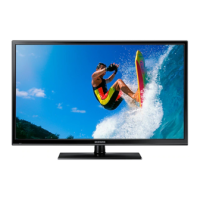
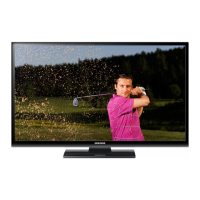
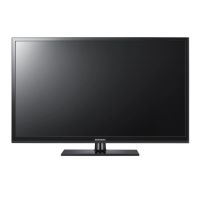
Samsung PS43F4900 - User Manual

Samsung PS43F4900
23 pages
Print Icon
To Next Page IconTo Next Page
Loading...
Plasma TV
user manual
Thank you for purchasing this Samsung product.
To receive more complete service, please register
your product at
www.samsung.com/register
Model _____________ Serial No. _____________
© 2013 Samsung Electronics Co., Ltd. All rights reserved.
BN68-04783H
BN68-04783H-02
Contact SAMSUNG WORLDWIDE
If you have any questions or comments relating to Samsung products, please contact the SAMSUNG customer care centre.
Country
Customer Care Centre
Web Site
EIRE 0818 717100 www.samsung.com
U.K 0330 SAMSUNG (7267864) www.samsung.com
E-MANUAL
[PF4900-XU]BN68-04783H.indb 1 2013-02-21  11:19:37

Questions and Answers

  • M
    Mackenzie BrownAug 19, 2025
    What to do if my Samsung Plasma TV will not turn on?
    • J
      Joshua GomezAug 19, 2025
      If your Samsung Plasma TV won't turn on, ensure the AC power cord is securely plugged into both the wall outlet and the TV. Verify that the wall outlet is working. Try pressing the POWER button on the TV itself to rule out a remote control issue. If the TV turns on this way, troubleshoot the remote.
  • N
    Nicholas OliverAug 21, 2025
    What to do if there is no picture on my Samsung PS43F4900 Plasma TV?
    • L
      Lori HammondAug 21, 2025
      If there is no picture on your Samsung Plasma TV, check the cable connections by removing and reconnecting all cables connected to the TV and any external devices. Ensure your external device's video outputs match the TV input. Verify that all connected devices are powered on and that you have selected the correct source on your TV using the SOURCE button on the remote control. Try rebooting connected devices by disconnecting and reconnecting their power cables.
  • R
    Richard AndersonAug 25, 2025
    Why does my Samsung PS43F4900 Plasma TV turn off automatically?
    • M
      Marissa Mendoza MDAug 25, 2025
      If your Samsung Plasma TV turns off automatically, ensure the Sleep Timer is set to Off in the Time menu. If your PC is connected to the TV, check your PC power settings. Make sure the AC power cord is securely plugged into the wall outlet and the TV. When watching TV from an aerial or cable connection, the TV will turn off after 10-15 minutes if there is no signal.
  • J
    Joshua GarzaAug 26, 2025
    How to troubleshoot picture quality on Samsung PS43F4900?
    • S
      sergiohicksAug 26, 2025
      To troubleshoot picture quality on your Samsung Plasma TV, first perform the Picture Test to confirm that your TV is properly displaying a test image. Go to MENU - Support - Self Diagnosis - Picture Test. If the test image is displayed correctly, the poor picture quality may be due to the source or signal.
  • D
    Daniel SalazarAug 28, 2025
    What to do if my Samsung Plasma TV has picture but no sound?
    • R
      Richard DelacruzAug 28, 2025
      If your Samsung Plasma TV has a good picture but no sound, first set the Speaker Select option to TV Speaker in the sound menu. If you are using an external device, ensure the audio cables are connected to the correct audio input jacks on the TV. Check the device's audio output option, for example, you may need to change your cable box’s audio option to HDMI when you have a HDMI connected to your TV. If using a DVI to HDMI cable, a separate audio cable is required. Try rebooting the connected device by reconnecting the device’s power cable.
  • K
    Kimberly ReynoldsAug 30, 2025
    How to improve poor color or brightness on Samsung PS43F4900?
    • R
      Ronald BellAug 30, 2025
      To improve poor color or brightness on your Samsung Plasma TV, adjust the Picture options in the TV menu (Picture Mode / Colour / Brightness / Sharpness). Also, adjust the Energy Saving option in the TV menu (MENU - System - Eco Solution - Energy Saving). You can also try resetting the picture to the default settings (MENU - Picture - Reset Picture).
  • B
    Brett SmithSep 1, 2025
    How to troubleshoot sound quality on Samsung PS43F4900 Plasma TV?
    • D
      Dr. Karen DuncanSep 1, 2025
      To troubleshoot sound quality on your Samsung Plasma TV, perform the Sound Test to confirm that your TV audio is operating properly. Go to MENU - Support - Self Diagnosis - Sound Test. If the audio is okay, the sound problem may be caused by the source or signal.
  • J
    jcarsonSep 3, 2025
    Why Samsung PS43F4900 Plasma TV image doesn't look as good as in the store?
    • E
      Erica StephensSep 3, 2025
      If your Samsung Plasma TV image doesn't look as good as it did in the store, upgrade to a digital set top box if you have an analogue cable/set top box. Use HDMI or Component cables for HD picture quality. If you're a cable/satellite subscriber, try HD stations. If using an aerial connection, try HD stations after performing Auto tuning. Adjust the Cable/Set top box video output resolution to 1080i or 720p. Ensure you're watching the TV at the minimum recommended distance.
  • M
    Mrs. Lisa MaloneSep 5, 2025
    Why is there no sound on my Samsung PS43F4900 even at maximum volume?
    • J
      Jonathan GarciaSep 5, 2025
      If there is no sound or the sound is too low at maximum volume on your Samsung Plasma TV, check the volume of the device (Cable/Sat Box, DVD, Blu-ray etc.) connected to your TV.
  • D
    Darren JohnsonSep 7, 2025
    Why are the speakers on my Samsung PS43F4900 making noise?
    • J
      Justin CamposSep 8, 2025
      If the speakers on your Samsung Plasma TV are making an inappropriate noise, check the cable connections to ensure a video cable is not connected to an audio input. For aerial or cable connections, check the signal strength, as a low signal level may cause sound distortion.

Samsung PS43F4900 Specifications

General IconGeneral
Screen Size43 inches
Display TypePlasma
3DYes
Refresh Rate600 Hz
Smart TVYes
HDMI Ports3
USB Ports1
Built-in Wi-FiNo
Resolution1024 x 768

Related product manuals