EasyManua.ls Logo

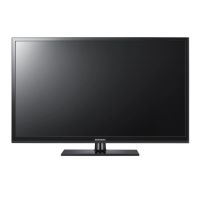
Samsung PS43F4510AW - User Manual

Samsung PS43F4510AW
73 pages
Print Icon
To Next Page IconTo Next Page
Loading...
© 2013 Samsung Electronics Co., Ltd. All rights reserved.
BN68-04819J
BN68-04819J-02
PS43F4500AW / PS43F4510AW / PS43F4520AW
PS51F4500AW / PS51F4510AW / PS51F4520AW
PS60F5000AW / PS60F5000AK
Благодарим за приобретение продукта
компании Samsung. Для получения более
полного обслуживания зарегистрируйте свое
устройство по адресу:
www.samsung.com/register
Модель ___Серийный номер. ____________
Плазменный телевизор
руководство пользователя
Связывайтесь с SAMSUNG по всему миру
Если у вас есть предложения или вопросы по продуктам Samsung, связывайтесь с информационным центром Samsung.
Страна Цeнтр пoддeржки пoкупaтeлeй Веб-узел
RUSSIA 8-800-555-55-55 www.samsung.com
GEORGIA 0-800-555-555 www.samsung.com
ARMENIA 0-800-05-555 www.samsung.com
AZERBAIJAN 088-55-55-555 www.samsung.com
KAZAKHSTAN 8-10-800-500-55-500(GSM: 7799) www.samsung.com
UZBEKISTAN 8-10-800-500-55-500 www.samsung.com
KYRGYZSTAN 00-800-500-55-500 www.samsung.com
TADJIKISTAN 8-10-800-500-55-500 www.samsung.com
Mongolia +7-800-555-55-55 www.samsung.com
UKRAINE 0-800-502-000 www.samsung.com/ua (Ukrainian)
www.samsung.com/ua_ru (Russian)
BELARUS 810-800-500-55-500 www.samsung.com
MOLDOVA 0-800-614-40 www.samsung.com
Производитель:
ООО «Самсунг Электроникс Рус Калуга»,
249002, Калужская обл., Боровский р-н, д. Коряково, Первый Северный проезд, владение 1
E-MANUAL
[PF45005000-RU]BN68-04819J.indb 1 2013-02-20  4:42:24

Questions and Answers

  • N
    Nancy HernandezSep 6, 2025
    Why is my Samsung PS43F4510AW remote control not working?
    • S
      sharonyoungSep 6, 2025
      If the remote control for your Samsung Plasma TV isn't working, first replace the batteries, making sure to align the poles (+/–) correctly. Clean the sensor's transmission window on the remote. Try pointing the remote directly at the TV from about 5 to 6 feet away.
  • L
    Leah FranklinAug 25, 2025
    What to do if there is no picture on Samsung PS43F4510AW?
    • K
      kimberlywilkinsonAug 25, 2025
      If there is no picture/video on your Samsung Plasma TV, check all cable connections by removing and reconnecting them to both the TV and any external devices. Ensure that the video outputs of your external devices (like a Cable/Set top Box, DVD, Blu-ray etc) match the connections to the TV input. For example, if the external device’s output is HDMI, it should be connected to an HDMI input on the TV. Confirm that all connected devices are powered on. Select the correct source on your TV using the SOURCE button on the remote control. Also, try rebooting the connected device by disconnecting and reconnecting its power cable.
  • E
    Emily NorrisAug 25, 2025
    Why does my Samsung PS43F4510AW Plasma TV turn off automatically?
    • H
      huntjoyceAug 26, 2025
      If your Samsung Plasma TV turns off automatically, check the Sleep Timer setting in the Time menu and ensure it is set to Off. If a PC is connected to the TV, review your PC's power settings. Make sure the AC power cord is securely connected to both the wall outlet and the TV. Note that the TV will turn off after 10 to 15 minutes if there is no signal when watching TV from an aerial or cable connection.
  • P
    Pamela WardSep 15, 2025
    What to do if there is poor colour or brightness on my Samsung PS43F4510AW?
    • W
      wstanleySep 15, 2025
      Adjust the Picture options in the TV menu, specifically Picture Mode, Colour, Brightness, and Sharpness. You can also adjust the Energy Saving option in the TV menu under MENU - System - Eco Solution - Energy Saving. Alternatively, try resetting the picture to the default settings by going to MENU - Picture - Reset Picture.
  • J
    Jason SmithSep 23, 2025
    Why is the picture distorted on my Samsung PS43F4510AW Plasma TV?
    • A
      Amanda HicksSep 23, 2025
      If the picture is distorted on your Samsung Plasma TV due to macroblock error, small blocks, dots, pixelization, it may be caused by compression of video contents, especially on fast moving pictures such as sports and action movies. A low signal can cause picture distortion. This is not a TV issue.
  • D
    danielpetersonSep 12, 2025
    What does 'Scrambled Signal' mean on Samsung PS43F4510AW Plasma TV?
    • M
      mariebarnesSep 12, 2025
      If you see a “Scrambled Signal” or “Weak or No Signal” message on your Samsung Plasma TV, and you are using a CAM CARD (CI/CI+), first check that it is properly installed in the common interface slot. If the problem persists, try removing the CAM CARD from the TV and then re-inserting it into the slot.
  • N
    nicoleyoungSep 2, 2025
    Why is the picture quality on my Samsung PS43F4510AW bad?
    • U
      uacostaSep 2, 2025
      First, perform the Picture Test to confirm your TV is properly displaying a test image. You can find this option in the menu under Support - Self Diagnosis - Picture Test. If the test image displays correctly, the poor picture quality may be due to the source or signal.
  • D
    David DavisSep 2, 2025
    What to do if there is a dotted line on the edge of the screen of my Samsung PS43F4510AW Plasma TV?
    • K
      Kenneth MillerSep 3, 2025
      If the picture size is set to Screen Fit, change it to 16:9. Also, try changing the cable/satellite box resolution.
  • D
    Donna RodriguezSep 22, 2025
    How to troubleshoot sound quality issues on a Samsung PS43F4510AW Plasma TV?
    • D
      Dr. Jason Kelly Jr.Sep 22, 2025
      First of all, please perform the Sound Test to confrim that your Samsung Plasma TV audio is properly operating. (go to MENU - Support - Self Diagnosis - Sound Test) If the audio is ok, the sound problem may be caused by the source or signal.
  • L
    Lauren HoustonAug 29, 2025
    How to get full screen on Samsung Plasma TV?
    • R
      Robert SimsAug 29, 2025
      If the picture on your Samsung Plasma TV is not displaying in full screen, note that HD channels may have black bars on the sides when showing upscaled SD (4:3) content. Black bars may also appear on the top and bottom during movies with different aspect ratios. To resolve this, adjust the picture size options on your external device or the TV to full screen.

Samsung PS43F4510AW Specifications

General IconGeneral
Screen Size43 inches
Display TypePlasma
Resolution1024 x 768
Aspect Ratio16:9
Refresh Rate600 Hz
Viewing Angle178 degrees
Speakers2 x 10W
HDMI Ports3
USB Ports1
Standby Power Consumption0.3 W
HDTV format1080p

Related product manuals