2 - 25
▷
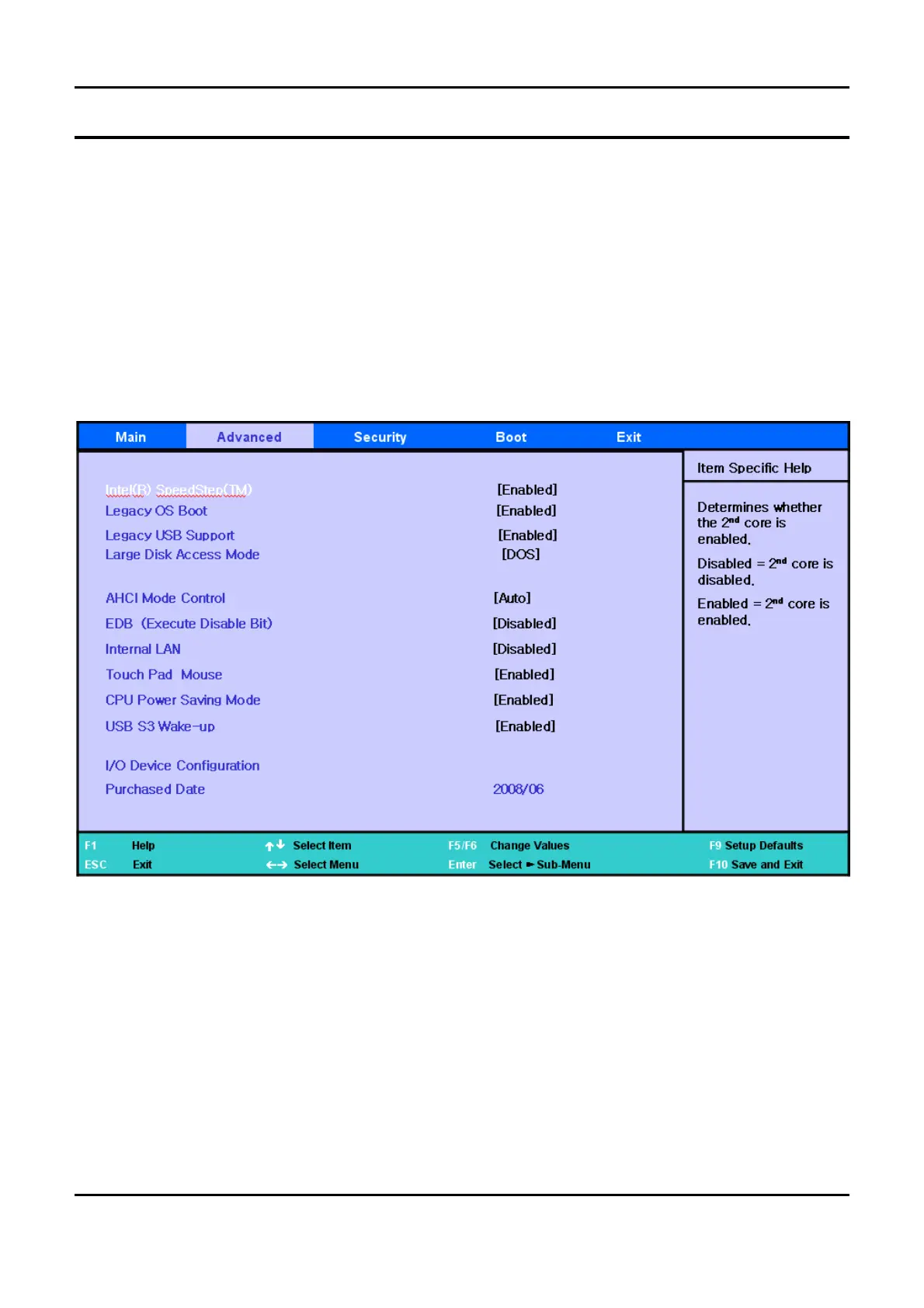
Theoptiontodeterminewhethertouse
a
cable LAN device of the system.
CPU Power Saving Mode
▷
If
[
Enabled] is selected, the system can enter C3 mode and save CPU power consumption.
However, you may experience performance degradation.
Delete Recovery Area
▷
If you want to delete the HDD recovery solution
2
area included in the Geneva HDD, this option
should be set to
[
Enabled].
Purchased Date
▷
Displays the date when
a
user boots the PC for the
10
th time.
-
This Document can not be used without Samsung's authorization
-
2.
Introduction and Specification


 To Next Page