2 - 26
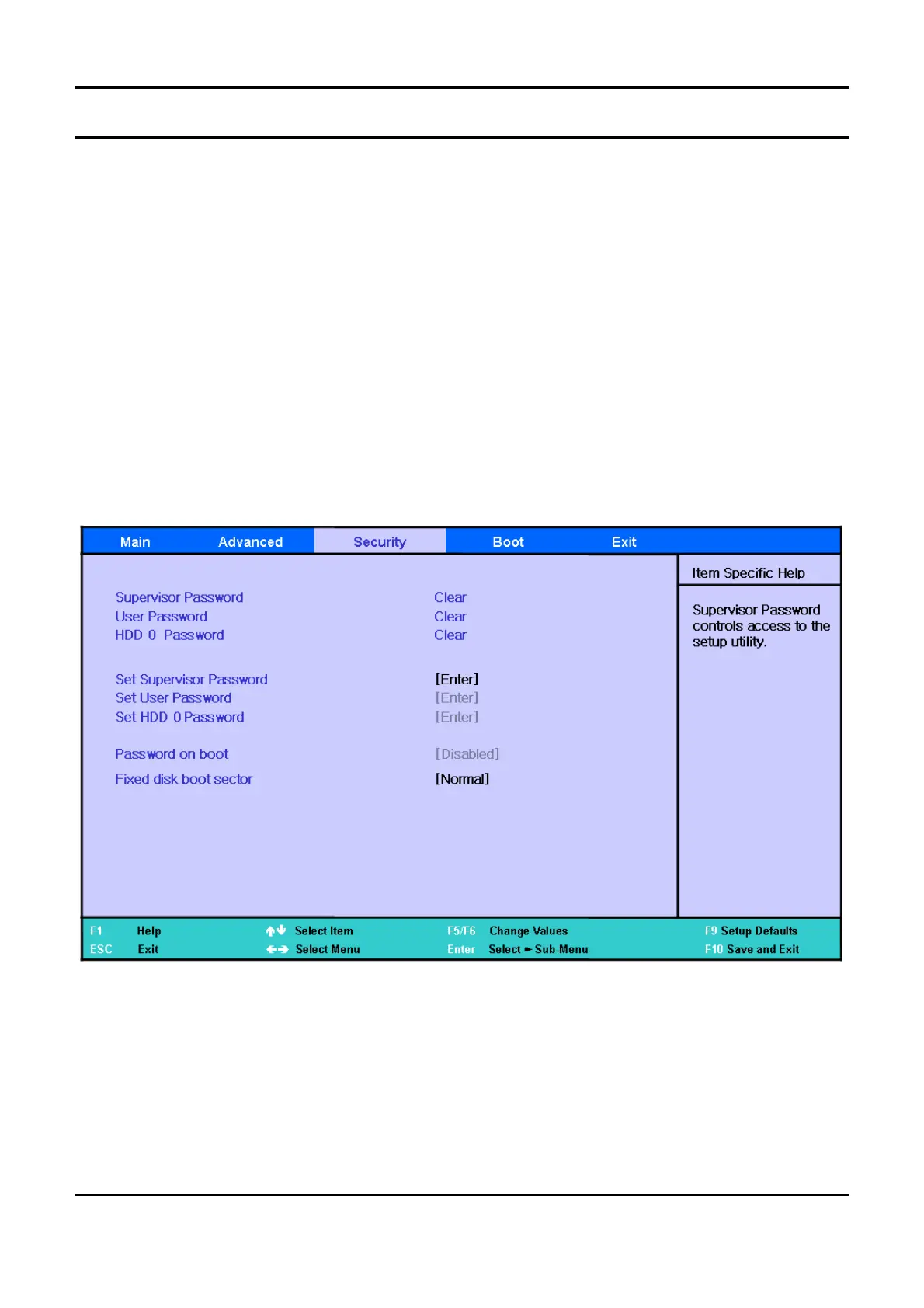
Security
Set the Supervisor Password
▷
Select to set the supervisor password.
Set
a
User Password
▷
Select to set
a
user password
Set
a
HDD
0
Password
▷
Select to set
a
HDD password
Password on Boot
▷
This is the option for determining whether to ask for
a
password when the system starts. The
supervisor password should already be set.
Fixed Disk Boot Sector
▷
If
[
Write Protect] is selected, writing to the boot sector of the HDD is blocked.
-
This Document can not be used without Samsung's authorization
-
2.
Introduction and Specification



 To Next Page