2
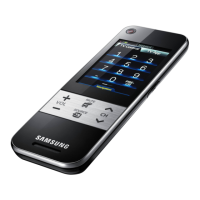
Touch Control
Contents
* Product design and specifications may be changed without notice.
* Avoid displaying still images (such as jpeg picture files) or still image elements (such
as panorama or 4:3 format images, stock or news bars at the screen bottom etc.)
on the screen. The continuous display of a still picture can cause ghosting of LCD
screen, which can affect image quality. To reduce the risk of this occurring, please
follow these recommendations:
• Reduce brightness and contrast values to the minimum required to achieve the desired
picture quality. Exceeding these values may speed up the burn-in process.
• Frequently use all the TV features designed to reduce image retention and screen burn-
in. Refer to the proper user manual section for details.
Use basic functions
........
03 Description / Accessories
04 Inserting the battery
04 Charging the battery
Setting Up Your Remote
........
05 First Time User Setup
Setting up the Network
........
06 Extended Distance, Wi-Fi Remote
08 Networked, Wi-Fi Remote
TV control menu
........
09 TV control menu
Services
........
12 HOT-KEY menu
Multimedia
........
13 Photo / Music / Video (from your PC)
Devices control
........
14 Add External device
16 Learning Remote
Settings menu
........
17 Add Macro
18 Channel Macro
18 Remote Settings
Troubleshooting
........
21 Troubleshooting
Specifi cation
........
22 Specifi cation
[UC9000_Bra]BN68-03083K-00L02.indb 2 2010-05-31 오후 1:37:37







 To Next Page
