4
Touch Control
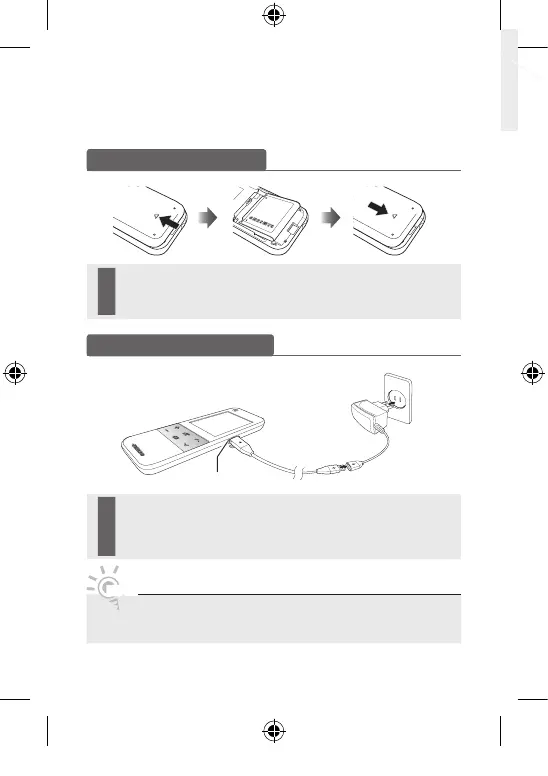
Charging the battery
Charge the battery fully before using the remote control.
1 Insert the charging cable into the charging slot, as shown above.
2 Plug the power adapter into the outlet. The triangle lights up red.
3 When the battery is fully charged, the triangle turns green. Unplug the
adapter from the wall outlet.
NOTE
• Be sure to use the supplied charging cable and power adapter for charging
the battery.
Inserting the battery
1 Slide and open the battery cover in the direction of the arrow.
2 Insert the battery with the Samsung logo facing up.
3 Slide and close the battery cover in the direction of the arrow.
VOL
CH
MUTE
SOURCE
(A)
(B)
Charge Port
[UC9000_Bra]BN68-03083K-00L02.indb 4 2010-05-31 오후 1:37:39







 To Next Page