Need help?
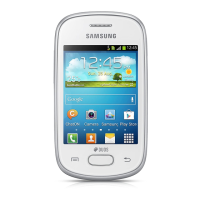
Do you have a question about the Samsung S546VL and is the answer not in the manual?
Overview of the Samsung Galaxy A54 5G device features and specifications.
Guide to initial setup, including charging and SIM card installation.
Instructions for powering on, unlocking, and basic operation of the device.
Explains touch gestures like tap, swipe, drag and drop, zoom, and touch and hold.
Customizing the Home screen with app icons, wallpaper, themes, widgets, and settings.
Setting up and managing Face recognition and Fingerprint scanner for device security.
Multitasking by using multiple apps simultaneously on a split screen.
Customizing and using Edge panels for quick access to apps, tasks, and information.
Methods for entering text using the on-screen keyboard or voice input.
Capturing high-quality pictures and videos using the device's camera features.
How to use the camera interface, focus, zoom, and switch modes.
Selecting and customizing various camera shooting modes like Photo, Video, Pro, etc.
Accessing and using Augmented Reality features like AR Emoji and AR Doodle.
Instructions for recording smooth videos, pausing, and stopping.
Configuring camera settings for intelligent features, pictures, selfies, and videos.
Viewing, editing, and managing photos and videos stored on the device.
Browsing, enhancing photos using editing tools like auto adjust, transform, filters.
Viewing videos, marking favorites, and editing videos with audio and visual tools.
Sharing media files and removing unwanted photos and videos from the device.
Capturing screen images and customizing screenshot options.
Recording screen activities, drawing, and including selfie video.
Access Augmented Reality features like AR Emoji Studio and AR Emoji Camera.
Using Bixby as a virtual assistant for personalized content and suggestions.
Downloading premium apps exclusive to Galaxy devices.
Connecting the device to a Samsung Watch.
Organizing and optimizing mobile games.
Transferring data from an old device to the new one.
Controlling and automating smart home devices.
Performing basic/scientific calculations and unit conversions.
Consolidating online calendars and managing events.
Keeping track of time and setting alarms.
Storing, managing, and synchronizing contact information.
Browsing the web with features for speed, privacy, and security.
Sending and receiving messages, photos, and emojis.
Managing files stored on the device, cloud accounts, and SD card.
Making and receiving calls, accessing voicemail, and video calls.
Planning and tracking physical activity, diet, and sleep.
Creating and managing notes with text, images, voice recordings, and music.
Browsing the internet and syncing data across devices.
Opening, viewing, renaming, and sharing files in Google Drive.
Sending and receiving emails via Google's web-based service.
Finding online content and receiving personalized feed.
Making mobile payments at stores and apps.
Watching movies and TV shows purchased from Google Play.
Getting directions and location-based information.
Making cross-platform video calls on various devices.
Sending and receiving messages via Wi-Fi or data.
Storing and backing up photos and videos to Google Photos.
Discovering and downloading apps, movies, music, and games.
Watching and uploading videos from YouTube.
Accessing email, calendar, contacts, and tasks.
Using Word, Excel, and PowerPoint apps on the mobile device.
Storing and sharing files in the OneDrive cloud account.
Ways to access the device's settings menu.
Managing device connections to networks and other devices.
Connecting to wireless networks for internet access.
Pairing and connecting to Bluetooth devices.
Configuring mobile network connectivity and data.
Monitoring and managing mobile and Wi-Fi data consumption.
Creating a Wi-Fi network from the device's data.
Controlling sounds, vibrations, and touch interactions.
Adjusting volume levels for ringtones, notifications, media, and system sounds.
Prioritizing and streamlining app alerts and notification settings.
Blocking sounds and notifications, with exceptions and schedules.
Configuring screen brightness, timeout, font size, and other display settings.
Adjusting screen brightness manually or automatically.
Reducing eye strain by adjusting screen color temperature.
Securing the device and protecting data with screen locks.
Protecting the device from loss or theft by locking, tracking, and deleting data remotely.
Regularly checking apps and the device for security risks and threats.
Checking for and installing the latest software and security updates.
Managing app permissions for accessing device features.
Configuring accessibility settings for users with special needs.
Using special controls for screen navigation without seeing the screen.
Configuring sound settings for hearing aid compatibility and clarity.
Simplifying device interactions for users with limited dexterity.
Configuring device features for ease of use.
Storing emergency medical information accessible when the device is locked.
Viewing phone information, status, hardware, and software versions.
 General
| Model | S546VL |
|---|---|
| Brand | Samsung |
| Operating System | Android |
| Display | 5.0 inches |
| Resolution | 720 x 1280 pixels |
| RAM | 1.5 GB |
| Internal Storage | 16 GB |
| Expandable Storage | microSD, up to 256 GB |
| Rear Camera | 5 MP |
| Front Camera | 2 MP |
| Battery | 2600 mAh |
| Weight | 154 g |
| Processor | Quad-core 1.4 GHz |

 To Next Page