RECORDING WITH EASE FOR BEGINNERS (EASY Q MODE)
The EASY Q function works only in Camera mode.
➥
page 18
With the EASY Q function, most of the miniDV camcorder settings are automatically adjusted, which frees you
from making detailed adjustments.
1. Set the Select switch to TAPE. (SC-D383/D385 only)
2. Press the MODE button to set Camera ( ).
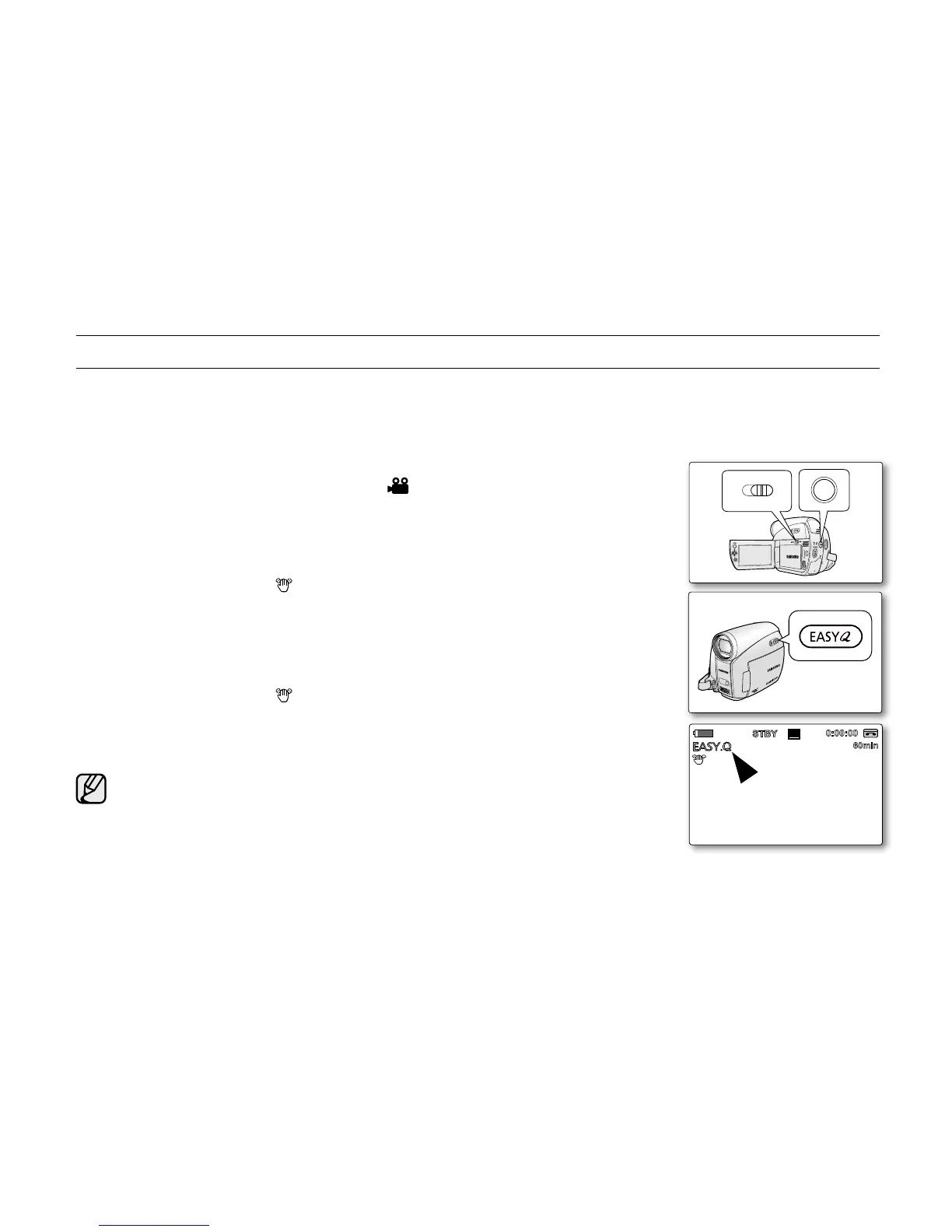
3. Press the EASY Q button.
When you press the EASY Q button, most functions turn off and the following
functions are set to "Auto" (DIS, Focus, White Balance, Exposure, Program AE,
Shutter)
The EASY Q and DIS( ) indicators appear on the screen at the same time.
4. Press the Recording start/stop button to start recording.
Recording will begin using the basic automatic settings.
To cancel the EASY Q mode
Press the EASY Q button again.
The EASY Q and DIS( ) indicators disappear from the screen.
Almost all the settings will return to the settings that were set prior to activating
EASY Q mode.
You cannot cancel the EASY.Q mode during recording.
Menu button unavailable during EASY.Q operation
The MENU button is not available because the items are automatically set.
The "Release the Easy.Q!" messages may appear if unavailable operations
are attempted.
- MENU button
Taking a photo image using the PHOTO button while EASY.Q is set releases
the DIS function.
•
•
•
•
•
•
•
•
•
•
basic recording



 To Next Page
 Loading...








