DVD Camcorder: Playlist
10. Press the [
/
] or [
] to search the
starting point of deletion.
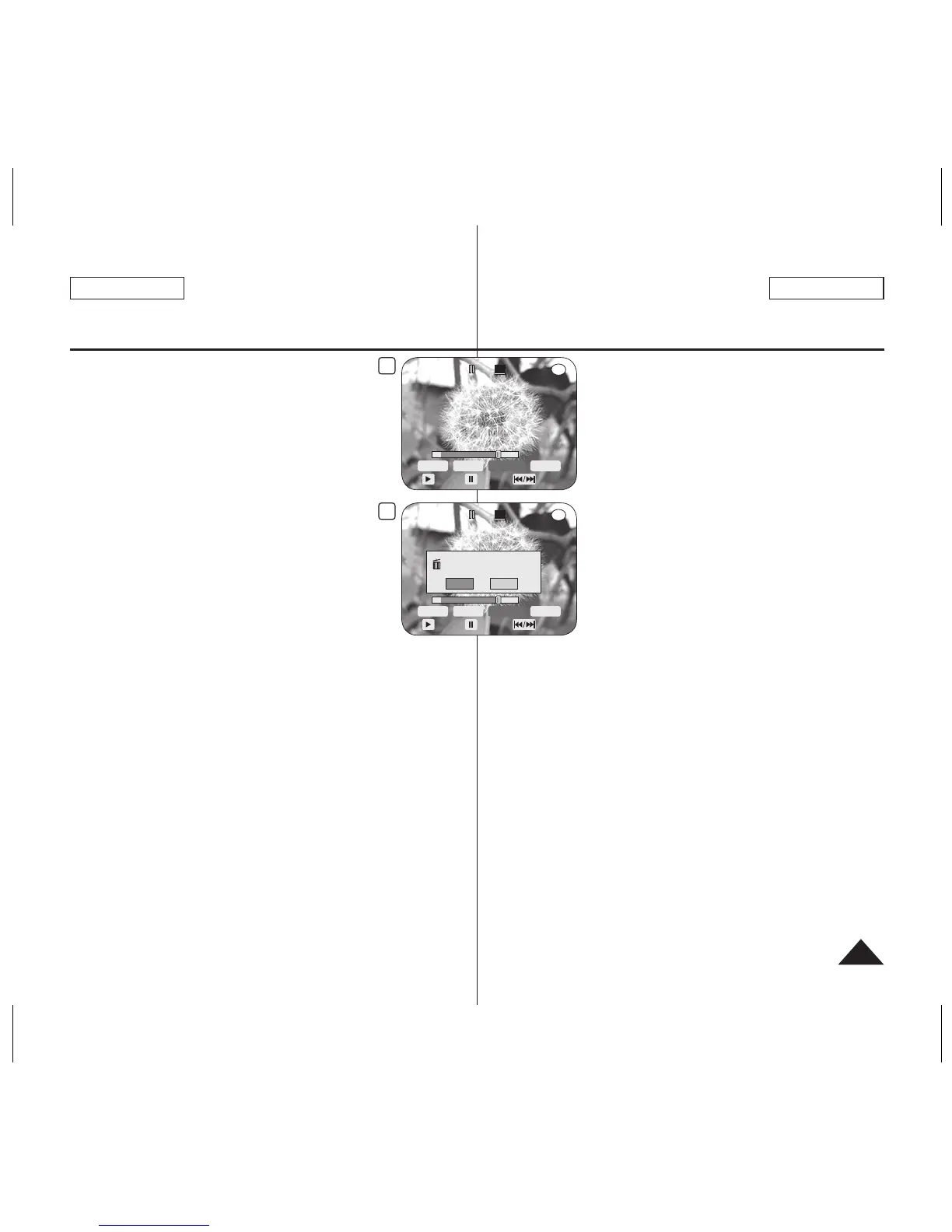
11. Press the
[
] button to pause the screen
at the starting point of deletion, then press the
[Joystick(OK)].
<End> will be highlighted.
12. Press the
[
/
] or [
] to search the end
point of deletion.
13. Press the
[
] button to pause the screen
at the end point of deletion, then press the
[Joystick(OK)].
<Execute> will be highlighted.
14. Press the
[Joystick(OK)].
The <Delete selected part ? Please
confirm.> message will appear.
15. Move the
[Joystick] left or right to select <Yes>, then press the
[Joystick(OK)].
The <Now deleting...> message will appear.
Videocámara con DVD: Lista de reproducción
10. Pulse el botón [
/
] o [
] para buscar
el punto inicial de eliminación.
11. Pulse el botón
[
] en el punto inicial para
hacer una pausa en la pantalla y pulse el botón
[Joystick(OK)].
Se resaltará <End>.
12. Pulse el botón
[
/
] o [
] para buscar
el punto final de eliminación.
13. Pulse el botón
[
] en el punto final para
hacer una pausa en la pantalla y pulse el botón
[Joystick(OK)].
Se resaltará <Execute>.
14. Pulse el botón
[Joystick(OK)].
Aparecerá el mensaje <Delete selected
part ? Please confirm.>
.
15. Mueva el
[Joystick] a la izquierda o a la derecha para seleccionar
<Yes>
y pulse el botón [Joystick(OK)].
Aparecerá el mensaje <Now deleting...>.













 To Next Page