EasyManua.ls Logo

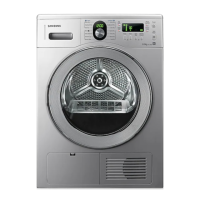
Samsung SDC3K801 - User Manual

Samsung SDC3K801
36 pages
Print Icon
To Next Page IconTo Next Page
Loading...
Condensing Dryer
user manual
imagine the possibilities
Thank you for purchasing this Samsung product.
To receive more complete service,
please register your product at
www.samsung.com/register
SDC18809
SDC1A809
SDC3C801
SDC3K801
This manual is made with 100% recycled paper.
SDC18809X-02805K-02_EN.indd 1SDC18809X-02805K-02_EN.indd 1 2011-06-02  11:48:572011-06-02  11:48:57

Questions and Answers

  • R
    ryanblackAug 20, 2025
    How to fix a Samsung Dryer that won't start?
    • C
      Charles CampbellAug 20, 2025
      If your Samsung Dryer isn't running, ensure the door is fully latched, and the power cord is correctly plugged into a working electrical outlet. Check the home's circuit breaker and fuses. If the door was opened during a cycle, press the Start/Pause button again. Also, empty the condensed water tank and clean the filter case.
  • D
    Dr. Holly MortonAug 22, 2025
    Why is my Samsung SDC3K801 Dryer so noisy?
    • T
      thomasbrandyAug 22, 2025
      If your Samsung Dryer is making unusual noises, check the load for items like coins, loose buttons, or nails and remove them. Ensure the dryer is properly leveled according to the installation instructions. Note that a humming sound is normal due to the high air velocity inside the dryer.
  • C
    Cristian GriffithAug 25, 2025
    Why is my Samsung SDC3K801 not heating up?
    • S
      Stacey DrakeAug 25, 2025
      If your Samsung Dryer isn't heating, first check the home's circuit breaker and fuses. Ensure you've selected a heat setting other than Cool Air. Inspect the case filter and condenser, cleaning them if needed. Also, the dryer might be in the cool-down phase of its cycle.
  • S
    smithwilliamAug 27, 2025
    What to do if my Samsung SDC3K801 shuts off too early?
    • D
      Dalton SmithAug 27, 2025
      If your Samsung Dryer shuts off before the load is dry, it could be due to the load size. Try adding more items or a few towels if the load is too small, or remove some items if the load is too large, then restart the cycle.
  • O
    ocoxAug 28, 2025
    How to prevent lint on clothes in my Samsung Dryer?
    • K
      Kathleen HallAug 28, 2025
      If you notice lint on clothes after drying in your Samsung Dryer, ensure you clean the lint filter before each load. For loads producing a lot of lint, clean the filter case during the cycle. Separate lint-producing fabrics from lint-trapping ones, divide larger loads into smaller ones, and check pockets before drying.
  • E
    Eric PatelAug 30, 2025
    Why does my Samsung Dryer dry clothes unevenly?
    • N
      Nancy WilliamsAug 30, 2025
      If your Samsung Dryer dries unevenly, it is normal for seams, pockets and similarly heavy areas to not be completely dry when the rest of the load has reached the selected dryness level. If one heavy item is dried with a lightweight load, it is possible that the heavy item will not be completely dry. For best results, sort heavy items from lightweight items. You can also select the Extra Dry setting.
  • A
    Amber NorrisSep 1, 2025
    What does error code 3E mean on my Samsung Dryer?
    • J
      jonathanrodriguezSep 1, 2025
      If your Samsung Dryer displays a '3E' error, it indicates that the motor is not working properly. Try restarting the cycle. If the problem continues, call for service.
  • M
    Mr. James LinSep 2, 2025
    What does error code 5E mean on my Samsung Dryer?
    • J
      John PattonSep 2, 2025
      If your Samsung Dryer displays a '5E' error, the water tank is full, or the drain pump is out of order. Empty the water tank and start again. If the problem continues call for service.
  • M
    Michael Gross PhDSep 4, 2025
    What does error code bE mean on my Samsung SDC3K801?
    • A
      angel18Sep 4, 2025
      If your Samsung Dryer displays a 'bE' error, a button might be stuck for more than 30 seconds. Make sure no button is continuously pressed. Try restarting the cycle; if the problem continues, call for service.
  • H
    Hannah VillarrealSep 6, 2025
    What does error code tE2 mean on my Samsung SDC3K801?
    • D
      Dylan SanchezSep 6, 2025
      If your Samsung Dryer displays a 'tE2' or 'hE' error, the filter case might be clogged. Clean the filter case or condenser. If the problem continues, call for service.

Summary

features

Super capacity

Large 8kg capacity dryer with enhanced air circulation for faster, wrinkle-free drying.

Visible water tank indicator

Allows users to check the water level in the tank through a transparent panel without opening it.

Sensor drying (fully automatic drying)

Uses humidity and temperature sensors to digitally control operating time and energy usage.

Interior lamp

Provides illumination inside the drum, making it easy to see items even when it's dark.

Rack drying

Low-temperature function to protect fragile fabrics and dry items like sports shoes.

Certificated wool course

Woolmark certified course designed to minimize damage when drying wool clothes.

Reversible door for easier door opening at any location

Allows the door opening direction to be changed for flexible installation and access.

Diamond drum for fabric care

Features a proprietary diamond-shaped drum for enhanced protection of laundry.

High energy efficiency

Optimized energy efficiency to minimize unnecessary power consumption during operation.

safety information

IMPORTANT SAFETY SYMBOLS AND PRECAUTIONS

Explains warning and caution symbols, detailing potential hazards and safety precautions.

SEVERE WARNING SIGNS FOR INSTALLATION

Provides critical safety warnings and instructions specifically for the installation process.

SEVERE WARNING SIGNS FOR USING

Lists severe warnings and precautions to be followed during the operation of the dryer.

CAUTION SIGNS FOR USING

Outlines caution signs related to product usage, highlighting potential risks and necessary precautions.

SEVERE WARNING SIGNS FOR CLEANING

Details severe warnings and precautions to be taken when cleaning the appliance.

installing your dryer

TOOLS NEEDED FOR INSTALLATION

Lists all necessary tools and items required for the proper installation of the dryer.

SEE DRYER EXTERIOR

Identifies and illustrates the external parts and features of the dryer.

CHECK BEFORE INSTALLING

Provides a checklist of essential checks to perform before proceeding with the dryer installation.

BEFORE USING THE PRODUCT

Lists crucial steps and checks to perform before operating the dryer for the first time.

IMPORTANT TO INSTALLER

Offers specific instructions and advice for the person performing the installation.

LOCATION CONSIDERATIONS

Discusses suitable locations and environmental factors for installing the dryer.

ALCOVE OR CLOSET INSTALLATION

Specifies required clearances for installing the dryer in an alcove or closet.

ELECTRICAL REQUIREMENTS

Details the necessary electrical specifications, including voltage and grounding requirements.

GROUNDING

Explains the importance of grounding and how to properly ground the appliance to prevent electric shock.

INSTALLATION SIDE BY SIDE

Provides guidance on installing the dryer alongside a washing machine.

FINAL INSTALLATION CHECKLIST

Offers a final checklist to ensure all installation steps are completed correctly before operation.

DRAINING WATER WITHOUT USING THE WATER TANK

Explains how to drain condensed water from the dryer without using the internal water tank.

CONNECTING THE DRAIN HOSE

Outlines the procedure for connecting the drain hose to discharge condensed water.

Connecting the direct-hose

Details the method for connecting the drain hose directly to a tap for continuous drainage.

INSTALLATION STACKING

Provides instructions for stacking the dryer on top of a compatible washing machine.

DOOR REVERSAL

Guides on how to change the direction of the dryer door opening to suit installation needs.

operating Instructions, tips

OVERVIEW OF THE CONTROL PANEL

Introduces and illustrates the main components and controls of the dryer's control panel.

Control Panel Functions

Details the operation and settings of various control buttons and functions on the panel.

CHILD LOCK

Explains how to activate and deactivate the Child Lock feature to prevent unintended operation.

SIGNAL OFF

Describes how to turn off audible signals or beeps from the dryer.

MY CYCLE

Guides on creating and using a personalized drying cycle with custom settings.

DELAY END

Explains how to set a delayed start time for the drying cycle.

INTERIOR LAMP

Describes how to turn the interior drum light on and off.

RACK DRY

Details the installation and use of the drying rack accessory for specific items.

LOAD THE DRYER PROPERLY

Provides essential guidelines on how to load the dryer correctly for optimal drying performance.

GETTING STARTED

Offers a step-by-step guide to begin operating the dryer for the first time.

care and cleaning

CLEAN THE FILTER CASE

Instructions for cleaning the lint filter case to maintain drying efficiency and shorten cycle times.

CLEAN THE CONDENSER

Explains the importance and method for cleaning the dryer's condenser to ensure optimal performance.

CONTROL PANEL

Guidance on how to clean the dryer's control panel without causing damage.

TUMBLER

Provides methods for removing stains from the dryer's interior drum.

STAINLESS STEEL TUMBLER

Instructions for cleaning the stainless steel interior of the dryer drum.

DRYER EXTERIOR

Advice on cleaning the exterior finish of the dryer to maintain its appearance.

DUMPING CONDENSED WATER()

Step-by-step guide on how to safely remove and empty the condensed water tank.

CLEANING THE CONDENSER ASSEMBLY

Detailed procedures for disassembling and thoroughly cleaning the condenser unit.

special laundry tips

Drying Special Items

Provides advice for drying special types of laundry items and fabrics.

THINGS TO AVOID:

Lists specific items and materials that should not be dried in the machine.

troubleshooting

CHECK THESE POINTS IF YOUR DRYER...

A guide to common dryer problems and their potential solutions.

INFORMATION CODES

Explains error codes displayed by the dryer and their corresponding solutions.

appendix

FABRIC CARE CHART

A chart detailing care symbols for various fabrics and their drying instructions.

PROTECTING THE ENVIRONMENT

Information on environmentally responsible disposal of the appliance.

DECLARATION OF CONFORMITY

Statement confirming the appliance's compliance with European safety standards.

SPECIFICATIONS

Technical specifications, dimensions, and ratings of the dryer.

CYCLE CHART

A comprehensive chart detailing available drying cycles, load capacities, and settings.

CONSUMPTION DATA

Data on the energy consumption and duration of various drying programs.

Samsung SDC3K801 Specifications

General IconGeneral
Current11.7 A
Heat sourceElectric
Connected load2700 W
AC input voltage230 V
AC input frequency50 Hz
Energy consumption4.49 kWh
Energy efficiency class-
Control typeButtons, Rotary
Display typeLED
Loading typeFront-load
Drying systemCondensation
Product colorChrome, Silver
Reversible doorsYes
Appliance placementFreestanding
Drum capacity8 kg
Maximum spin speed- RPM
Package depth695 mm
Package width670 mm
Package height890 mm
Package weight46000 g
Weight and Dimensions IconWeight and Dimensions
Width600 mm
Height850 mm
Weight43000 g

Related product manuals